












Press Restart at the top right of any server page. When the game’s API is on, the panel asks the game to save the world first, then restarts the server. To warn players first, use Restart with a warning on the Players page.
Restart now
- Open your server.
- Choose Restart at the top right. The power buttons are on every page of the server.
When you restart from the panel, it saves the world first while the game’s API is on. The game’s API is how the panel talks to the game. The panel keeps it on while the Admin password is 16 characters or more. Players are disconnected. They can join again when the server is back up. See the admin password.
Restart with a warning
- Open the Players page.
- Choose Restart with a warning.
- In Restart in (1), choose 1, 5 or 10 minutes.
- Change the Message (2) if you want. It is optional, up to 120 characters on one line. Left empty, it says “The server restarts in”.
- Choose Start the countdown (3).
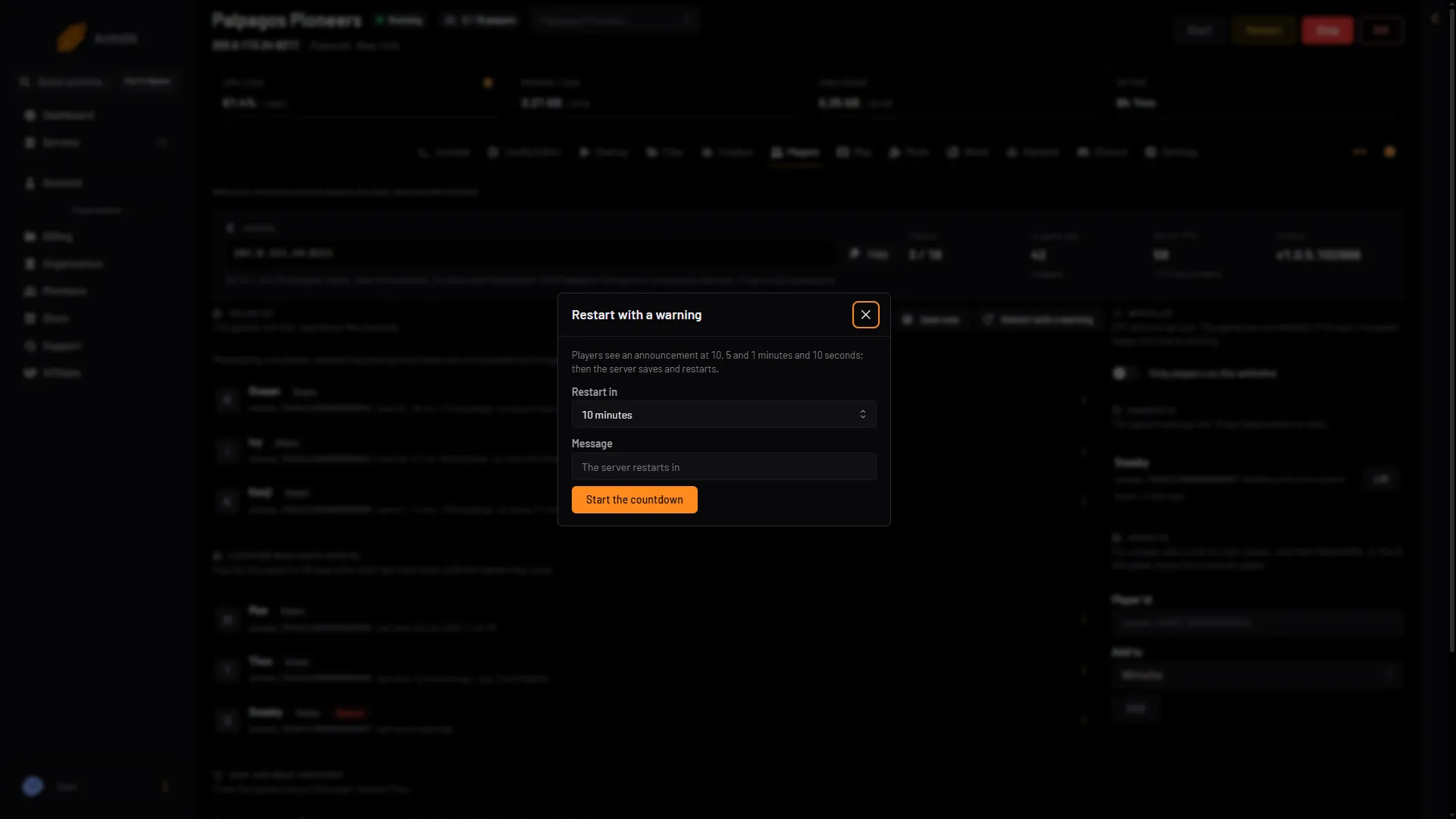
- Pick the time
- Optional message
- Start the countdown
Players see an announcement at 10, 5 and 1 minutes and 10 seconds. Then the server saves and restarts. Stop the countdown cancels it and the server keeps running.
This needs the game’s API, so it needs an Admin password of 16 characters or more.
Restart every day
A daily restart frees the memory the game has used. Set it in a schedule. See Palworld scheduled restarts.
Kill does not save
Kill stops the server at once and does not save. Anything since the last autosave is lost. The game autosaves every 30 seconds by default. Use Kill only when a stop will not finish. The panel also kills a stop that is still running after 90 seconds. That is the Auto-Kill card (1) in Settings.
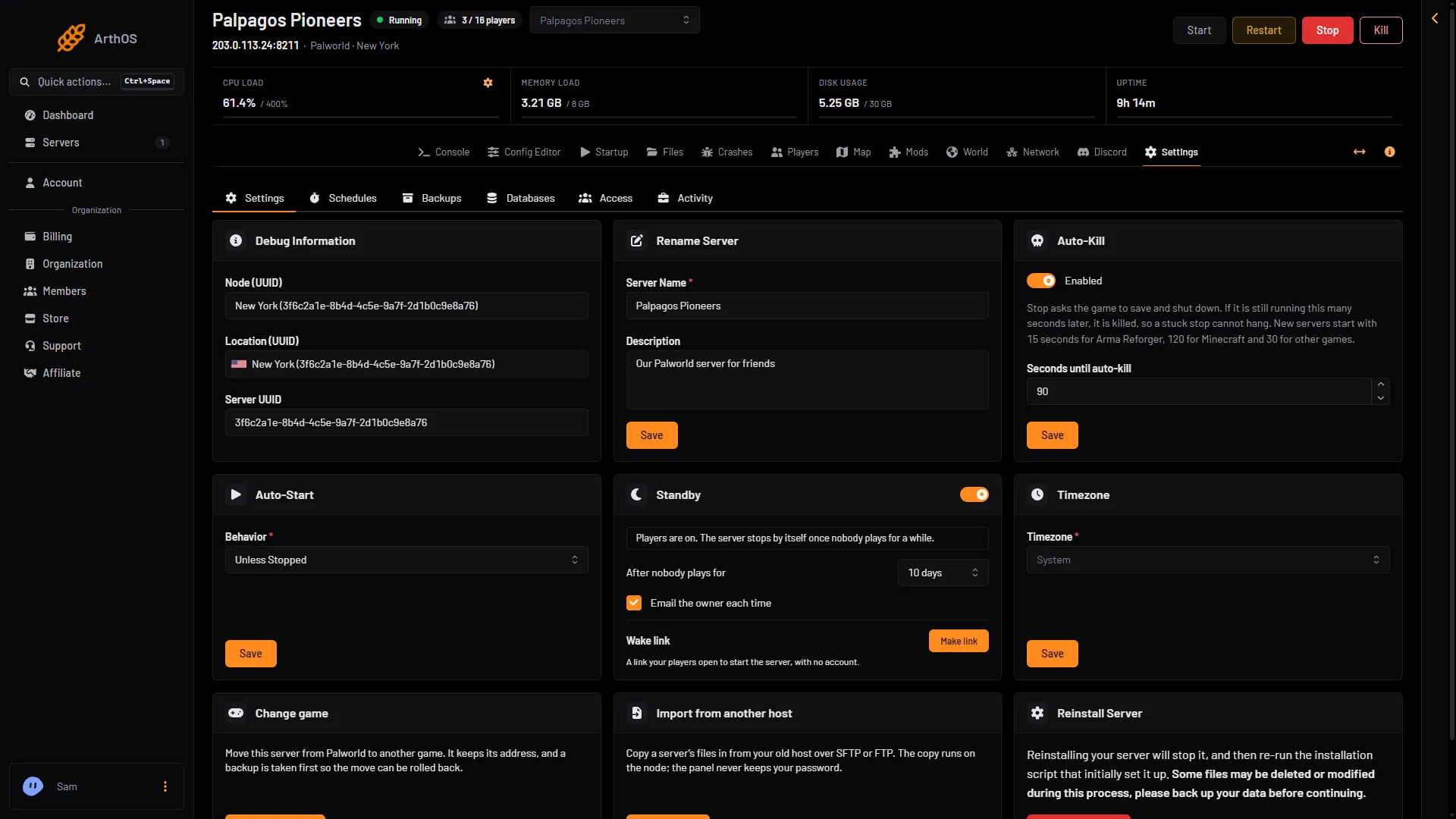
- Auto-Kill after 90 seconds
If the API is off (the admin password is short), Restart loses what happened since the last autosave. With a normal autosave every 30 seconds, a loss is about the last 30 seconds. Save now does not work either when the API is off. Wait for the next autosave, then restart, or set an admin password of 16 characters or more first.
When you need a restart
- Settings. Game settings, the name, the player limit and passwords apply at the next start. After you save while the server runs, the Config Editor shows Restart now. It disconnects everyone.
- Updates. After a new Palworld version, players who updated cannot join until the server restarts and updates. See update a Palworld server.
- World changes. Playing another world, a new world and putting a backup back all load at the next start.
How long a start takes
The server is ready when the console shows Running Palworld dedicated server on. A first start of a new world makes the world about a minute after the server is up. Wait for that before you judge it.
If it does not work
- It will not stop. Wait for the 90 seconds, or choose Kill.
- Players cannot join after a Palworld update. Restart so the server updates, if Update on start is on.
- Warned restart is missing or fails. The API is off. Set an admin password of 16 characters or more.
More about the game: Palworld servers.
Sources: docs.palworldgame.com: Commands