











The name of a Satisfactory server is the name players see for it in the Server Manager, a screen inside the game where players add and pick servers. You change the name on the Server page, with Rename. The server must be running. You do not need to restart it.
Before you start
- The server must be on and the game must be answering. If the server is stopped, the Server page says: “The server is stopped. The game keeps its name, passwords and options itself, so start it to see or change them.” Start the server, wait for the page to load, and then come back.
- A member’s role must be allowed to change the startup settings.
In the panel
- Open the server and choose the Server page.
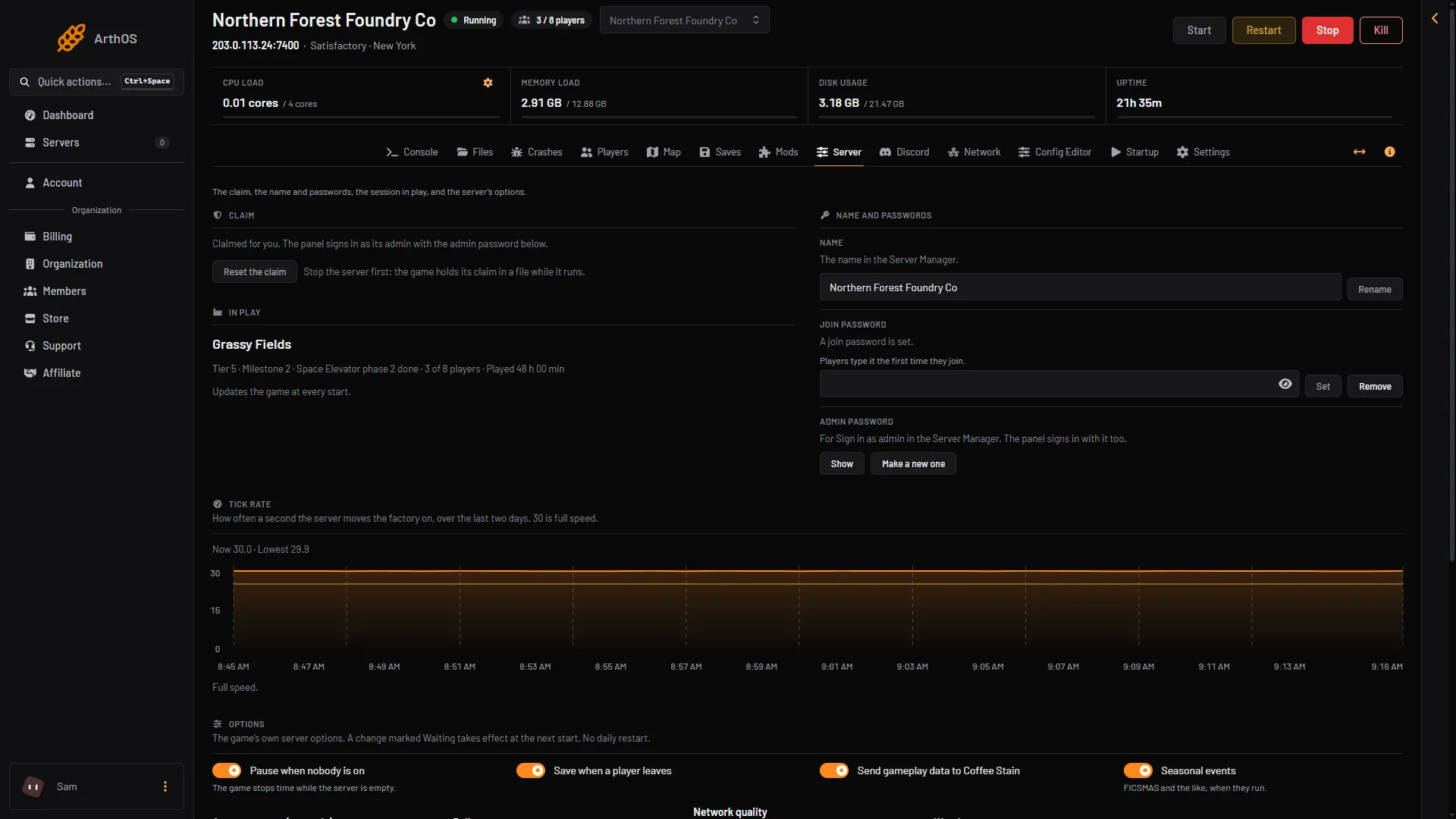
- In the card Name and passwords, find Name. The help line under it says “The name in the Server Manager.”
- Type the new name.
- Choose Rename.
The panel shows “The server is now called (name).” The panel tells the game the new name straight away, and the game keeps the name itself. Nothing restarts, and nobody who is playing is dropped.
The panel accepts a name of 1 to 60 characters, with no double quote (") and no backslash (\).
- Rename
Why Server name on Startup is read only
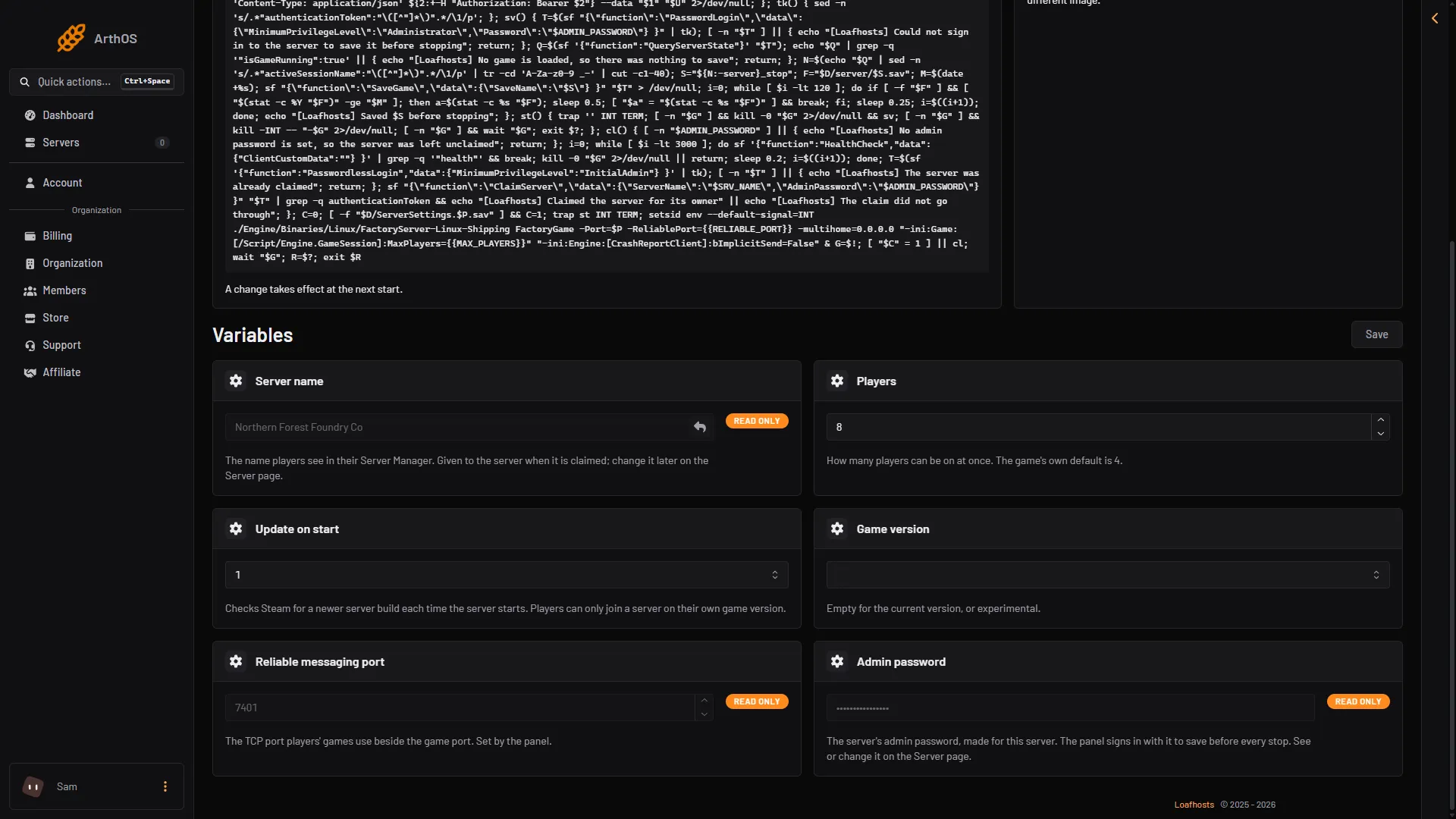
On the Startup page you will see Server name, and you cannot change it there. That is on purpose.
- Server name
The value on Startup is the name the server was ordered with. The server uses it once: at the first start, when it claims itself, it gives that name to the game. After that the game owns the name. Changing the Startup value would not tell the game anything.
So the Server page is the one place to change it. When you choose Rename, the panel also writes the new name into the Startup value, so the two agree.
This matters if you use Reset the claim. The game then forgets its name. At its next start the server claims itself again with the Startup value. Because Rename kept that value up to date, the server comes back with the name you chose last.
What players see
The name shows in the Server Manager list, next to the address you gave. Players do not find the server by this name. They add it by address and port, as described in connect to a Satisfactory server. Renaming does not change the address, so a player who already added the server keeps the same entry.
Not checked on 1.2 as of 27 October 2026: how long a player who already has the server open in the Server Manager waits before the list shows the new name.
By hand
On a server you run yourself, the name is a server setting in the game. In the game, open the Server Manager, choose the server, sign in as admin, and change Server Name in the server settings. The panel does the same thing for you.
If it does not work
- The Name card is not there. The server is stopped or still starting. Wait until the page shows it.
- “A name of 1 to 60 characters, without quotes or backslashes.” Shorten the name, or remove the
"or\from it. - The panel says the game refused the admin password. Someone changed the admin password inside the game. Open the Server page, type the new password where the page asks for it, and try again. See the admin password.
More about the game: Satisfactory servers.