











A new Satisfactory server on Loafhosts is ready, but it has no game in it. Nobody can play until you start one. Open the Saves page, choose New game, and then give your friends the address.
What a new server starts with
When your order finishes and the server starts for the first time, it is already set up for you:
- It is claimed. Nobody else can take it over. See what claiming means.
- It has an admin password the panel made for you. See the admin password.
- Its name is the name you gave it in the order.
- It allows its plan’s player count: 4, 8 or 16 for Small, Standard and Large. The game’s own number is 4. To allow more, change Players on the Startup page. It applies at the next start.
- No game is loaded. The Players page says “No game is loaded. Load a save or start a new game on the Saves page.”
Start your first game
A session is one factory and all its saves. The steps below make the first one.
- If the server is stopped, choose Start at the top right of the server page. The game is ready a few seconds after it starts.
- Open the Saves page.
- Choose New game.
- In Session name (box 1 in the picture), type a name for your factory. The session in the other pictures is called Grassy Fields; that is only a demo name.
- In Starting area (box 2), pick one of the four areas listed below.
- Tick Skip the intro (box 3) if you do not want the opening cutscene for each player.
- Choose Start (box 4).
- Look at your session on the Saves page. Check that it shows Loads at start. If it does not, open the session’s menu and choose Load at start. Then the server loads this game after every restart.
The starting areas are:
Grass FieldsRocky DesertNorthern ForestDune Desert
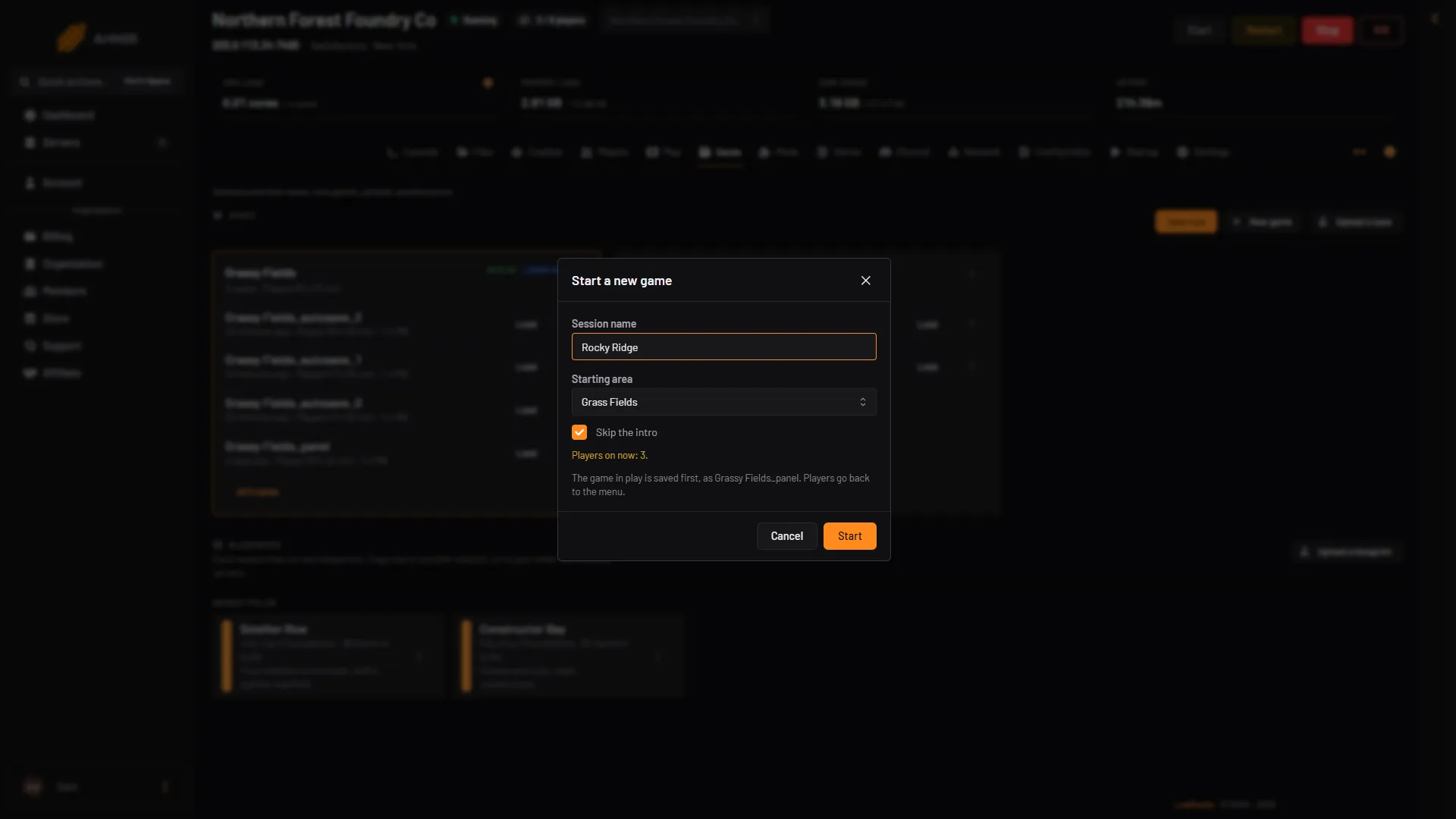
- Type the session name
- Pick the starting area
- Skip the intro
- Start
If a game is already running, the panel saves it first and warns that players go back to the menu. On a new server there is nothing to save.
Let your friends join
Open the Players page. The Joining card shows the address. Choose Copy (box 1 in the picture) and send it to your friends. They join from the Server Manager (box 2), a screen in the game. The steps are in connect to a Satisfactory server.
Players on Steam and on the Epic Games Store can both join. Console players cannot. Everyone needs the same game version, and the same branch (normal or experimental), as the server. Steam and Epic crossplay has the details.
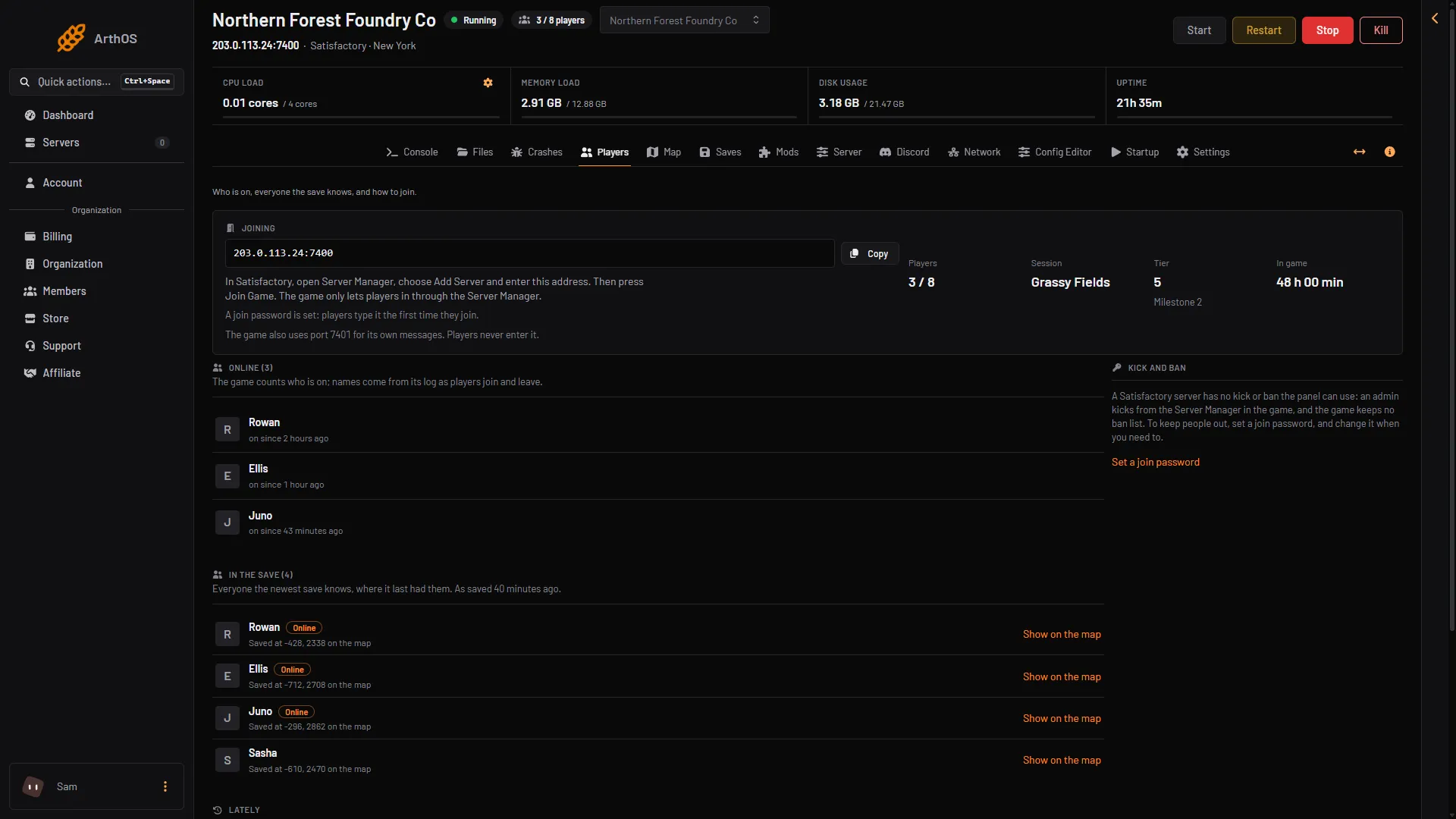
- Copy the address
- How players join
In the game, a player opens the Server Manager and chooses Add Server. They type the address (the part before the colon, for example 203.0.113.24) and the port (the number after it, for example 7400). Not checked on 1.2 as of 27 October 2026: the names of the boxes in Add Server.
By default anyone with the address can join. To ask for a password, see set a join password.
Look at the Server page next
The Server page holds the name, the join password, the admin password and the options. It shows these only while the game runs. Under In play you see the session, its tier and how long it has been played.
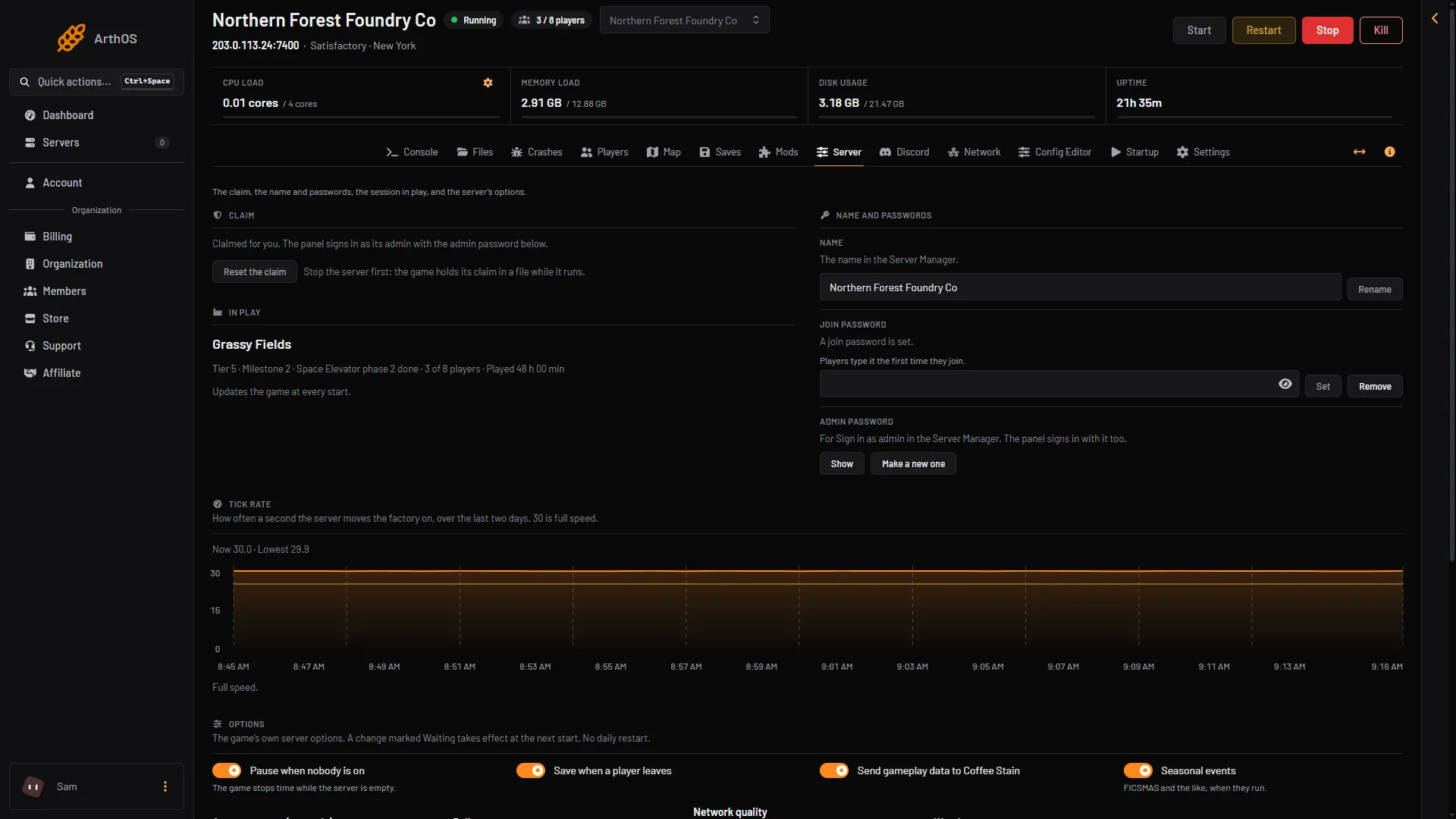
- The claim
- In play
To sign in as admin in the game, use the admin password. Find or change it.
Good to know
- The game saves by itself every 300 seconds by default. The panel also saves before every stop from the panel.
- Make a backup of your server now and then. Back up a Satisfactory server explains why you should choose Save now first.
- Have a single-player game? Move it to your server.
- Memory use is about 2.7 to 3 GB with a new world and nobody on. A big factory needs more.
- More about the game on Loafhosts: Satisfactory servers.
If it does not work
- The Saves page says to start the server. You can only start or load a game while the server runs. Choose Start at the top right of the server page.
- The Saves page says the game is not answering yet. The server is still starting. Wait and look again.
- Friends see “Encryption token missing”. They joined without the Server Manager, and the game refused them. They must use Add Server in the Server Manager and join from there.