

















The player limit is the Players value on the Startup page. It takes a whole number from 1 to 64. The panel puts it on the game’s start line (-maxPlayers), so it wins over any player limit inside the world’s own settings.
Change the limit
- Open your server and choose Startup.
- Under Variables, find the Players card (1). The text under it says “How many players can be on at once (the game allows 64 at most).”
- Type a number from 1 to 64.
- Choose Save. Saving does not restart the server.
- Restart the server. The new limit applies at the next start. Use Restart at the top of the page.
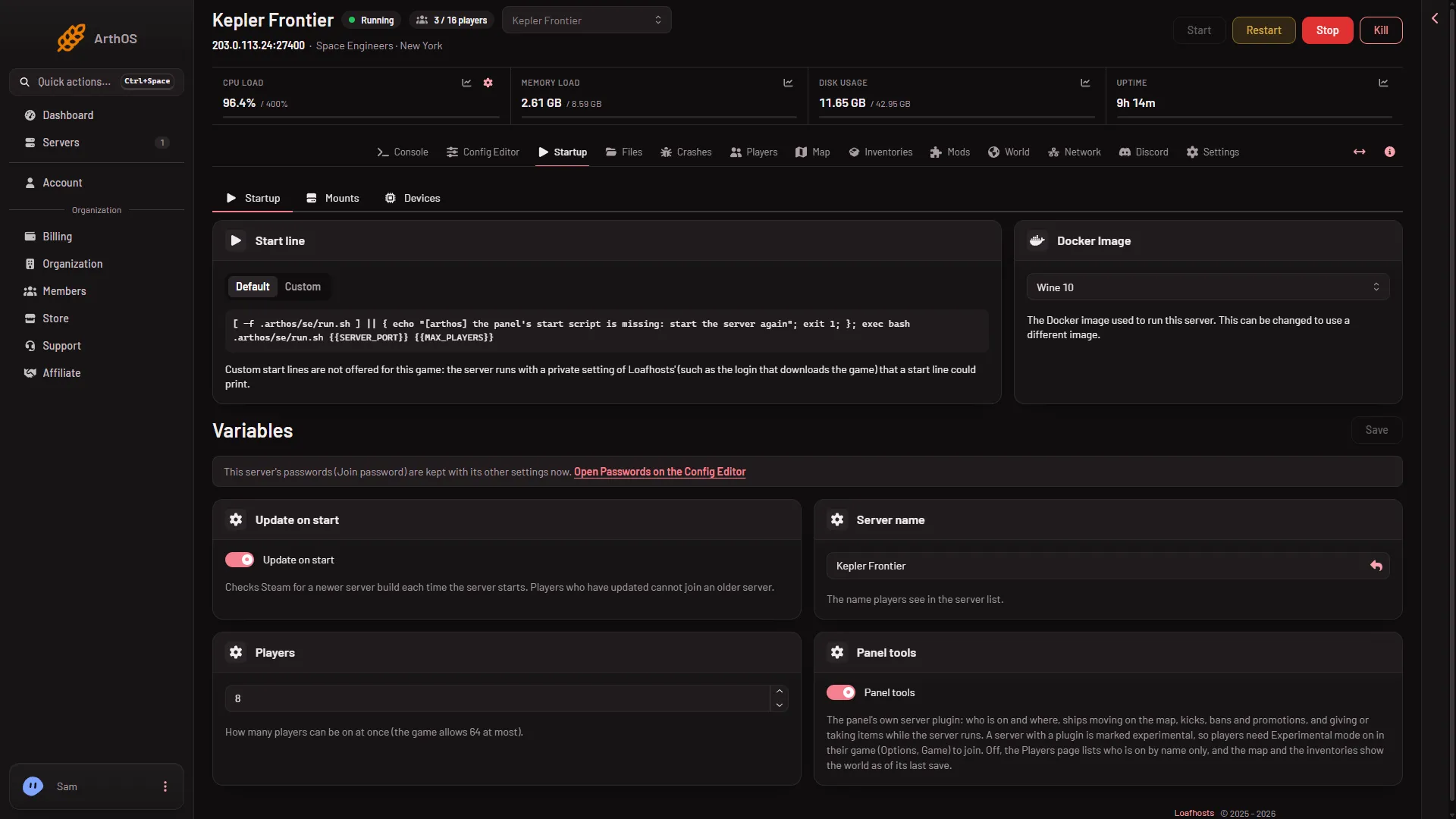
- Players
The number is the limit for the whole server. Players who are on when you restart are disconnected, so pick a quiet moment.
The sizes
A Loafhosts server is sized for a number of players. The panel starts a new server with the number of its size:
- Small: 2 cores, 6 GB memory, 30 GB disk, up to 8 players.
- Standard: 4 cores, 8 GB memory, 40 GB disk, up to 16 players.
- Large: 4 cores, 12 GB memory, 50 GB disk, up to 32 players.
The panel lets you type any number from 1 to 64. A number above your size is your choice, and it costs memory. Many players, big grids (a grid is a ship or a station) and mods all use memory, and a server that runs out of memory is stopped. A bigger plan has more memory.
The world also has a player limit
In Config Editor, World settings, the Players group has a row called Player limit in the world’s file (MaxPlayers). Its help line says “The server’s player limit comes from its plan (Startup) and wins over this one.” So you do not need to change it. Change Players on Startup and leave the row alone.
A new server shows only Passwords and Server settings in the Config Editor until it has started twice: the first start makes the world, the next start names it as the world that loads. Start it again (or restart it), then stop it to see World settings.
Keep room for friends
To keep a place for friends when the server is full, add them to Reserved slots on the Players page. See reserved slots. Not checked with a player on 1.210 as of 15 November 2026: how a reserved slot behaves when the server is full.
If it does not work
- The old limit still applies. The server has not restarted since you saved. Restart it.
- The box refuses your number. It takes 1 to 64. Type a whole number in that range.
- You cannot save. Your role may not allow changing the startup settings. Roles are changed on the organization page: Settings, Access, Manage roles.
- The server lags or stops with many players. See server lag. Lower the limit, or see the sizes above: a bigger plan has more memory. More about the game: Space Engineers servers.