

















Reserved slots is a list of players who can join your server even when it is full. You add each player by their SteamID64 on the Players page. The list is read as the server starts, so a change applies at the next start.
A SteamID64 is the 17-digit number of a Steam account, and it starts with 7656119. The game’s wiki says: “By ‘Steam ID’ we mean the unique numerical identifier for a Steam account in the 64-bit format.” To find a friend’s number, see find a Steam ID.
Add a player
- Start the server once if it has never run. Until then it has no config file, and the panel refuses the change.
- Open the Players page.
- On the right, find Reserved slots (1 in the first picture). Its hint reads “Join even when the server is full.”
- Press Add beside it.
- In the box that opens, type the player’s number in SteamID64 (1 in the second picture). The Add button stays grey until the number has 17 digits and starts with
7656119. - Press Add (3 in the second picture).
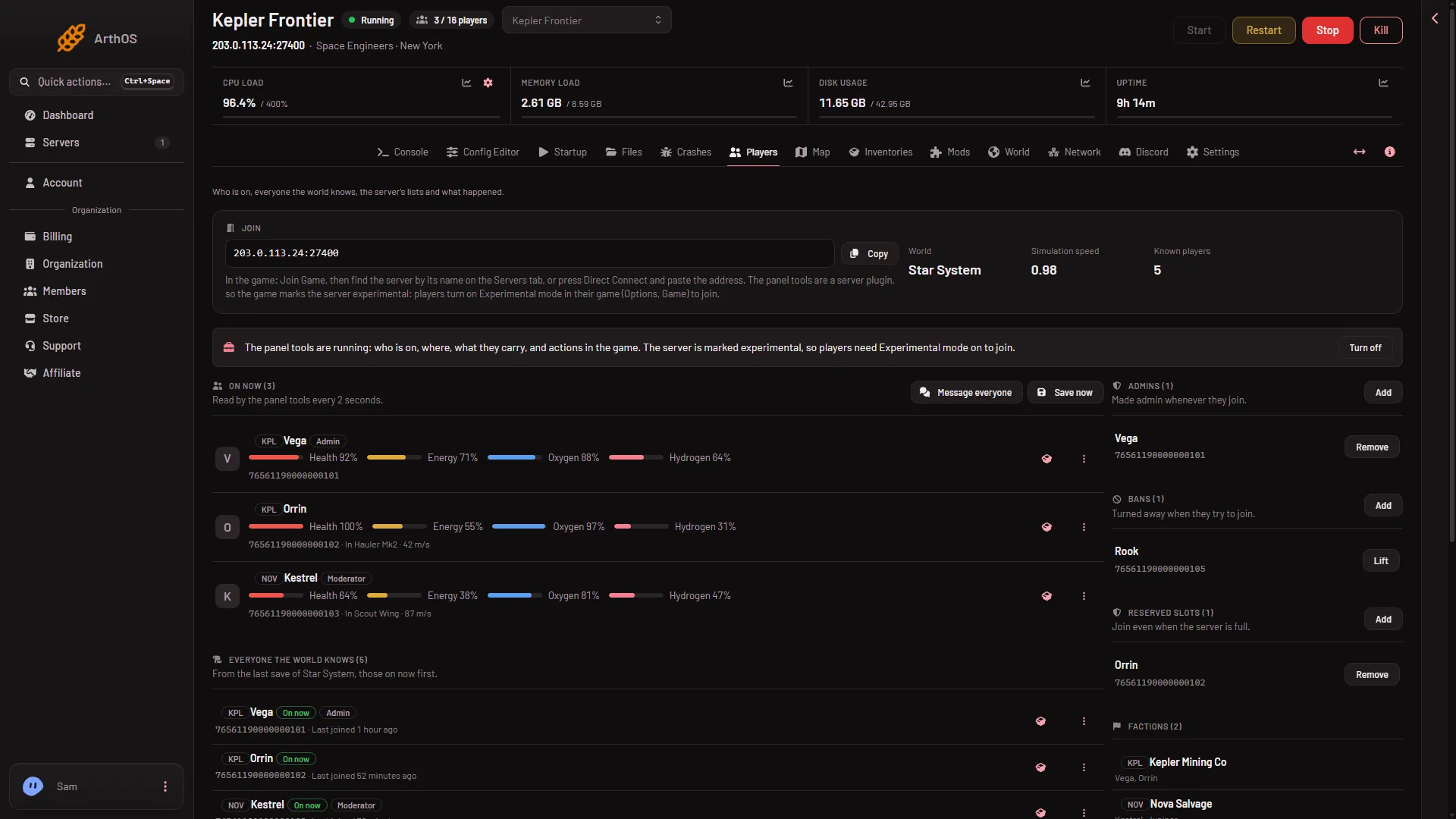
- Reserved slots
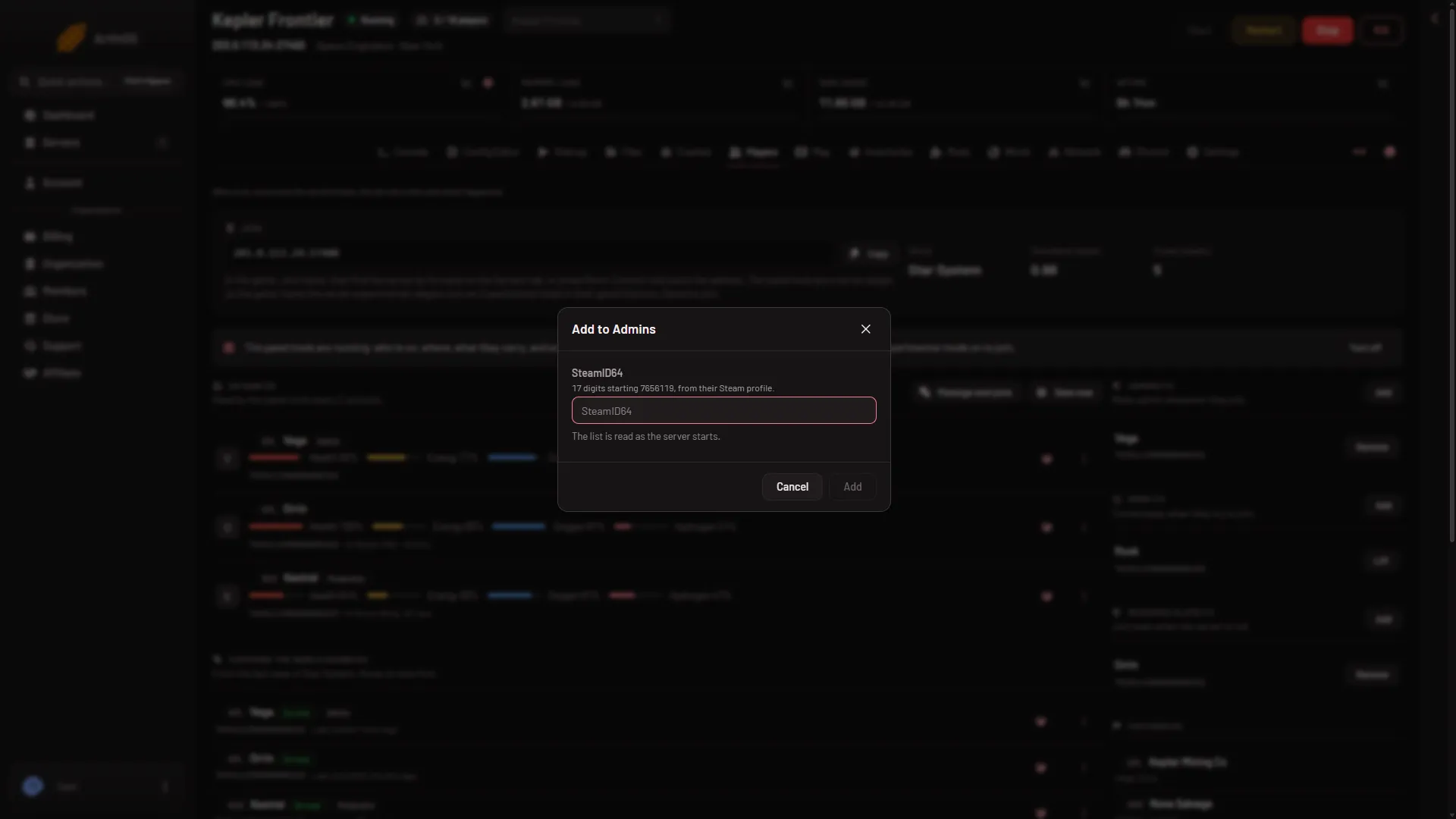
- SteamID64
- Where the number comes from
- Add
The panel says “Added. It applies at the next start.” The player shows in the list with their name when the world knows them, or “Not in this world” when it does not. The number sits under the name. Press it to copy it.
When it applies
The game keeps the list as Reserved in SpaceEngineers-Dedicated.cfg, one SteamID64 for each player, and reads it as it starts. This holds whether the panel tools are on or off, and whether the server is running or stopped. Restart the server for the new player to count. Adding the same number twice changes nothing.
Remove a player
Press Remove on their row in Reserved slots. This also applies at the next start.
Who can do it
A member of your team needs the permission to moderate players on this server. Without it the Add and Remove buttons are not shown. The owner can always do it. You give the permission through a role on the organization page: Settings, Access, Manage roles.
Slots, the limit and the list
The list works with the server’s player limit. Your plan sets that limit: Small allows up to 8 players, Standard 16 and Large 32. To change how many players the server takes, see change the maximum players.
If it does not work
- The panel says the server has no config yet. Start the server once, then add the player again.
- The panel says the config is not valid. Fix the file in Files first. The panel never replaces a config it did not write.
- The number is refused. It must be 17 digits and start with
7656119. A player name will not work. - The player still cannot join. Check that the server restarted after you added them. The panel’s hint says a listed player can “Join even when the server is full.” Not checked with a player on 1.210 as of 15 November 2026. Players also need the game, and Experimental mode on in their game (Options, Game): a new server needs it with the panel tools on or off.
More about the game: Space Engineers servers.
Sources: spaceengineers.wiki.gg: Setting up a Space Engineers Dedicated Server