
















Conan Exiles can turn away players by where they connect from. There is one switch per region of the world, and a list for country codes. Funcom says these settings “use an IP lookup to determine the connection country of origin and prevent those regions not flagged for access from connection.”
The settings
- Region switches. The
ServerSettings.inifile of a test server has eight lines, all on:RegionAllowAfrica,RegionAllowAsia,RegionAllowCentralEurope,RegionAllowEasternEurope,RegionAllowWesternEurope,RegionAllowNorthAmerica,RegionAllowOceaniaandRegionAllowSouthAmerica. Funcom’s default is on. Switching one off stops players from that region connecting. - Block By Country Code. The file key is
RegionBlockList. It is a list of two-letter country codes, the ISO 3166-1 alpha-2 codes. Funcom says country codes can be added by hand. The list is empty on the test server, so nobody is blocked by country.
Both are in the Server and joining group of the Config Editor, file Server settings. Funcom lists neither as needing a restart.
Change them in the panel
- Open Config Editor and choose Server settings.
- Open the Server and joining group, or search for “region”.
- Set the regions you want to block to Off, or type the country codes into Block By Country Code.
- A bar reading “Unsaved changes: (n)” appears. Choose Save on it.
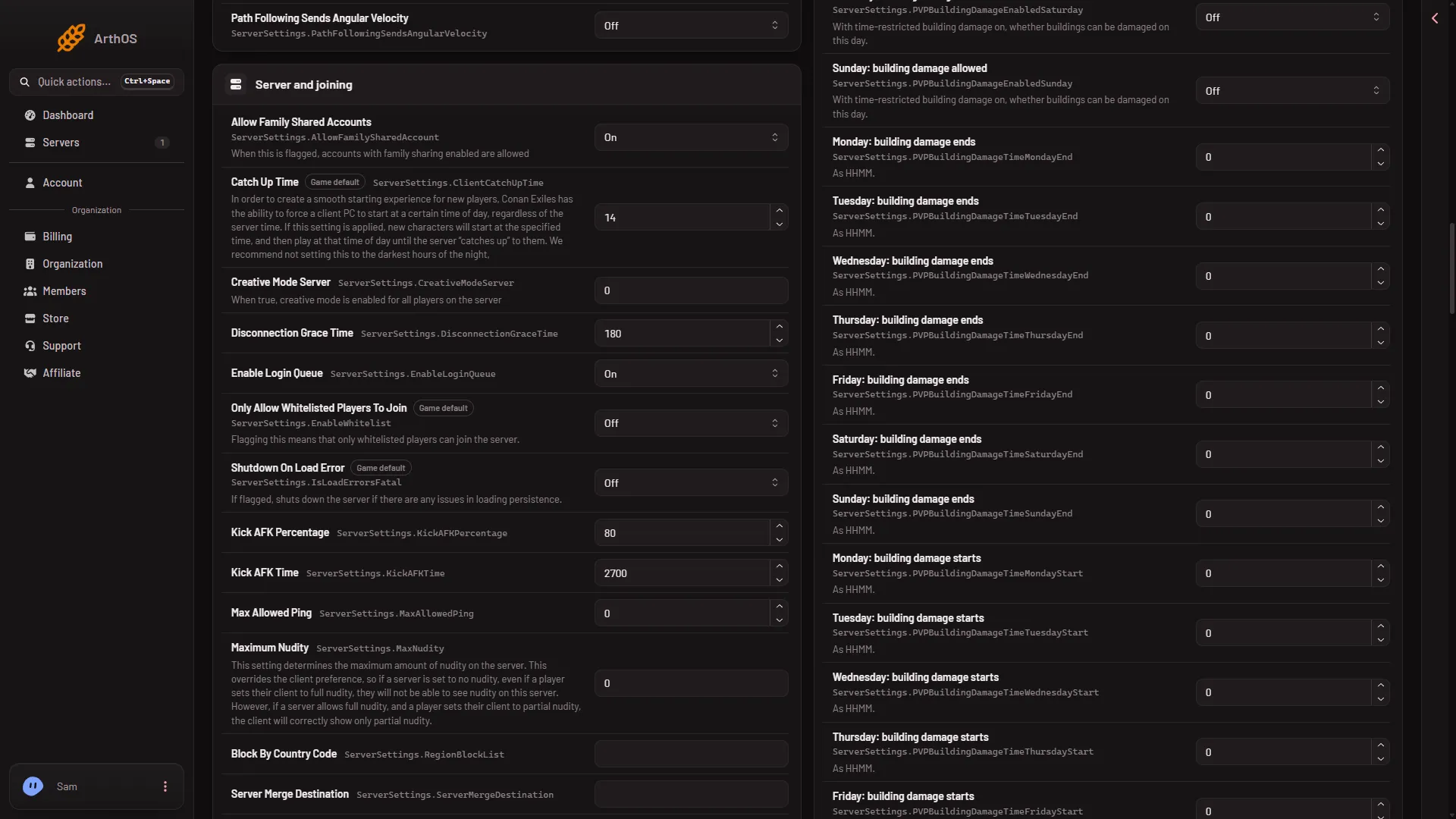
- Block By Country Code
Type the two-letter codes in the box (1). The region switches are further down the same group and are not in this picture.
While the server runs, the panel saves each change to the running game and the file is written at once. The panel says “Saved and in use now.” Whether the game checks new players against the changed rows without a restart is not checked. If the panel says the game did not take a key, stop the server, save again and start it. A restart drops everyone who is on, so warn them first with Restart with a warning on Players (it works only while the game answers the panel).
If the region rows are not there
The panel shows the rows the file holds. If the file has no RegionAllow lines, stop the server, then use Edit the whole file as text in the Server settings file and add them under [ServerSettings]:
[ServerSettings]
RegionAllowAsia=False
RegionBlockList=
RegionBlockList= is the country code list, empty on the test server. Save, then start the server. Stop first because the game rewrites this file when it stops, over anything changed while it runs.
Not checked on Enhanced, server build 25792439 as of 13 November 2026: how more than one code is separated in the block list, which countries each region covers and whether a new server’s file already has the region lines.
Warnings
- The lookup works on the address the player connects from. A player on a connection that looks like it is in another country is judged by that address.
- Test it before you rely on it. Turning away a region also turns away players you wanted, such as a friend travelling.
- To allow only chosen people, a whitelist is a better tool: see the whitelist.
If it does not work
- A blocked player still joins. Check the row saved: reopen the page and read it. Check the code is two letters. If it is, restart the server, because it is not checked whether the game applies these rows while it runs.
- A friend is turned away. Switch their region back on, or take their code off the list. Then read players cannot connect for the other causes.
- The file changed since you opened it. Reload the page and make the change again.
More about the game: Conan Exiles servers.