
















When players cannot join a Conan Exiles server, check these things in this order. Steps 1, 2 and 4 use the Players page. Step 3 is in the Config Editor.
Quick triage: ask the player to try Direct Connect with the address from the Joining card. If that works, the server is fine and the problem is the game’s server list. If the game refuses them, go to step 3 (join password), step 5 (game version) or step 6 (mods). What the player sees in the game is not covered here.
1. Is the server up?
If the server went into standby (see Standby under Settings), choose Start at the top of the page, or open its wake link.
Open Players. If the server is running but not yet answering, the page says “The server is running, but the game is not answering the panel yet. It answers once the world has loaded, about half a minute after the start.” This message is normal right after a start. The game is ready when the Console shows the line Started SourceServerQueries, 16 to 25 seconds after the files load. If the page says the server is offline, choose Start.
The first start of a new server takes longer. If the server never gets there, read the server will not start.
2. Are they using the right address?
The Joining card on Players shows the address with a Copy button. It tells players: “In the game’s server list, use Direct Connect with this address, or search for (the server name).” Use the address from the card, not one from an old message. To find the server by name in the game’s list, players need the Server name on Startup. Rename Server on Settings changes only the name the panel shows.
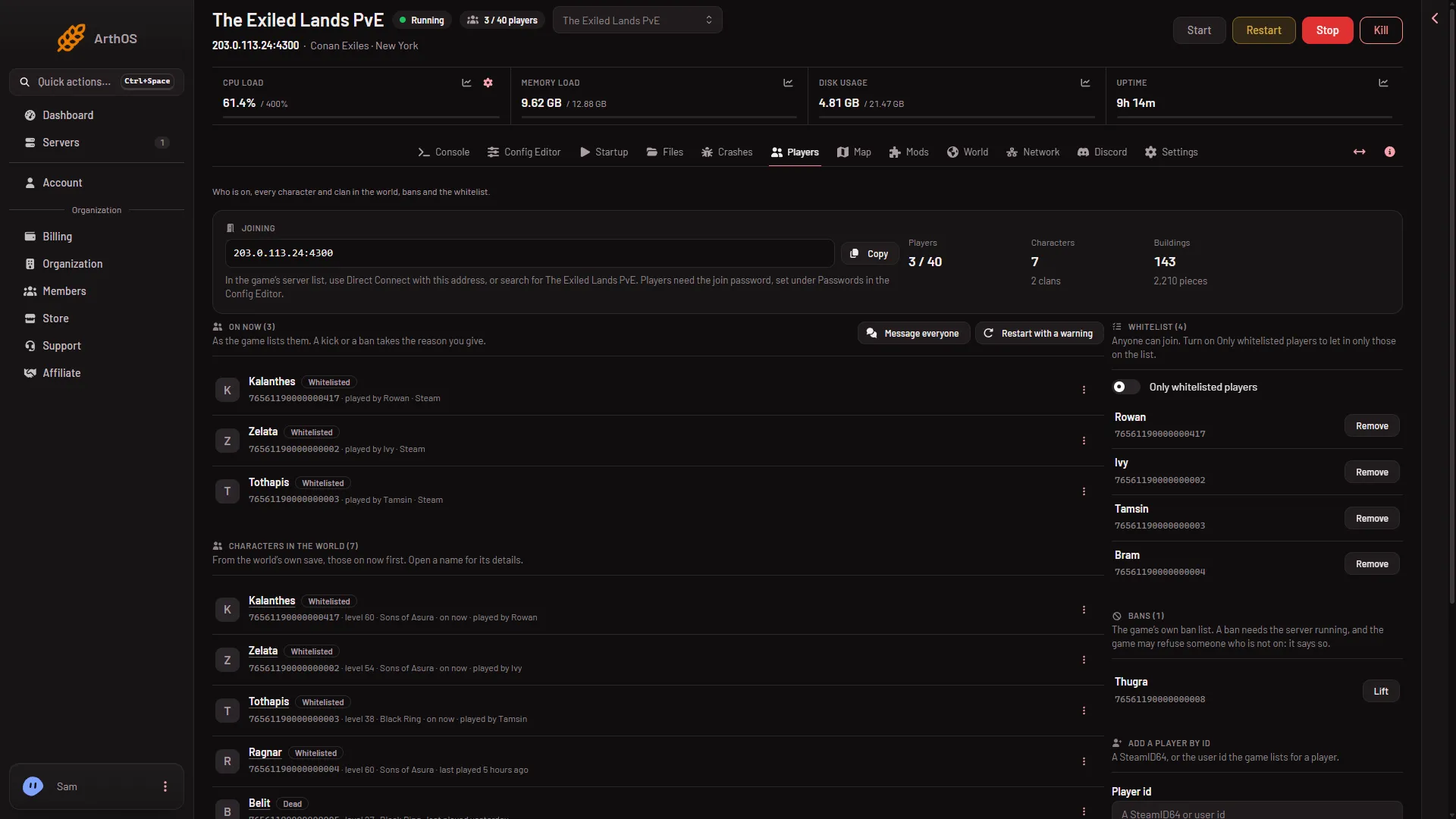
- Copy the address
- How players join
Copy the address (1) and read the line under it (2): it says whether players need a join password.
3. The join password
The Joining card says whether there is one. With a password it reads “Players need the join password, set under Passwords in the Config Editor.” Without one it reads “There is no join password, so anyone who finds the server can join.”
To check or change it, open Config Editor, then Passwords, and look at Join password. Choose the eye icon (Show) to read it. A new password is written into the server’s settings when the server starts, so restart for it to apply. A restart drops everyone who is on, so warn them first with Restart with a warning on Players (it works only while the game answers the panel).
4. Is the server full?
The On now list on Players shows who is on. The limit is the Players variable on Startup (not the Players page), from 1 to 70. A new server uses its plan’s player count. A change to it applies at the next start.
5. The game version
Players who have updated their game cannot join an older server. Update on start on Startup makes the server check Steam for a newer build every time it starts. If it is off, or the server has not restarted since the update, restart it. That drops everyone who is on, so warn them first. Crashes shows the build of each start in Game version.
6. Mods
Players need the same mods as the server. A server with an older copy of a mod refuses players who have the newer one. Update mods on start on Startup downloads newer versions before the game starts. On the Mods page, a row marked Update has a newer version waiting. A mod made for the old Conan Exiles never loads on Enhanced, so take it off the list.
7. The whitelist and bans
On Players, Whitelist shows whether Only whitelisted players is on. When it is on, anyone not on the list is not allowed in. A banned player shows the tag Banned. Add the player to the list, or choose Lift beside the name under Bans.
A leftover line in Engine.ini
If clients still cannot connect, Funcom’s troubleshooting page names one more cause: bUseBuildIdOverride and BuildIdOverride lines in Engine.ini. Funcom’s fix is to delete them. The panel removes both lines every time the server starts, so a restart is enough.
If it does not work
- Only some players cannot join. Check the region and country settings: block countries and regions.
- Nobody can join and the page says the game is not answering. Wait half a minute after a start, then read Crashes.
More about the game: Conan Exiles servers.