
















A Conan Exiles server saves its world when you stop it, and the save is slow. On a played world a stop took about 40 seconds. On a new world it took up to 3 minutes 43 seconds. Wait for it. The server is not stuck.
What happens during a stop
The panel asks the game to shut down cleanly. The game then writes its whole world to disk and exits. The world is one file, ConanSandbox/Saved/game_0.db, so the save is one big write.
A restart does a stop and then a start, so it takes this long too. The same goes for a daily restart and a standby stop: both use the normal clean stop.
The first stop of a new world is the slowest, up to 3 minutes 43 seconds. Later stops are shorter.
What you see
Press Stop at the top of the server page. The console prints:
“If it has not stopped in (seconds) seconds, it is killed. Change this under Settings, Auto-Kill.”
The number is the one in Seconds until auto-kill on the Auto-Kill card. The card’s own sentence about 15, 120 and 30 seconds names other games, not Conan Exiles. A Conan stop can take nearly four minutes on a new world, so the number should be above that.
Do not kill it
A kill ends the game at once and nothing is saved. Whatever players did since the game’s last save is lost. The game also copies the world to a backup file every 5 minutes while it runs, so there is an older copy to go back to.
If a stop seems stuck:
- Wait the full time. The server keeps showing as running until the game has exited.
- Read the number on the Auto-Kill card (1) under Settings. It is the field Seconds until auto-kill (2). Leave it alone.
- When that time has passed the panel ends the game for you, and a kill does not save. If Enabled on the card is off, a stuck stop is never ended: use Kill at the top of the server page as a last step, knowing it does not save.
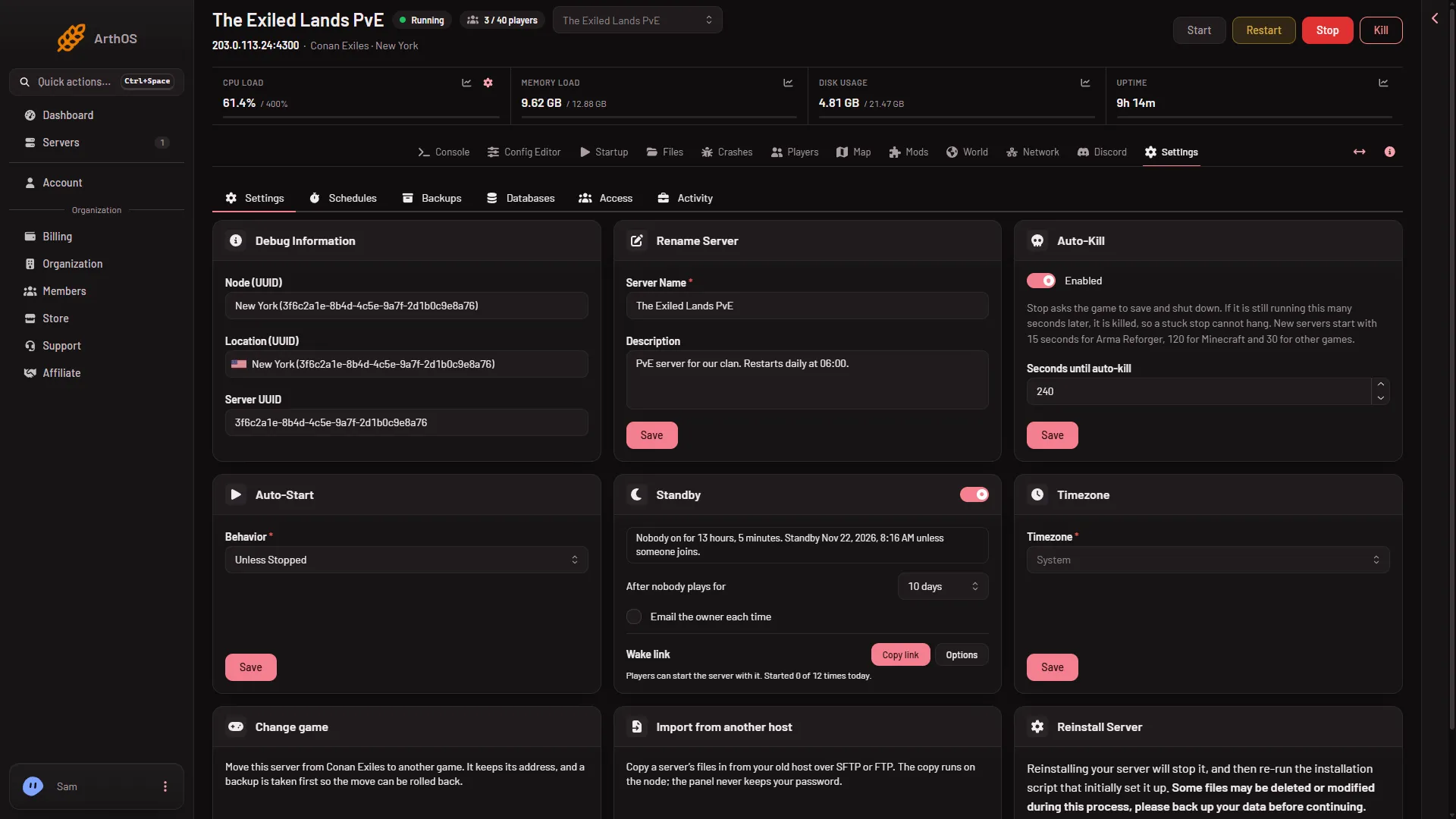
- Auto-Kill card
- Seconds until auto-kill
By hand
On your own machine, send the server process SIGINT (Ctrl+C) and give it up to four minutes. SIGINT makes the game save and exit. A TERM or a kill does not save.
Why a slow stop can still be a problem
If the world file cannot be read or written, the Crashes page shows “The world file could not be read or written”. Put back one of the game’s backups to fix it. See the malformed database fix.
If it does not work
- A stop takes a few minutes. That is normal on a new world. Wait up to 4 minutes.
- It was killed. Open Crashes to see how that start ended. A start ended by the machine for memory is marked out of memory; see the memory guide.
- Players lost recent work. Open World and look at the game’s backups, newest first. See how to restore a backup.
More about the game: Conan Exiles servers.