
















The game makes its own backups of the world, but they are meant for a quick step back. To keep a world for longer, take a panel backup: open Settings, then Backups, and create one. A schedule can take them for you.
Two kinds of backup
- The game’s own backups. The game copies the world as the server starts and every 5 minutes while it runs. They are listed on the World page under Backups, newest first.
- Panel backups. You make these on the Backups page, in Settings. They stay until you remove them, and you can lock one so it is never removed by a schedule.
A panel backup copies the server’s files as they are. A backup taken while the server runs says “Taken while running. The game did not confirm a save.” or “Taken while running. The world was saved first.” on its row.
Take a backup by hand
- Open Settings, then the Backups tab.
- The top line reads “(N) of (M) maximum backups created.” That is your plan’s limit.
- Open Create and choose Create Backup, then confirm in the box.
- The backup appears in the list with Restore, Lock and Unlock.
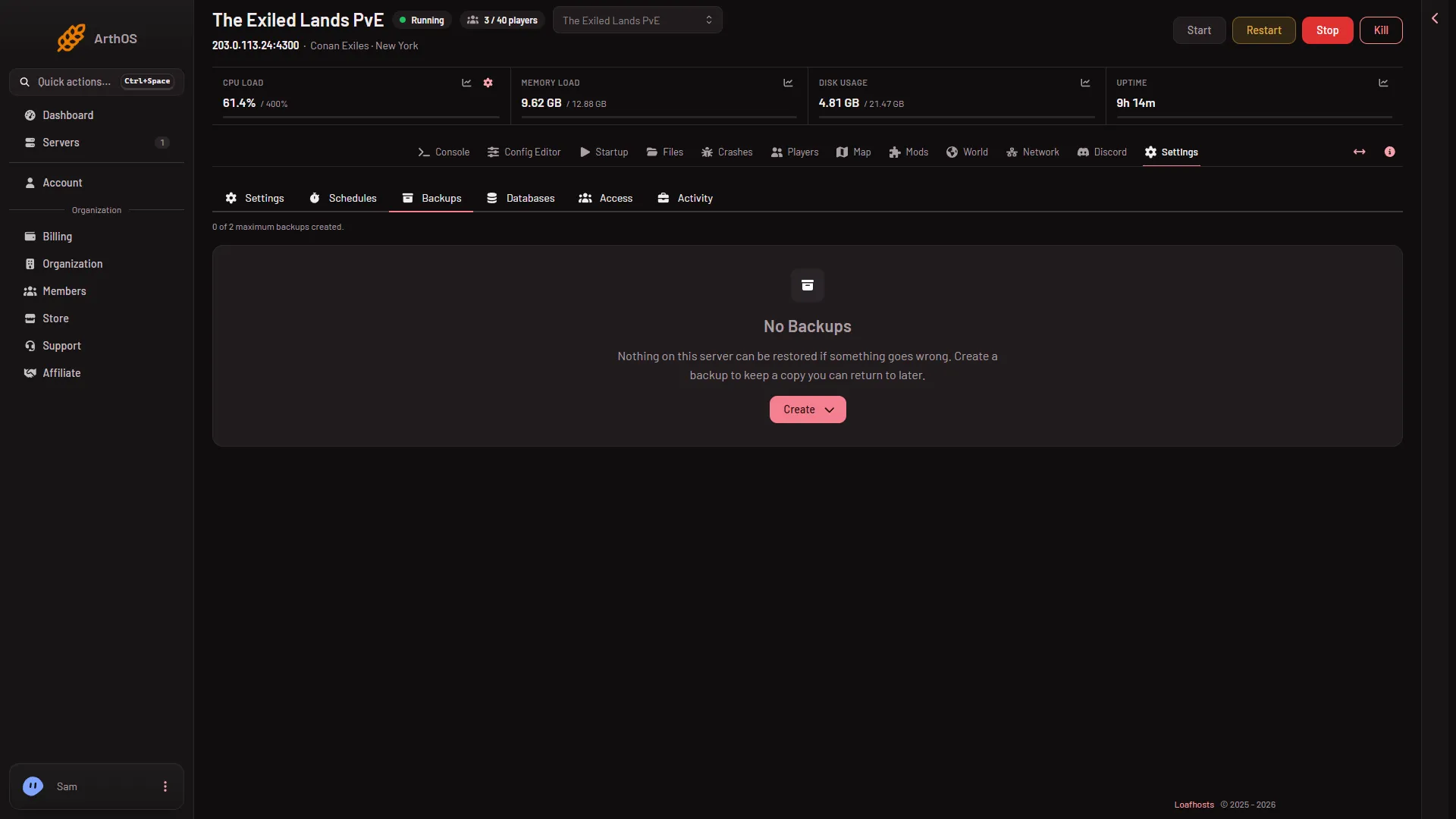
- Create
A backup you take by hand is refused when you are at the limit. Remove one you do not need, or use a bigger plan.
Lock a backup you want to keep for good, such as the world just before a wipe or a big mod change. Unlock lets it be removed again.
Take them on a schedule
A schedule can add a backup for you each day.
- Open Settings, then Schedules.
- Choose Create Schedule and type a Schedule Name (1), such as “Nightly backup”.
- Under Triggers, choose Add Trigger (2). A trigger of type Time Interval (Cron) appears. Set Runs (3) to Daily and set At to the time, or switch on Edit as cron expression if you know cron.
- Choose Create (4).
- The steps are added after the schedule exists: open it, choose Add Step, then the action Create Backup. A scheduled backup runs while the server runs, and nothing saves the world first.
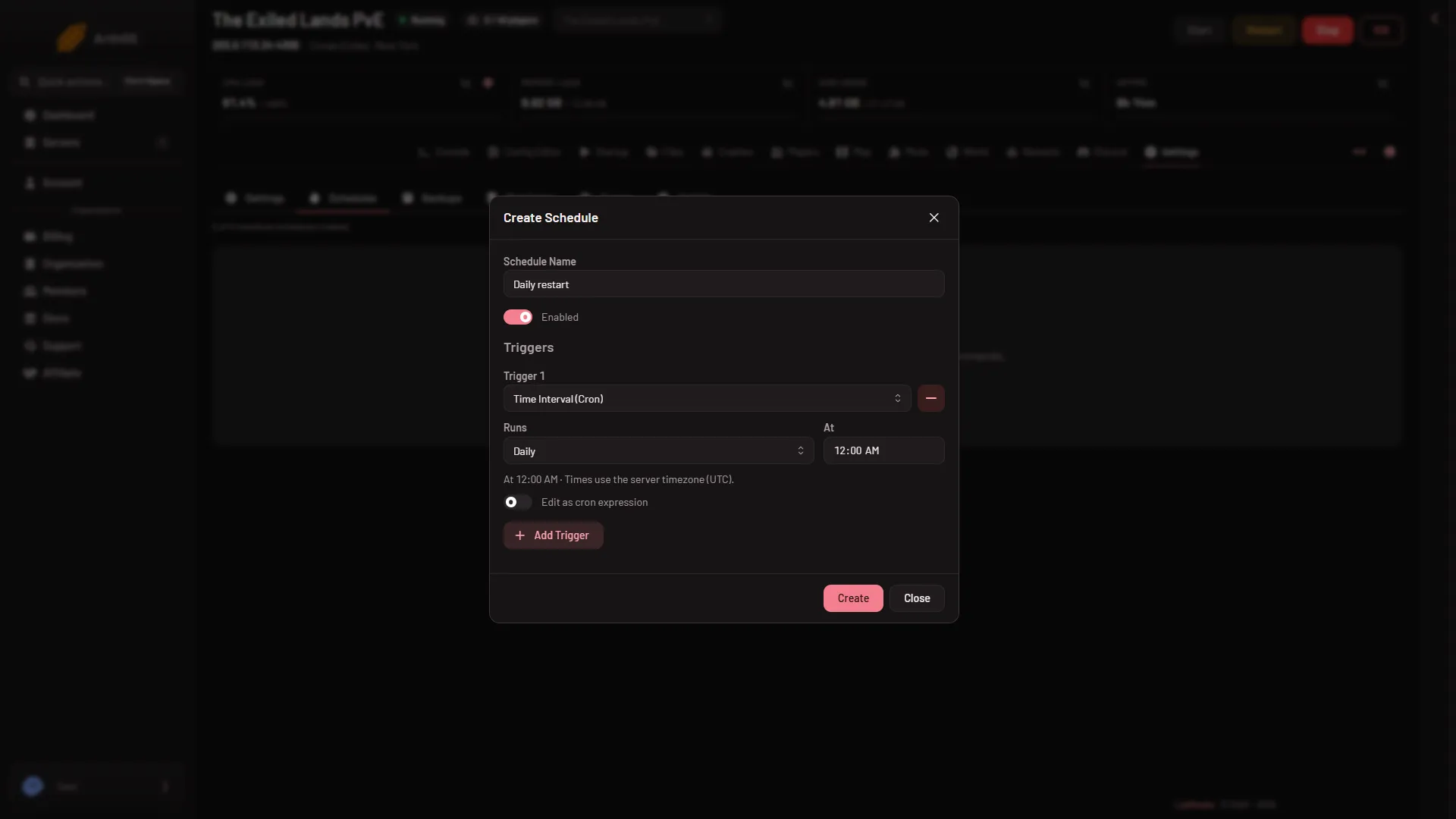
- Schedule Name
- Add Trigger
- Runs
- Create
Schedules run in the server’s own time zone. Check the Timezone card in Settings.
Putting a world back
To return to a backup, choose Restore on its row. To return to one of the game’s own backups, use Put back on the World page. See restore a backup.
Not checked on “Enhanced, server build 25792439” as of 13 November 2026: how large a panel backup of a Conan Exiles server is, how long it takes, how reliably a copy taken while the server runs restores, and how a restore behaves while the server runs.
If it does not work
- Create Backup is refused. The server is at the limit. Remove a backup you do not need, or use a bigger plan.
- A scheduled backup did not run. Check the time zone and the times you set. The Activity tab in Settings lists what happened.
- A backup I wanted is gone. A scheduled backup at the limit removed the oldest unlocked one. Lock the ones you keep.
More about the game: Conan Exiles servers.