
















In the Conan Exiles Config Editor, the Engine and Game sources can be saved only while the server is stopped. The game rewrites these files itself when it stops, so a change made while it runs would be lost. Server settings is different: see change settings without a restart.
Why they need a stopped server
The editor says it on both sources: “The game writes this file itself when it stops, over anything changed while it runs. Stop the server to change these settings.”
- Choose Stop at the top of the server page. A stop drops everyone who is on the server. Warn them first with Restart with a warning on the Players page, or tell them yourself.
- Open Config Editor and choose Engine or Game.
- Change the row. A bar reads “Unsaved changes: (n)” with Discard and Save. Choose Save. The message is “Saved. The changes apply when the server starts.”
- Start the server.
Engine
This is the game’s Engine.ini. It is mostly the engine’s own lines, and the panel offers only a few rows:
- Server list name. Locked. The row says it is set on the Startup page and links there. Change the name on Startup, in Server name. The panel writes it again at every start.
- Old join password. Locked. The panel removes this old line at every start. Use Join password under Passwords.
- Regions left out. Regions whose levels the server does not load, comma separated. The name the panel uses is
IsleOfSiptah. The editor says: “Regions whose levels the server does not load, comma separated (IsleOfSiptah). The World page switches the Isle of Siptah.”
Funcom says that disabling a region stops its levels from loading on a dedicated server and can lower memory use. The easy way to do it is the World page. See Isle of Siptah on or off. In the file the line is ExcludedRegions=IsleOfSiptah in a [Regions] section. While the island is on, the file has no [Regions] section at all.
On your own machine, the file is ConanSandbox/Saved/Config/LinuxServer/Engine.ini. With the server stopped, add:
[Regions]
ExcludedRegions=IsleOfSiptah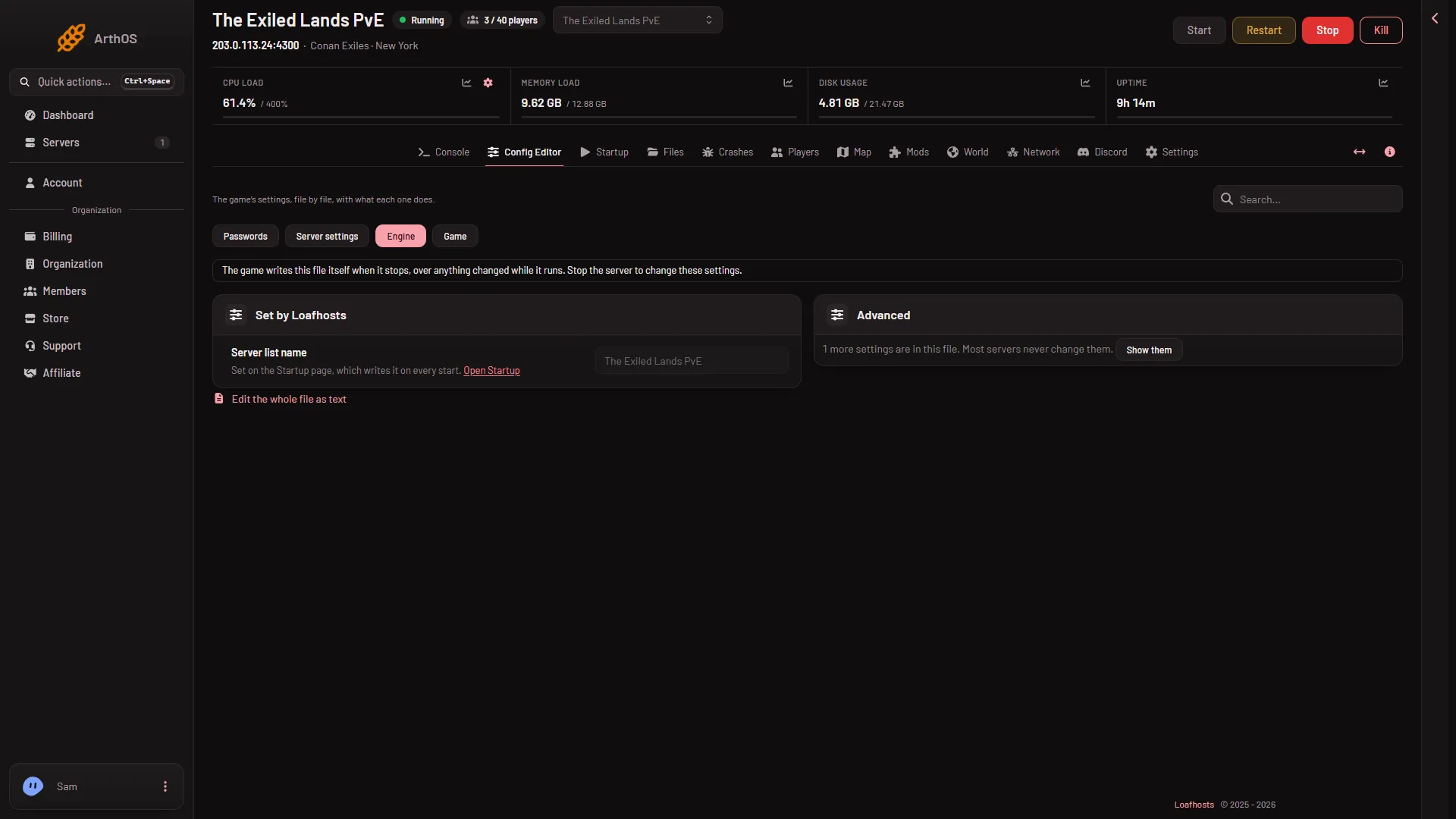
- Engine source
Game
This is the game’s Game.ini. It holds the settings of the remote console (RCON), which is how the panel talks to the game for Players, Map and World. Rows:
- RCON. Locked.
- RCON password. Locked. Set under Passwords, as Remote console password.
- RCON port. Locked.
- RCON command limit. You can change it, from 1 to 1000.
In the file the lines sit under [RconPlugin] in Game.ini: RconEnabled, RconPassword, RconPort and RconMaxKarma. The command limit is RconMaxKarma.
The panel sets the locked rows every time the server starts, and the editor says: “The panel sets this every time the server starts, so it cannot be changed here.”
RCON command limit
The game protects its remote console from spam. Each command an address sends counts 1, and about 1 a second wears off. Past the limit, the game refuses that address’s commands and connections for a few minutes. The editor says the panel’s own pages send up to 40 in a row, so below 60 they can be locked out.
Leave it at 60 or higher. A low number can lock the panel out of its own server. A high number gives the panel more room, and it also gives less protection against someone guessing the password. If you were locked out, see the command limit. The panel spaces its own commands, so a normal day does not hit the limit.
Other settings and the whole file
Lines in a file that the panel does not know show under Other settings. Edit the whole file as text opens the file in the file editor. Edit by hand only while the server is stopped, for the same reason as above.
If it does not work
- Save is not allowed. The server is running or starting. Stop it first.
- A locked row will not change. The panel writes it on every start. Change it where the row points: Startup or Passwords.
- Your edit in the file editor was gone after a stop. The game rewrote the file when it stopped. Edit it while the server is stopped.
More about the game: Conan Exiles servers.
Sources: exiles-enhanced.inflexion.io: Regions, conanexiles.fandom.com: Rcon