
















A Loafhosts Conan Exiles server runs Enhanced, Funcom’s newer version of the game. It does not run the old version, called Legacy. Players need Conan Exiles Enhanced to join. A mod made for the old game never loads on an Enhanced server.
The two versions
Enhanced is Funcom’s update of Conan Exiles to a newer engine. Its dedicated server is Steam app 443030, and it downloads without a Steam account.
The old server is a separate build. Funcom’s migration page says to switch to the conan-exiles-legacy beta branch on Steam to stay on it, and that a server on that branch “will not update to UE5”. Loafhosts does not offer that branch.
Enhanced puts the Exiled Lands and the Isle of Siptah on one map, split into regions. A new server has both. You can leave the Isle of Siptah out to save memory. See leave out Siptah.
Mods for the old game
The Steam Workshop holds mods for both versions. A mod made for the old game is built for the old engine, so an Enhanced server never loads it. The panel helps in three places:
- Workshop search on the Mods page lists only mods made for Enhanced.
- If you paste the link or ID of an old-game mod in Add by link or ID, the panel refuses it and says it is made for the old Conan Exiles and does not load on Enhanced.
- A Legacy mod that is already on the list shows the note “Made for the old Conan Exiles: it never loads on Enhanced.” The row gets a Wrong game chip, and a line under the list names these mods and says “Take them off the list.”
A mod that is made for both versions is allowed. What the panel does with a mod ID that carries no Workshop tag for either game is not checked on Enhanced, server build 25792439 as of 13 November 2026. A mod that loaded shows “Loaded at the last start.”
Take an old mod off the list
- Open Mods, then On this server.
- Find the row with the note.
- Choose Take (name) off the list.
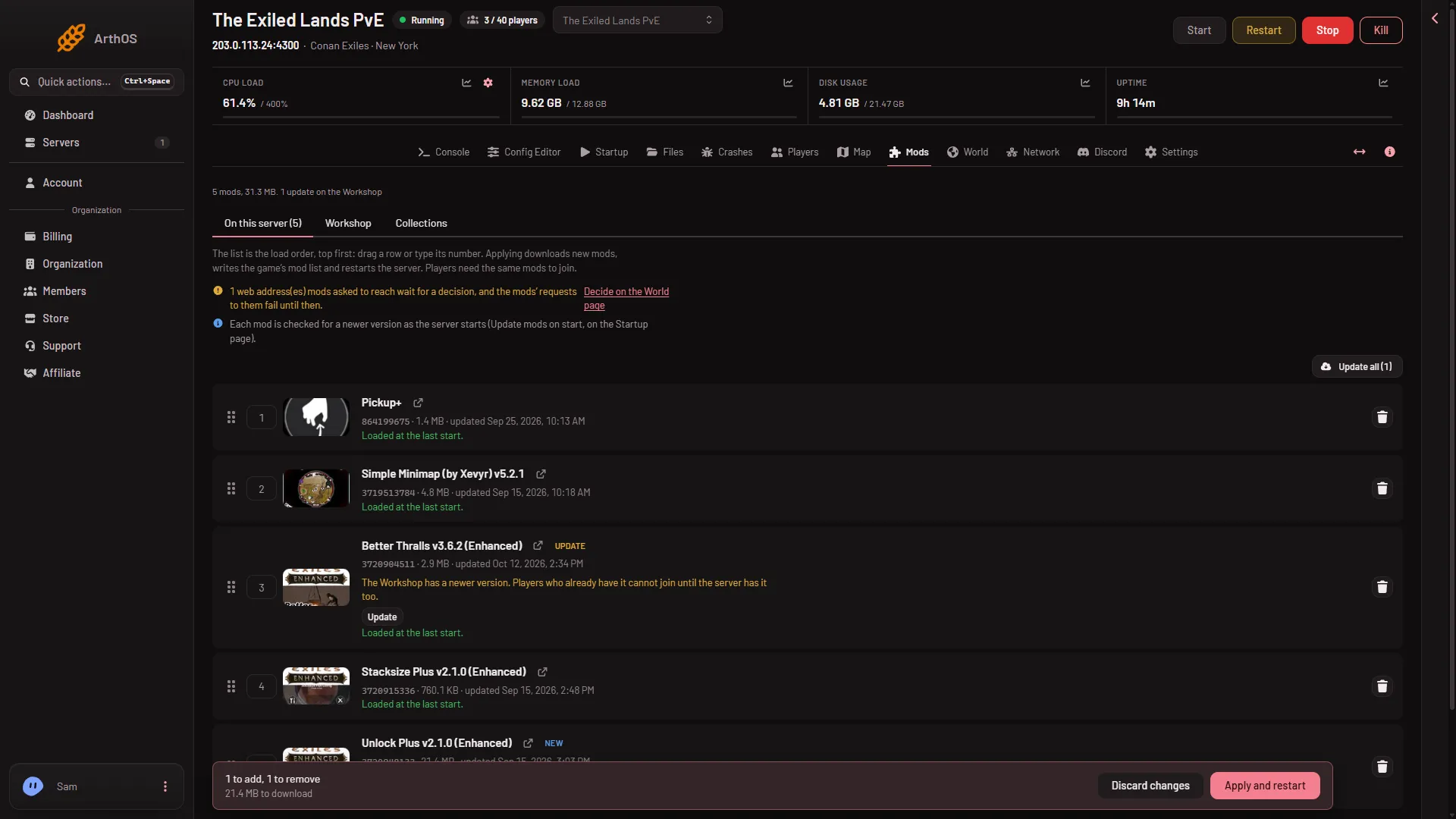
- Choose Apply and restart on the bar at the bottom. On a stopped server the button reads Apply. The server stops, downloads and starts again, and everyone who is on is dropped. Warn them first with Restart with a warning on the Players page, as long as the game answers the panel.
- Take off the list
- Apply and restart
The bin on the row (1) takes the mod off the list. Apply and restart (2) makes it happen.
See Legacy mods do not load for more.
If it does not work
- A mod is on the list but not in the game. Check its row. If it says “On the list, but the game did not load it at its last start.”, open its log from that start for the reason. The Crashes page may also show “A mod did not load”.
- A player cannot find the server. Players need Conan Exiles Enhanced, not the old game.
More about the game: Conan Exiles servers.
Sources: exiles-enhanced.inflexion.io: Ue4 ue5 migration, exiles-enhanced.inflexion.io: Regions