
















A mod made for the old Conan Exiles does not work on Conan Exiles Enhanced. The server skips it and writes nothing about it in its log. So the panel does not let you add one. If you try, it says the mod “is made for the old Conan Exiles (Legacy) and does not load on Enhanced”.
Why
Conan Exiles Enhanced is Funcom’s update of the game to a newer engine. The old game’s mods were built for the old engine. Funcom says the old server stays on its own beta branch and “will not update to UE5”. A Loafhosts server runs Enhanced only. If you run your own server and need Legacy mods, Funcom’s advice is to stay on the conan-exiles-legacy beta branch on Steam.
On the Steam Workshop, each mod is tagged for the game it was made for. The panel reads that tag.
What you see in the panel
When you add a mod by link or ID, the panel refuses a Legacy mod with the message above. Nothing is added to the list.
When you add a whole collection, the box lists the Legacy mods with the reason “it is made for the old Conan Exiles (Legacy) and does not load on Enhanced”. The other mods in the collection can still be added.
If a Legacy mod is on the list anyway, its row says “Made for the old Conan Exiles: it never loads on Enhanced.” Under the list, a note names them: “Made for the old Conan Exiles, so they never load on Enhanced”. It tells you to take them off the list.
The Workshop tab search never lists these mods. It shows only mods tagged for Enhanced.
What to do
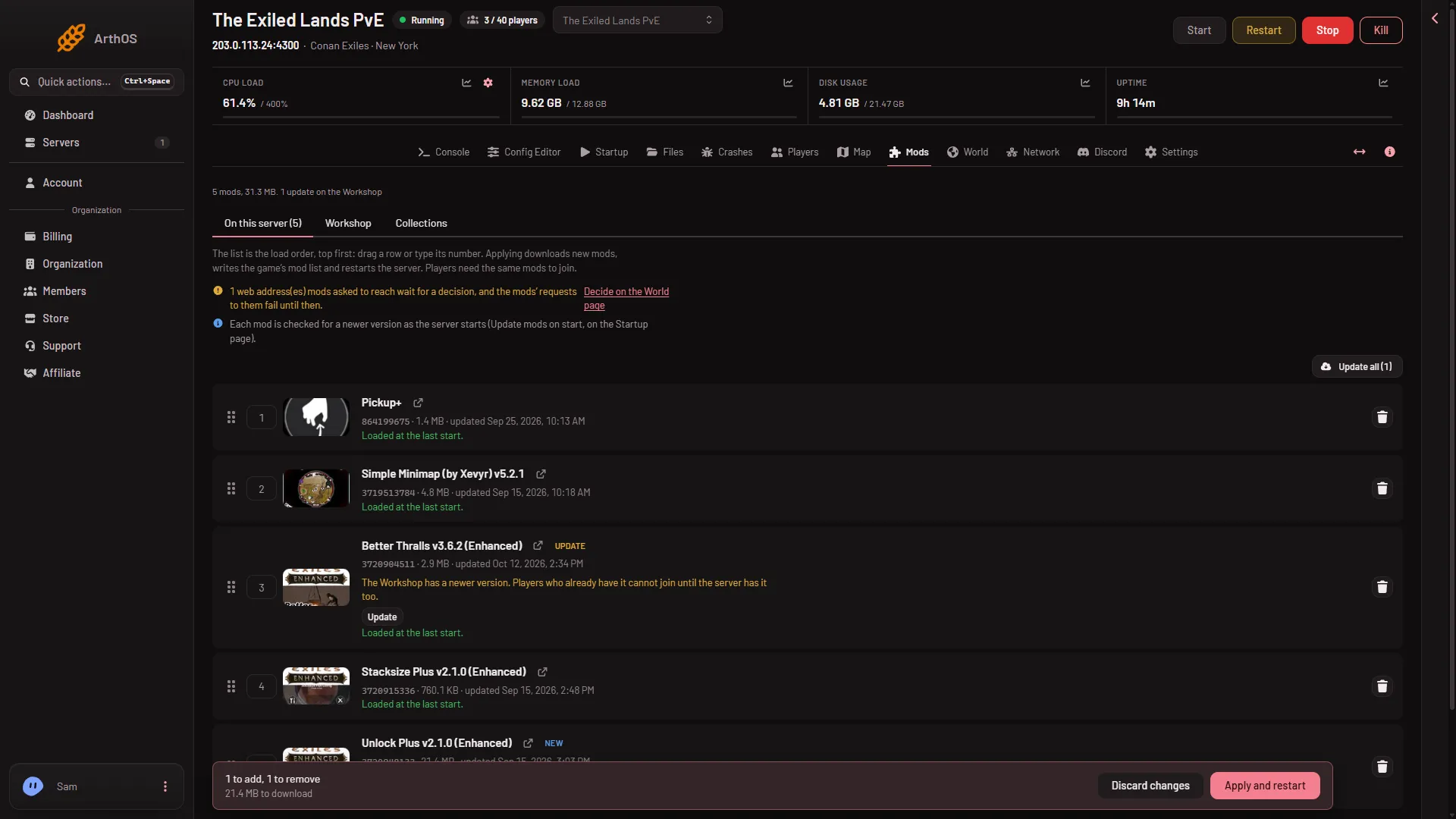
- Take the Legacy mod off the list. On On this server, choose Take (name) off the list on its row. Then press Apply (Apply and restart on a running server).
- Take off the list
- Apply and restart
The bin button (1) takes a row off the list, and the bar (2) applies it. 2. Look for an Enhanced version. Open the mod on the Workshop and read its page. The author may link a new version. Or search on the Workshop tab (find mods on the Workshop). 3. Add the new one and press Apply. See install Workshop mods.
A mod tagged for both the old and the new game is allowed.
If it does not work
- The mod is not Legacy, but it does not load. Read the row’s note. “On the list, but the game did not load it at its last start.” has a link to the log from that start. See a mod is not loading.
- The panel says the mod is for another game. It is for a different game, not Conan Exiles. Pick another.
- You want the old game’s mods. A Loafhosts server does not run the old game.
More about the game: Conan Exiles servers.