
















Update on start makes the server check Steam for a newer server build every time it starts, and download it if there is one. It is on for a new server. Keep it on. A player who has updated cannot join a server that is still on an older build.
What it does
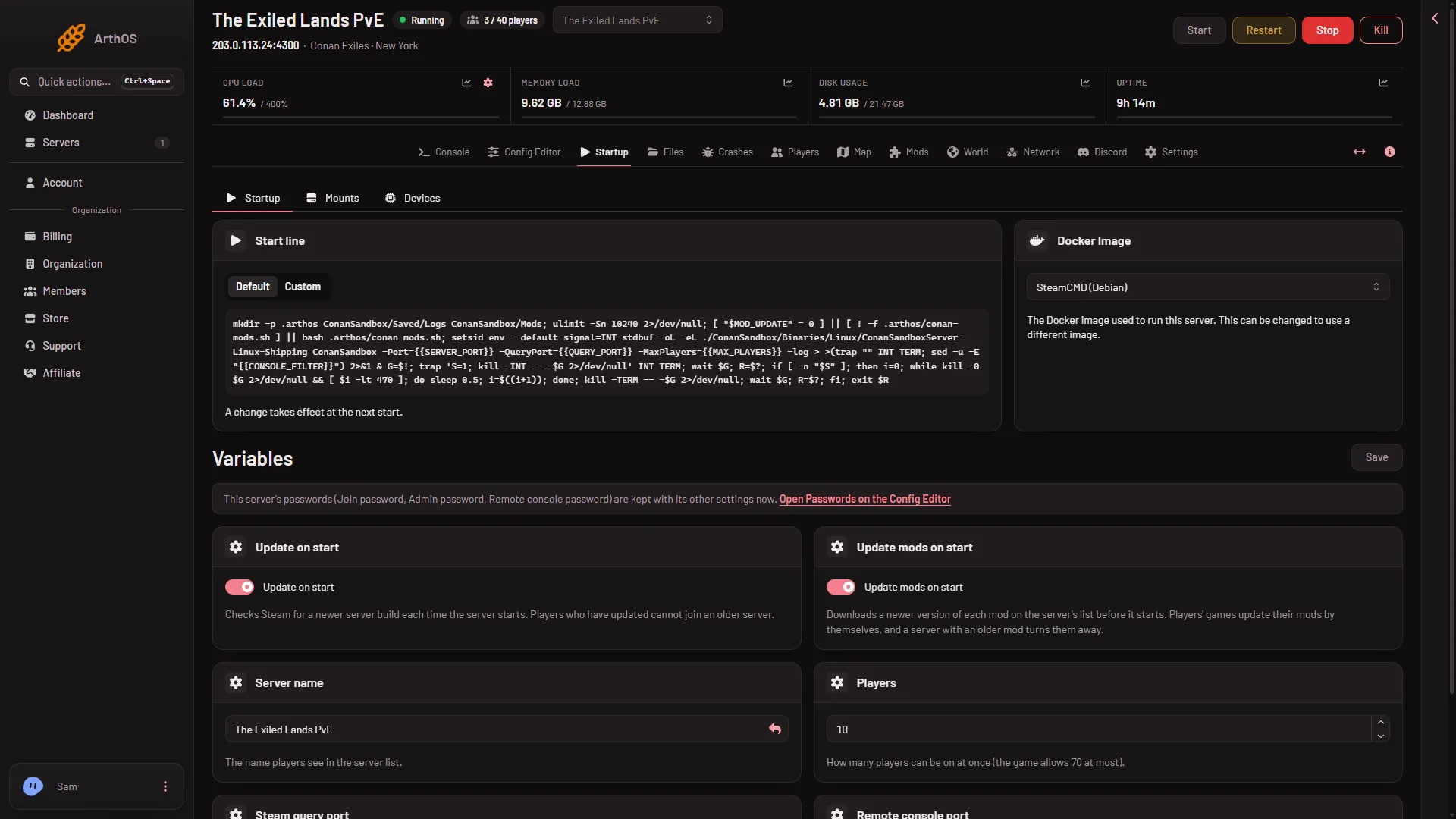
The Startup page describes it in one sentence: “Checks Steam for a newer server build each time the server starts. Players who have updated cannot join an older server.”
The check happens only at a start. A server that runs for weeks does not update itself while it runs. When Funcom releases a new build, your server stays on the old one until its next start. In that time, players who have updated cannot join.
The server is Conan Exiles Enhanced. The download needs no Steam account. For the difference from the older game, see Enhanced or Legacy.
Check or change it
- Open Startup.
- In Variables, find Update on start.
- Switch it on or off.
- Choose Save. The panel says “Variables updated.”
- Update on start
- Save
Switch Update on start (1), then choose Save (2).
When players cannot join after a game update
- Check that Update on start is on.
- Restart the server with Restart at the top of the page. A restart drops everyone who is on, so warn them first with Restart with a warning on the Players page, as long as the game answers the panel. The start checks Steam and downloads the new build first, so it takes longer than usual.
- When the server is up, ask the player to try again.
To see which build a start ran, open Crashes. Each start shows its Game version, written as “build” and a number.
Mods are separate
Update on start updates the game server only. Workshop mods have their own switch, Update mods on start. A player with a newer version of a mod is turned away by a server that has an older one. See Update mods on start.
Should you ever turn it off?
Turn it off only if you want the server to stay on its current build for now. Players who have updated cannot join it, and you must turn it on again and restart to let them in. Most servers should leave it on.
If it does not work
- The server still says an old build. It has not restarted since the update. Restart it.
- The start takes long. A start that downloads a new build takes longer. Wait for the Console page to show the ready line.
- Players still cannot join after the restart. Check the mods: a mod that is out of date is a separate cause.
More about the game: Conan Exiles servers.