
















To install a mod, add it on the Mods page, then press Apply. Adding only puts the mod on a list. Nothing changes on the server until you apply. Applying downloads the mod, writes the game’s mod list and starts the server again.
Only mods made for Conan Exiles Enhanced work here. A mod made for the old Conan Exiles never loads. See legacy mods do not load.
Add a mod
- Open the Mods page of your server. Under On this server you see the mods already on the list.
- Add the mod in one of two ways. Use the Workshop tab to search (find mods on the Workshop). Or paste a link or an ID (add a mod by link or ID).
- Choose Add. The panel says “Added to the list. Apply to download.”
The mod is now on the list on On this server. A bar appears with the title Changes not applied yet. It counts what is waiting, such as “1 to add”, and shows how much there is to download.
Changed your mind? Choose Discard changes in the bar. The list goes back to what the server has.
Apply the changes
- Choose Apply in the bar. On a running server the button reads Apply and restart.
- A box titled Apply the mod changes? opens. It lists what downloads and what comes off the list. If the server is running, it says: “The server stops now, downloads, and starts again. Players online are disconnected. If a download fails, the copy the server had stays.” Warn your players before you confirm: Restart with a warning on the Players page is a separate restart and works only while the game answers the panel.
- Confirm with Apply and restart (1). The page shows progress at the top.
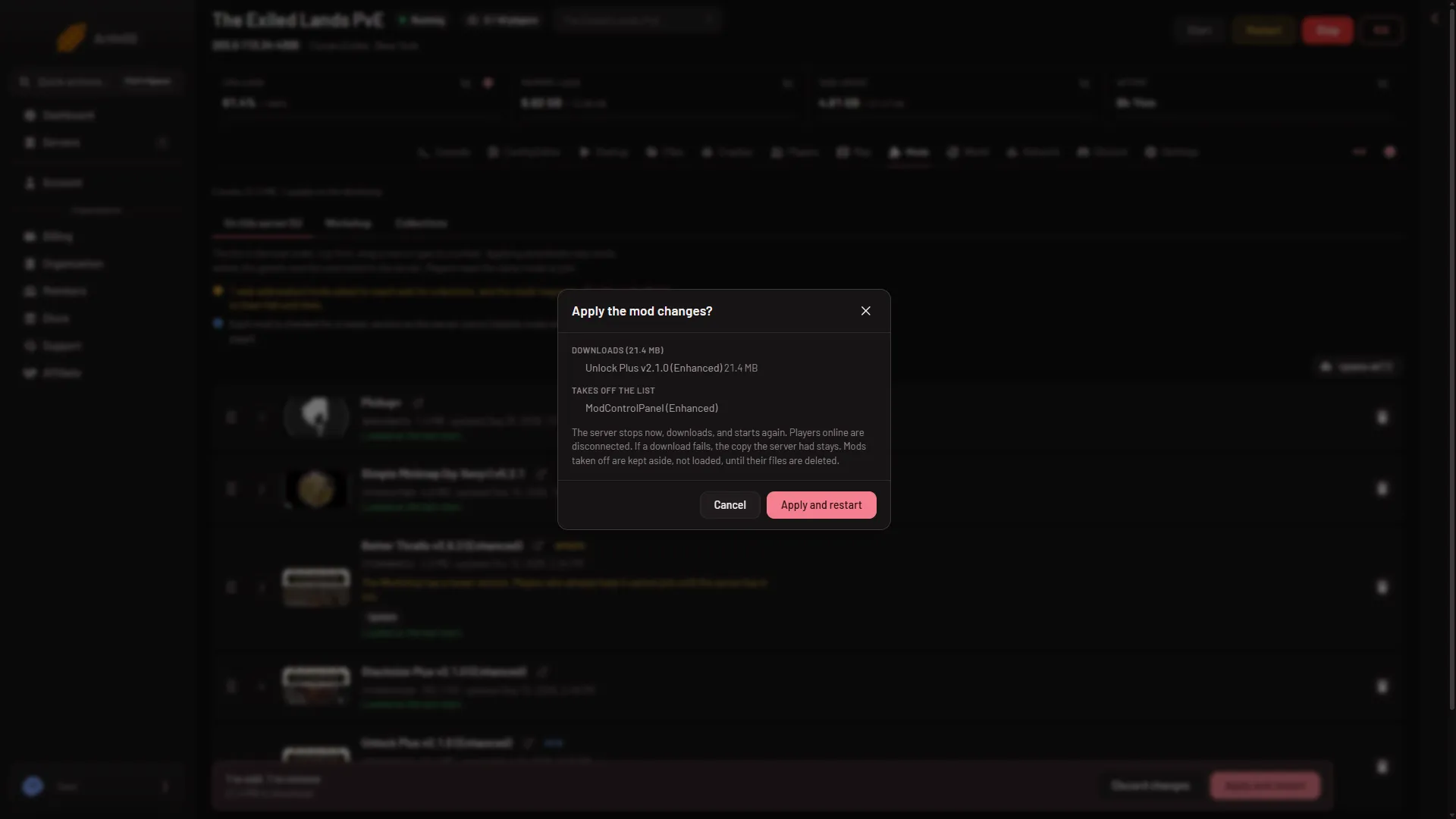
- Apply and restart
If the server is offline, the box says it downloads now and stays offline. Start it yourself after that.
What Apply does
- It stops the server, with the normal clean stop that saves the world. A stop on a played world took about 40 seconds. On a brand new world the first stop can take up to 3 minutes 43 seconds.
- It downloads each new mod from the Steam Workshop. How long that takes depends on the size: the bar shows how much there is to download. Each Workshop item is one
.pakfile. The file keeps the name Steam gives it. Funcom warns that a renamed mod.pakfails to load, so never rename one. - It writes
ConanSandbox/Mods/modlist.txt. That is the list of mod files the game loads, one file path a line, in the order shown on the page. - It writes
ServerModListin the server settings. Players’ games read this list to know which mods to download. - It starts the server again.
If a download fails, the copy the server already had stays.
After the server starts
Each row on On this server says one of these:
- “Loads at the next start.” You applied and the server has not started yet.
- “Loaded at the last start.” The game loaded it.
- “On the list, but the game did not load it at its last start.” Open the link Its log from that start may say why.
Players need the same mods to join. They download them from the Workshop with their game. A player whose game has a newer version of a mod than your server cannot join. Keep Update mods on start on in Startup, or update the mod on this page.
If it does not work
- “there is nothing to apply”. The list is already what the server loads, and every mod is current.
- “the mod list changed since this page loaded; reload to see it”. Someone else changed the list. Reload the page and try again.
- Not enough disk. The panel says how many GB the downloads need and how many are free. It keeps a margin of 256 MB. Taking a mod off the list does not free space. Press Delete files on its folder under On the server, not loaded.
- Apply is missing. Your role may not allow changing the startup or restarting the server. Ask the owner.
- A mod is left off. An item with no
.pakfile is not a mod the game can load. The panel says so.
More about the game: Conan Exiles servers.