
















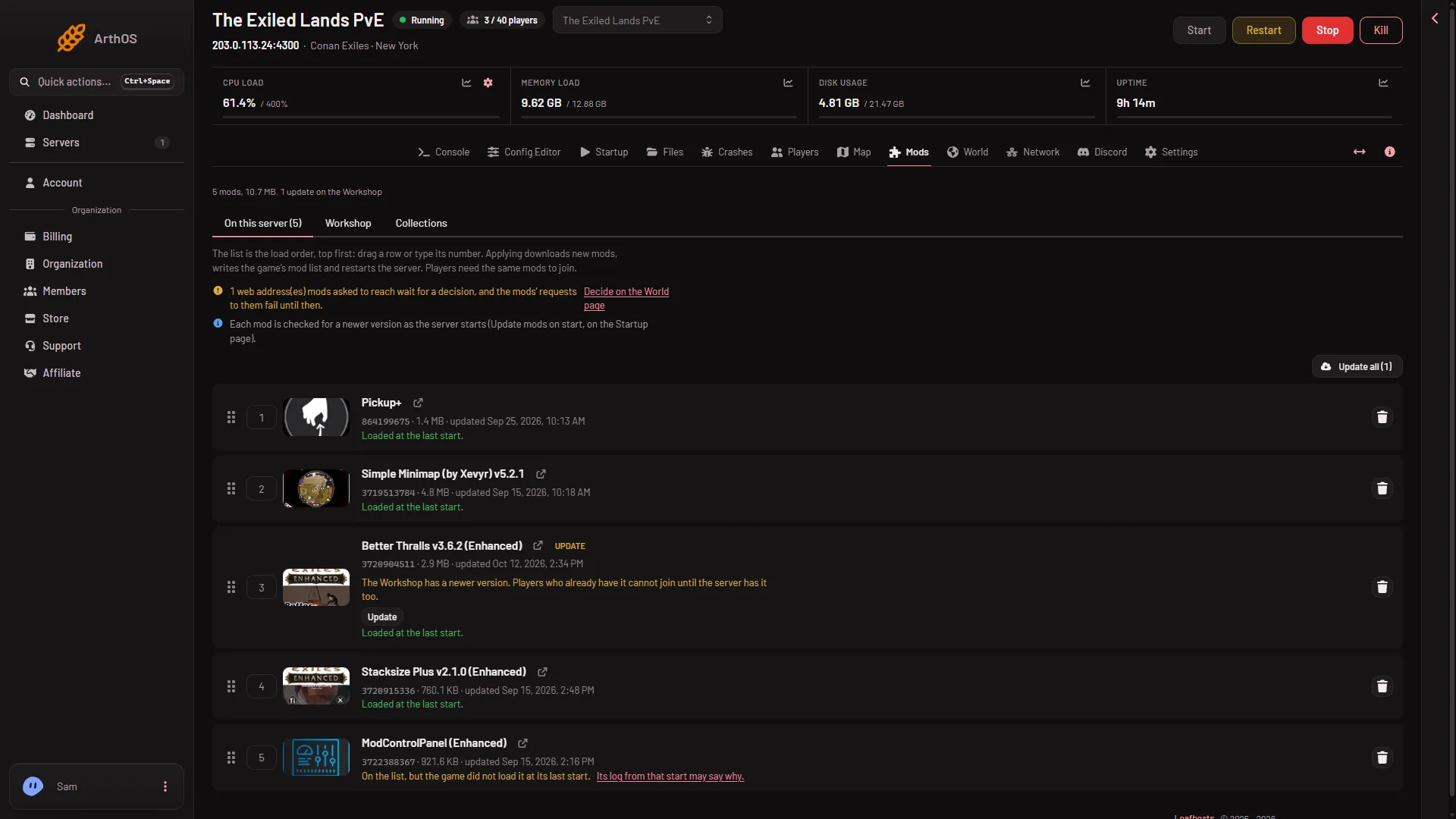
The list on the Mods page is the load order, top first. The mod at the top loads first. To change the order, drag a row to a new place or type a new number for it. Then press Apply. Nothing changes on the server until you do.
Why order matters
The game loads the mods in the order of its mod list. Some mods are made to load after another mod. The author of such a mod says so on its Workshop page. If it says “load this below X”, put it below X.
Whether the order matters for a mod with no such note: not checked on Enhanced as of 13 November 2026.
Change the order
- Open the Mods page. Stay on the tab On this server.
- Find the row to move. Each row has a drag handle (1) and a number box (2) beside the mod’s name.
- Drag the row by its handle to the new place. Or type the number you want for it, where 1 is the top.
- The bar at the bottom now shows that the list has changed.
- Press Apply (Apply and restart on a running server). The box Apply the mod changes? opens.
- Confirm. The server stops, writes the list and starts again.
- Drag handle
- Type a number
Do it when it suits your players, and warn them first: Restart with a warning on the Players page does that, but it is a separate restart and works only while the game answers the panel. The stop takes about 40 seconds on a played world.
What Apply writes
Apply writes the order in two places.
ConanSandbox/Mods/modlist.txtlists one mod file a line, in the order shown on the page. This is what the game loads, in this order.ServerModListin the server settings holds the mod IDs in the same order. Players’ games read it to know what to download.
A mod file that you listed by hand, which did not come from the Workshop, stays at the top of modlist.txt.
Check it
After the start, each row says “Loaded at the last start.” for a mod the game loaded. To read the file, open Files and go to ConanSandbox/Mods.
If it does not work
- You cannot move rows. Your role may not allow changing the startup. The page says so.
- The order went back. You did not press Apply, or you chose Discard changes.
- A mod still does not load. A mod made for the old Conan Exiles never loads, whatever its place. See legacy mods do not load.
- The mod list changed since this page loaded. Someone else changed it. Reload the page and move the row again.
More about the game: Conan Exiles servers.