
















A player’s game downloads the mods the server names, and the versions must match. If the server has an older version of a mod than the player does, the server turns the player away until you update it. The panel keeps the list the server names the same as the mods it loads.
What players download
The server keeps a list of mod IDs. It is called ServerModList and is in ServerSettings.ini. When a player joins, their game downloads the mods named on that list. A player does not need to pick mods by hand.
You do not edit the list. The Mods page writes it when you press Apply, together with the game’s own mod list, so the two always match.
See the list
- Open the Config Editor.
- Open the source Server settings.
- Look for Mods players download, in the group Set by Loafhosts.
- The row is locked. The note says: “Written by the Mods page, which keeps it the same as the mods the server loads.” Press Open Mods to go to the page that changes it.
The value is the mod IDs, comma separated, in load order. To change it, add or remove mods on the Mods page and apply. See the Mods page.
Keep versions the same
Players’ games update their mods by themselves. The server does not, unless you update it. The row on the Mods page warns you: “The Workshop has a newer version. Players who already have it cannot join until the server has it too.”
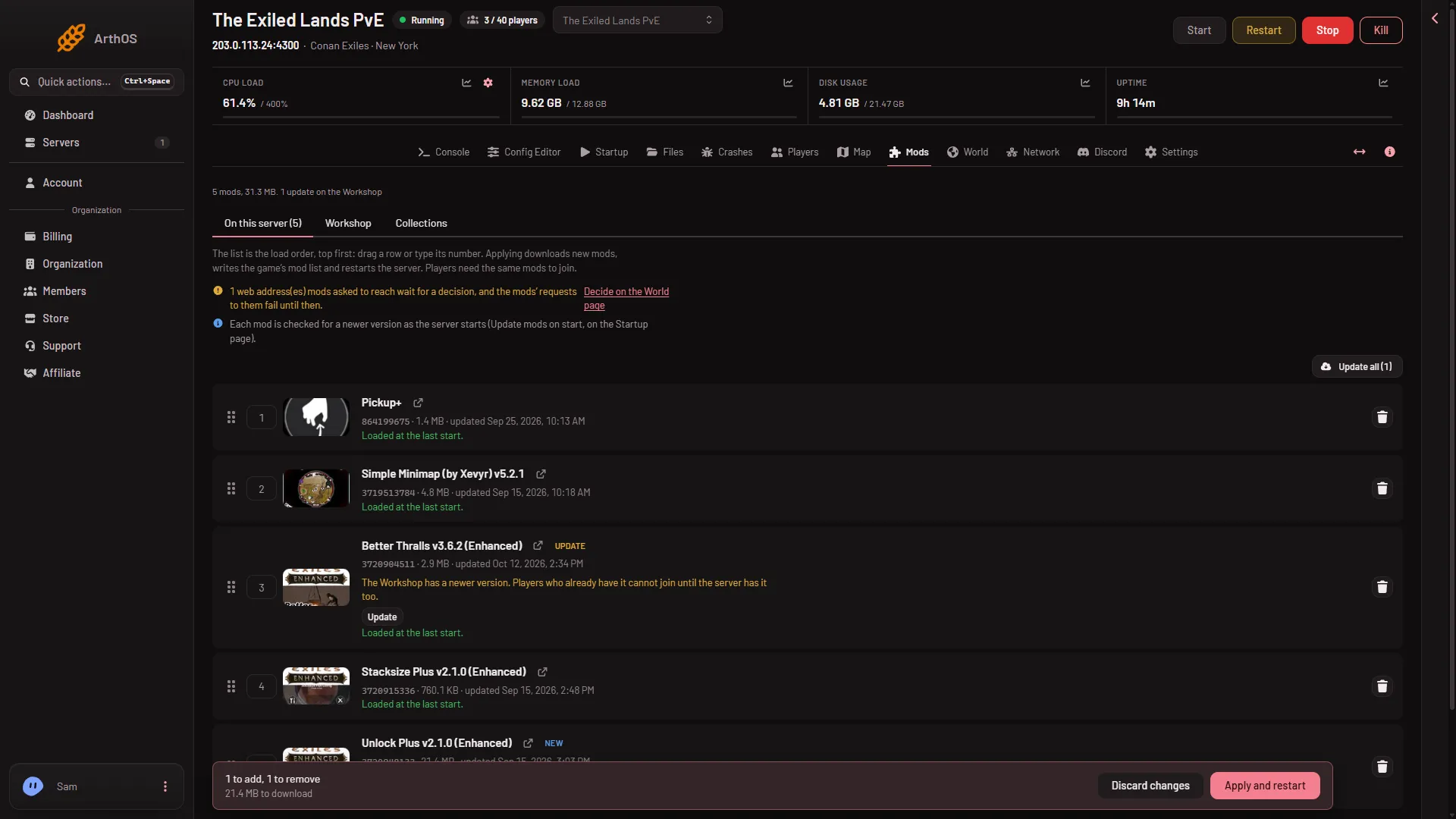
- Update chip
- Update all
Two ways to keep it current:
- Turn on Update mods on start on the Startup page. Then each restart checks every mod.
- Update by hand. Press Update all and Apply on the Mods page. Apply restarts the server and drops everyone who is on. See update the mods on your server.
Tell your players
- Players need Conan Exiles Enhanced.
- If the server has a join password, tell them. It is separate from the mods. You set it under Passwords in the Config Editor.
- They join with Direct Connect and the address on the Players page, or search for the server’s name.
If it does not work
- A player is refused after you added a mod. Check that you pressed Apply. A mod on the list but not applied is not in the list players download.
- A player is refused after a mod update. Their game may have a newer version than the server. Update the mod on the Mods page and apply.
- A mod is on the list and still missing in game. See a mod is not loading.
- You edited the file by hand. Do not change
ServerModListyourself. The next Apply writes it again.
More about the game: Conan Exiles servers.