
















Building rules sit in the Config Editor, under Server settings, in the group Building and decay. Four settings change how people build and claim land: how far a land claim reaches, whether they can build near points of interest, how fast stability is lost, and how far crafting and building pull items from storage. Of these four, only the land claim radius needs a restart (so do No Ownership and Disable Building Abandonment in the same group). In ConanSandbox/Saved/Config/LinuxServer/ServerSettings.ini, under [ServerSettings], the keys are LandClaimRadiusMultiplier, AllowBuildingAnywhere, StabilityLossMultiplier and CraftFromStorageRadius.
Find the settings
- Open Config Editor and choose the source Server settings.
- Type a name in the search box, such as
Land Claim. Or open the group Building and decay. - Change the value.
- Choose Save.
- Land Claim Radius Multiplier
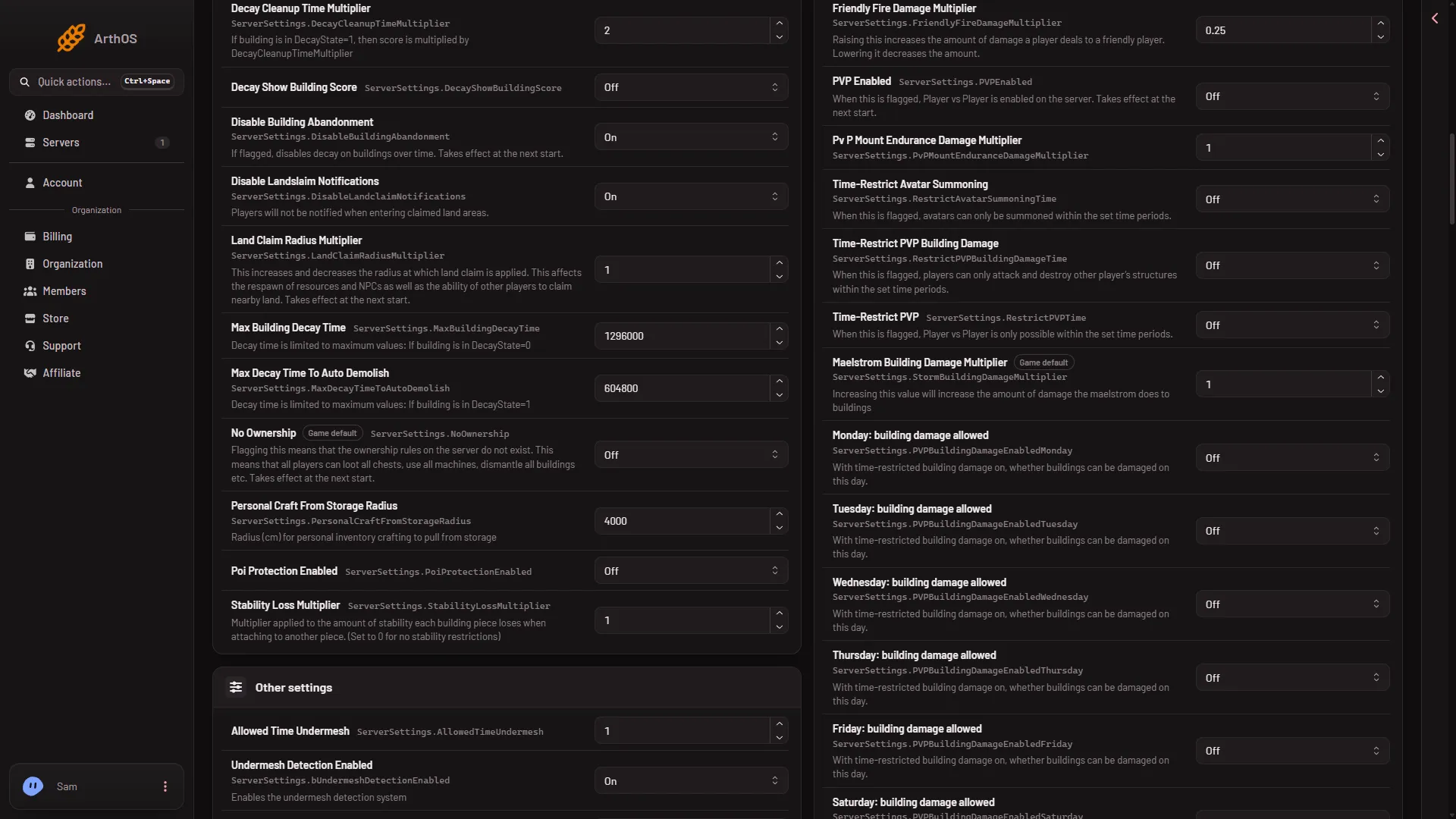
The row marked (1) is Land Claim Radius Multiplier, which says “Takes effect at the next start.” Stability Loss Multiplier and the storage rows are further down the same group.
While the server runs, the panel sends each change to the game and the file is written at once. Funcom marks only a few settings as needing a start; whether the game re-reads every other one live is not confirmed one by one. The panel then says “Saved and in use now.” If one of the settings needs a start, it says “Saved and in use now, except (name): those apply at the next start.” Other settings are covered in the Config Editor guide.
Land Claim Radius Multiplier
This sets how far a land claim reaches. The game’s own words: it “increases and decreases the radius at which land claim is applied. This affects the respawn of resources and NPCs as well as the ability of other players to claim nearby land.” The game’s default is 1.0.
- A higher number gives each claim a wider circle.
- A lower number gives a narrower one.
- It applies only at the next start. Restart the server after saving. The setting has an effect only while No Ownership is Off.
Allow Building Anywhere
The game describes it as: “Allow building even in areas with points of interest”. The game’s default is Off. Turn it On to let players build in places that are normally closed to building. Next to it sits Poi Protection Enabled (Off in the picture), which also concerns points of interest; the panel gives it no help text, so what it does was not checked.
Stability Loss Multiplier
Each building piece loses stability when it attaches to another piece. This number multiplies that loss. The game’s default is 1.0.
- Below
1.0, buildings can stretch further before they need support. - Above
1.0, they need support sooner. - At
0, the game says there are no stability restrictions at all. Think before you do this on a server with players: building then has no stability limit.
The panel saves it to the running game.
How far storage reaches
Three settings set how far an item can be pulled from nearby storage. The panel names them from the setting’s own key, and the distance is in centimetres:
- Craft From Storage Radius: crafting stations pull from storage within this distance.
- Build From Storage Radius: placing building pieces pulls from storage within this distance.
- Personal Craft From Storage Radius: crafting from a player’s own inventory pulls from storage within this distance.
The game’s default for each is 4000, which is 40 metres. Raise a number to let players craft or build from chests further away. Lower it to make them keep storage closer. The panel saves these to the running game.
If it does not work
- The land claim change did nothing. It applies at the next start. Restart the server.
- Save is refused with “the server is not answering yet”. The game has not finished starting. Wait until it answers, then save again. Or stop the server and save.
- The panel says “the file changed since you opened it; reload to see the current values”. The file was saved by someone else, or by the game, after you opened the page. Reload the page and make the change again.
- You cannot find a storage setting by its Funcom name. The panel names these three from their keys. Search for
Storage.
More about the game: Conan Exiles servers.