
















Six Conan Exiles server settings are read only when the server starts. You can save them while it runs, but the game keeps using the old value until the next start. Every other Server settings row is saved to the running game when you save it. Not checked on Enhanced, server build 25792439 as of 13 November 2026: whether the game re-reads each of those live.
The six
In the Config Editor, under Server settings, the help text of each of these ends with “Takes effect at the next start.”
| Setting | What it does |
|---|---|
| Living Settlements Enabled | When enabled, thralls interact with each other and the world around them to fulfil basic needs. |
| Building Replication Distance | How close player-built structures must be to a player to be streamed to them. |
| Disable Building Abandonment | If on, buildings do not decay over time. |
| Land Claim Radius Multiplier | Makes the land claim radius bigger or smaller. It affects respawn of resources and NPCs, and the chance of other players claiming nearby land. |
| No Ownership | If on, the ownership rules do not exist: all players can loot all chests, use all machines and dismantle all buildings. |
| PVP Enabled | When on, player against player is enabled on the server. |
The descriptions are Funcom’s, shortened. Building Replication Distance is a list with the choices Normal, Far and Cinematic, and the game’s help says Cinematic is not meant for play.
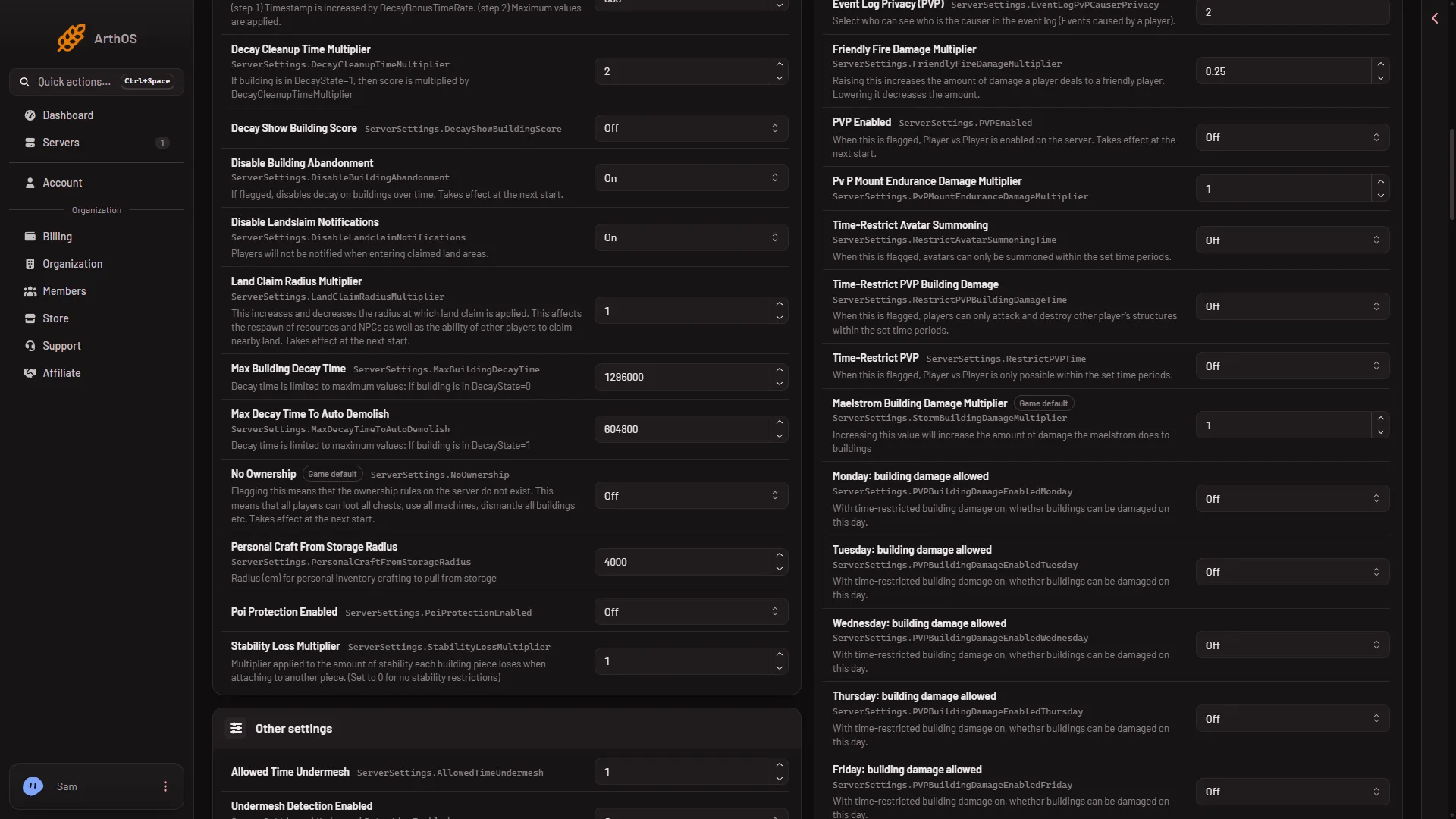
- PVP Enabled, restart needed
Apply a change
- Change the row and choose Save while the server runs.
- The panel answers: “Saved and in use now, except (names): those apply at the next start.” The names are the restart settings you changed.
- Choose Restart now, or restart later with Restart at the top of the server page. A restart drops everyone who is on the server, so warn them first (see below).
If you change only restart settings, the settings file already holds the new value. The game starts with it. If you also changed other rows in the same save, the panel has already sent those to the game.
If the server is stopped, every change applies at the next start. The message is “Saved. The changes apply when the server starts.”
Before you restart
A restart disconnects everyone who is on the server. The Players page has Restart with a warning, which warns players in the game at 10, 5 and 1 minutes and at 10 seconds before the restart. It works only while the game answers the panel. You start it by hand: a scheduled restart gives no checked way to warn players.
Flipping some of these changes the world’s rules for what players already built. No Ownership and PVP Enabled change who can touch other people’s bases. Tell players first.
If it does not work
- The change is saved but nothing changed in the game. The server has not restarted since. Restart it.
- You cannot tell if a setting needs a restart. Read its help line. A setting that needs a restart says so at the end.
- The save says the server is not answering. Wait half a minute after a start, or stop the server and save. See save settings while running.
More about the game: Conan Exiles servers.