
















The message of the day is a short text that players see when they join. Set it on the Players page, in the card Message of the day: type the text in Message and choose Save. You can do this while the server is offline too.
Set the message
- Open Players.
- Find the card Message of the day (1), at the bottom of the right column. Its hint says “Players see it when they join.”
- Type your text in Message. A good one is short, for example:
Welcome. Rules are in the Discord. - Choose Save (2).
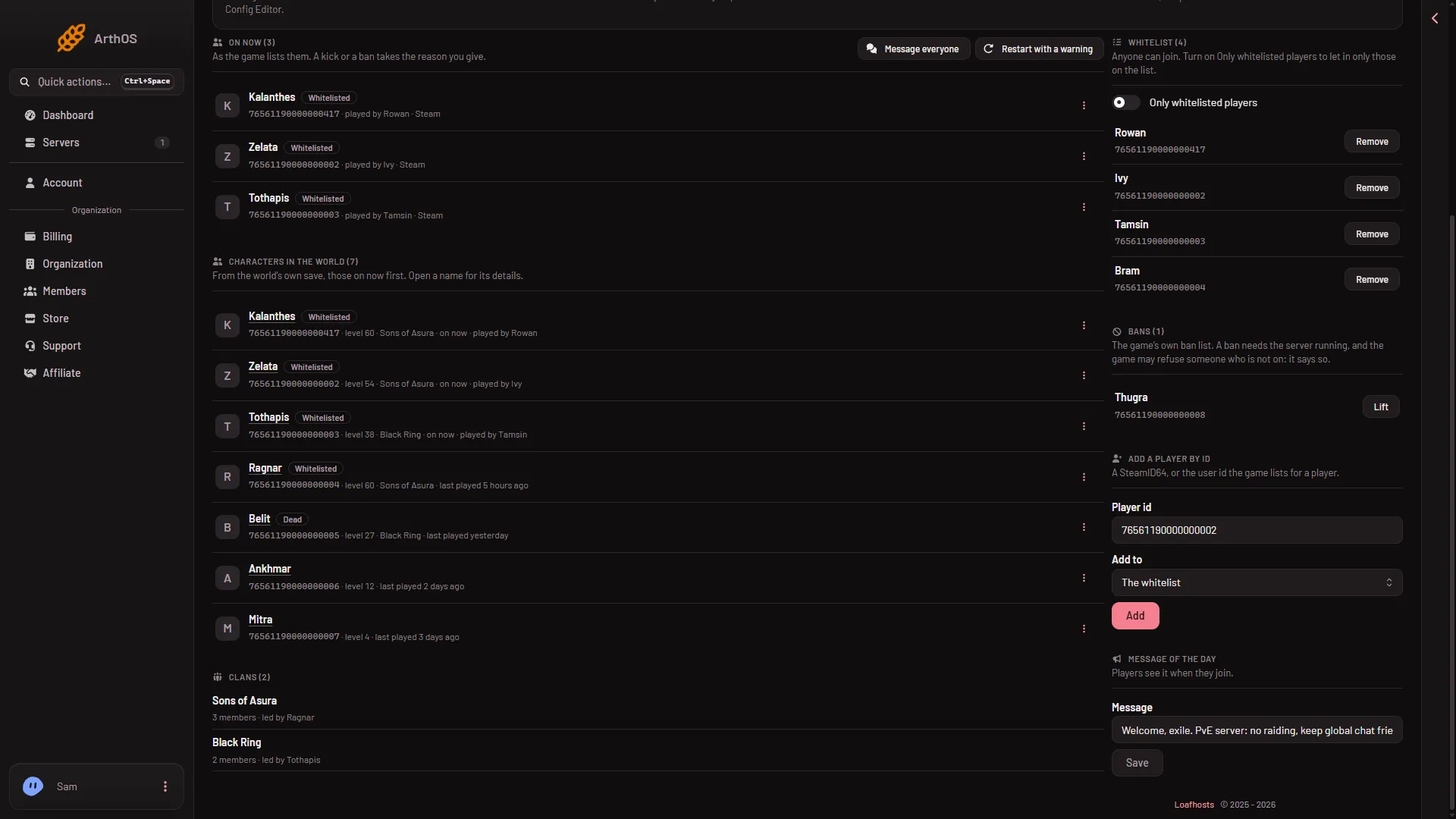
- Message of the day
- Save
The page shows the game’s own answer. The text is kept in the server’s settings.
What you can write
- No double quotes. Use single quotes or leave quotes out.
- At most 500 characters. Keep it short anyway. A long text is hard to read when a player is joining.
- Spaces are fine. The panel handles them for you.
Clear the message
Empty the Message field and choose Save. The card then says “There is no message of the day.”
The game does not accept a truly empty value. The panel saves a single space instead, and that counts as no message. If you open the file in Files, you may see ServerMessageOfTheDay=" ". That is a cleared message, not a fault.
When it takes effect
- Server running. The panel sends the new text to the game through the remote console (RCON), and the game writes it to its settings at once.
- Server offline. The panel writes the settings file. The game reads it at its next start.
Join the server yourself once after you set it, to see it the way a player does.
By hand
The key is ServerMessageOfTheDay, under [ServerSettings] in ConanSandbox/Saved/Config/LinuxServer/ServerSettings.ini. With the server stopped, edit the line and keep the text in double quotes, for example ServerMessageOfTheDay="Welcome."; the game reads it at its next start.
On a running server, the panel sends SetServerSetting ServerMessageOfTheDay "text" through the remote console. A value with spaces needs the quotes, an empty value is refused, and a single space clears the message.
Another way
The same setting is in the Config Editor, in Server settings. The Players page is the quicker place. See the Config Editor.
For a message to players who are on right now, see message all players.
More about the game: Conan Exiles servers.
If it does not work
- Save does nothing or the page refuses. Your role may not allow changing the startup. Ask the owner of the server for a role that does.
- The page says the double quote is not allowed. Remove every
"from the text. - Players do not see the new text. Join yourself to check. A running server takes the change at once. If the server was offline, the game reads the file at its next start.
- The page says the game is not answering. The game answers about half a minute after a start. Try again then, or save while the server is offline.