
















The finding A mod asked to reach the internet and was refused means a mod tried to contact a web address and the server said no. The server and the mod still run. Open the World page, decide on each address, then restart.
Why a mod is refused
A Conan Exiles server has no menu and never asks you anything. So Funcom made a rule: “mods on your server cannot make any HTTP requests until you approve their origins by hand.” An origin is the start of a web address, such as https://example.com.
A mod with no decision still loads and runs. It just cannot reach the internet.
Where you see it
On the Crashes page, open the start that has the finding. Under What the panel can tell it reads: “Mods may contact only addresses you approve. The World page lists what each one asked for and why; approve or refuse it there, then restart.”
The Mods page also warns you. Its summary says how many web addresses wait for a decision, with a link, Decide on the World page.
Decide on the World page
- Open the World page.
- Find the card Mods’ web addresses (1). It says “Waiting for a decision since the last start: (number). Until then, mods’ requests to them fail.”
- Each row shows a mod, an address and a state: Waiting, Allowed or Refused. A row can also say “the mod says: (reason)”. That is the mod’s own reason for asking.
- Choose Allow (2) if you trust the mod and its reason. Choose Refuse (3) if you do not. An Allowed row can only be refused, and a Refused row only allowed.
- Restart the server. A restart drops everyone who is on. On the Players page, Restart with a warning tells them first, but only while the game answers the panel.
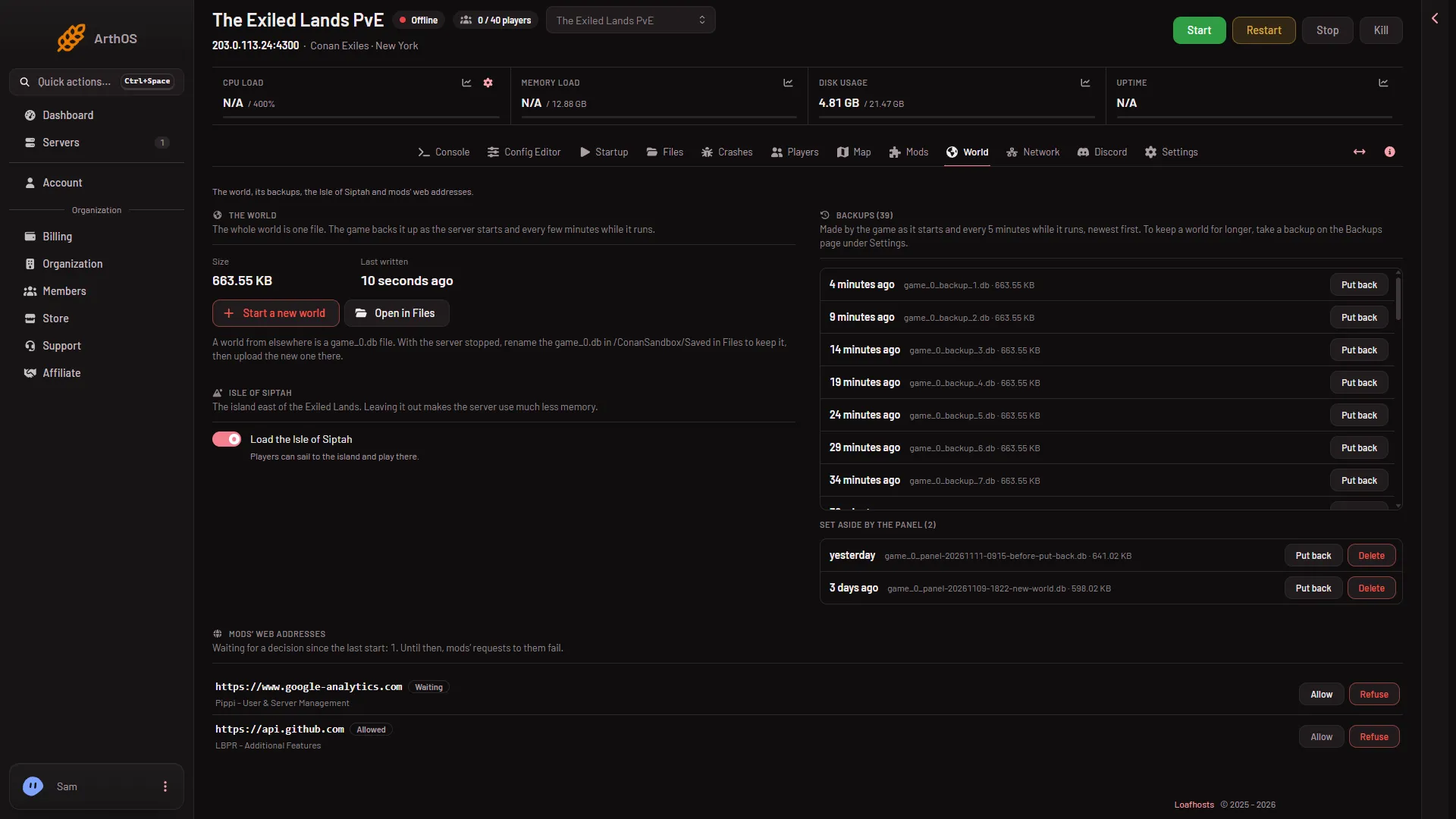
- Mods' web addresses
- Allow
- Refuse
The panel tells you what it did: “(address) is allowed from the next start.” or “(address) is refused from the next start.”
You can change a decision at any time. It is used from the next start, never before.
Think before you allow
If a reason looks wrong for what the mod does, refuse it. A refused address only stops that mod’s web requests to it.
You need a role that allows changing files to use these buttons.
By hand
The decisions are stored in ConanSandbox/Saved/Config/LinuxServer/ModHttp.ini. Open it in Files. There is one section for each mod, named by the mod’s folder: the folder under steamapps/workshop/content/440900 that holds the mod. The buttons on the World page write it for you.
[ModFolderName]
AllowedOrigin="https://example.com"
DeniedOrigin="https://other.example.net"- Keep the quotes. An unquoted
//is read as the start of a comment. - An address must match exactly, scheme and host, with a port when it is not the usual one.
- Restart after editing.
If it does not work
- No rows on the World card. It says “No mod has asked to reach an address.” The finding may be from an older start. Open the newest start on Crashes.
- The panel refuses an address. It must be a mod’s folder and an address like
https://host, with a port when it is not the usual one. - A mod still cannot reach its site. The decision applies from the next start. Restart the server.
- The finding comes back after you allowed everything. The mod asked for a new address. It shows as Waiting again.
More about the game: Conan Exiles servers.