
















A mod on a Conan Exiles server cannot reach the internet until you approve each address it asks for. Funcom explains why: “A dedicated server has no main menu and never prompts”, so a mod has no way to ask you. You decide on the World page. The decision applies from the next start.
A mod that has no decision still loads and runs. It just cannot use the address.
What counts as an address
An address is the start of a web link: the scheme, the host, and a port if it is not the usual one. For example https://api.example.com. Funcom calls it an origin. The game matches it exactly. See allow or refuse a mod address.
See what mods asked for
- Start the server with the mod on its list. The game asks about addresses as it starts.
- Open the World page.
- Find the card Mods’ web addresses (1).
Each address a mod asked for is one row. It shows the address, the mod’s name, and the reason the mod gives, as “the mod says: (reason)”. The row has one of three states:
- Waiting. Nobody has decided yet. Until you do, the mod’s requests to it fail.
- Allowed. The mod may use this address from the next start.
- Refused. The mod may not use it from the next start.
The card says how many are waiting: “Waiting for a decision since the last start: (count).” If no mod has asked, it says “No mod has asked to reach an address.”
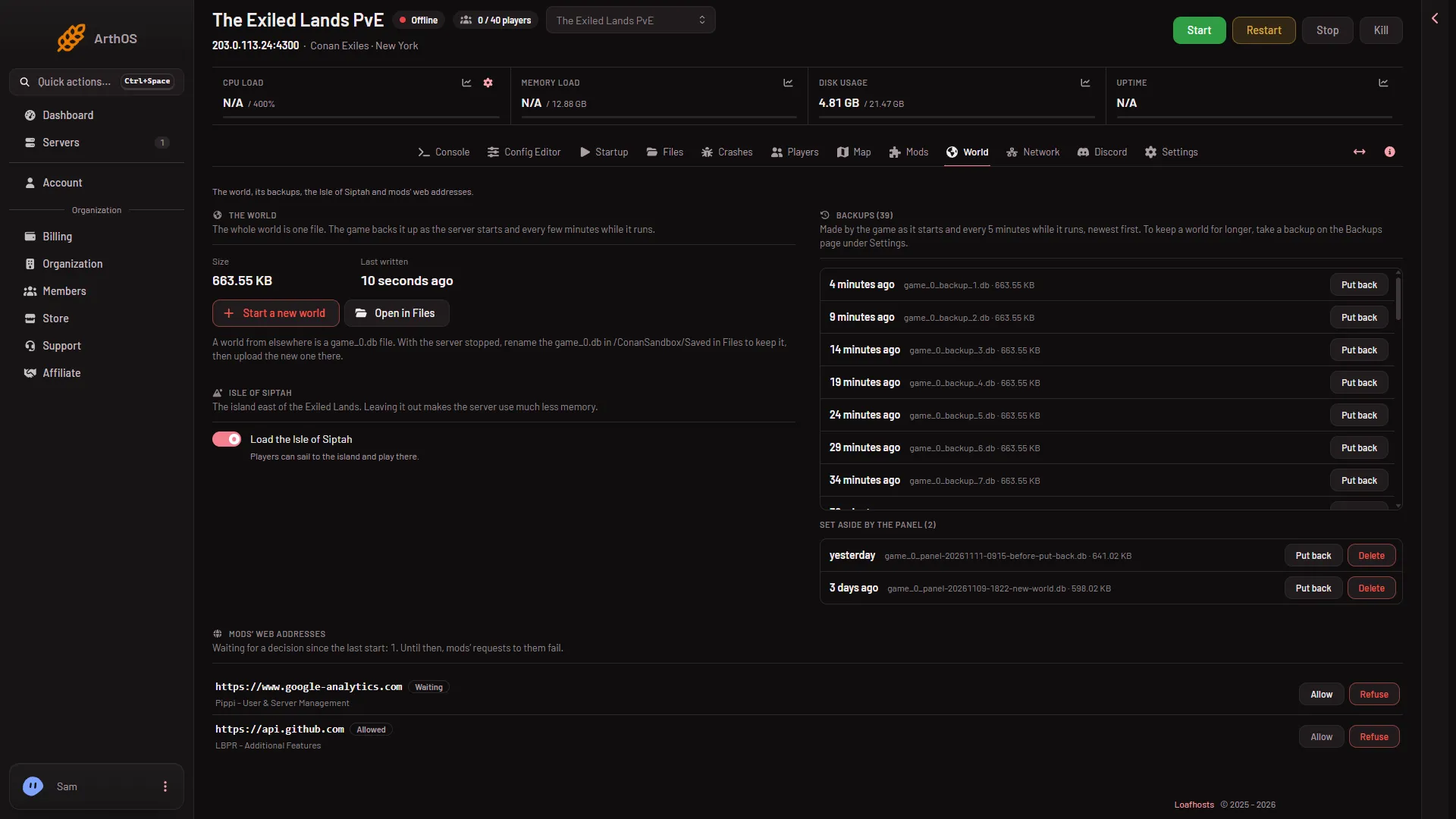
- Mods' web addresses card
- Allow
- Refuse
The Mods page also tells you. Under the list it says how many addresses wait for a decision, with a link, Decide on the World page.
Decide
On each row, choose Allow (2) or Refuse (3). The panel answers “(address) is allowed from the next start.” or “(address) is refused from the next start.” You can change your mind at any time. The change is used at the next start.
Restart the server to use it. A server that is running keeps what it had until then. A restart drops everyone who is on, so warn them first with Restart with a warning on the Players page (it works only while the game answers the panel).
Who can do this
You need a role that lets you read file contents to open the World page, and one that lets you change files to decide. If Allow and Refuse do not work for you, ask the owner to change your role.
If it does not work
- No row shows. The panel reads the game’s log from the last start. The mod may not have asked, or the server has not started since you added it. Start it and open the page again.
- The mod still cannot connect. Check that the row says Allowed and that the server has restarted since.
- The Crashes page shows “A mod asked to reach the internet and was refused”. That is the same thing, seen from the start log. Approve or refuse the address on the World page, then restart.
More about the game: Conan Exiles servers.