
















A Conan Exiles server on Loafhosts can load at most 150 mods. Before it downloads anything, the Mods page also checks that the server has room for the new files. If either check fails, nothing changes on the server.
The 150 mod limit
The list on the Mods page is the load order. When you try to add a mod that would put the list over 150, the panel refuses with this text:
a Conan Exiles server can load at most 150 mods
To get under the limit, take mods off the list. On the On this server tab, use Take (name) off the list on a row. A mod you took off stops loading when you apply the change, but its files stay on the disk until you delete them.
Adding the same mod twice is also refused: the panel says the mod “is on the list twice”. Look for it in the list and leave one row.
The disk check
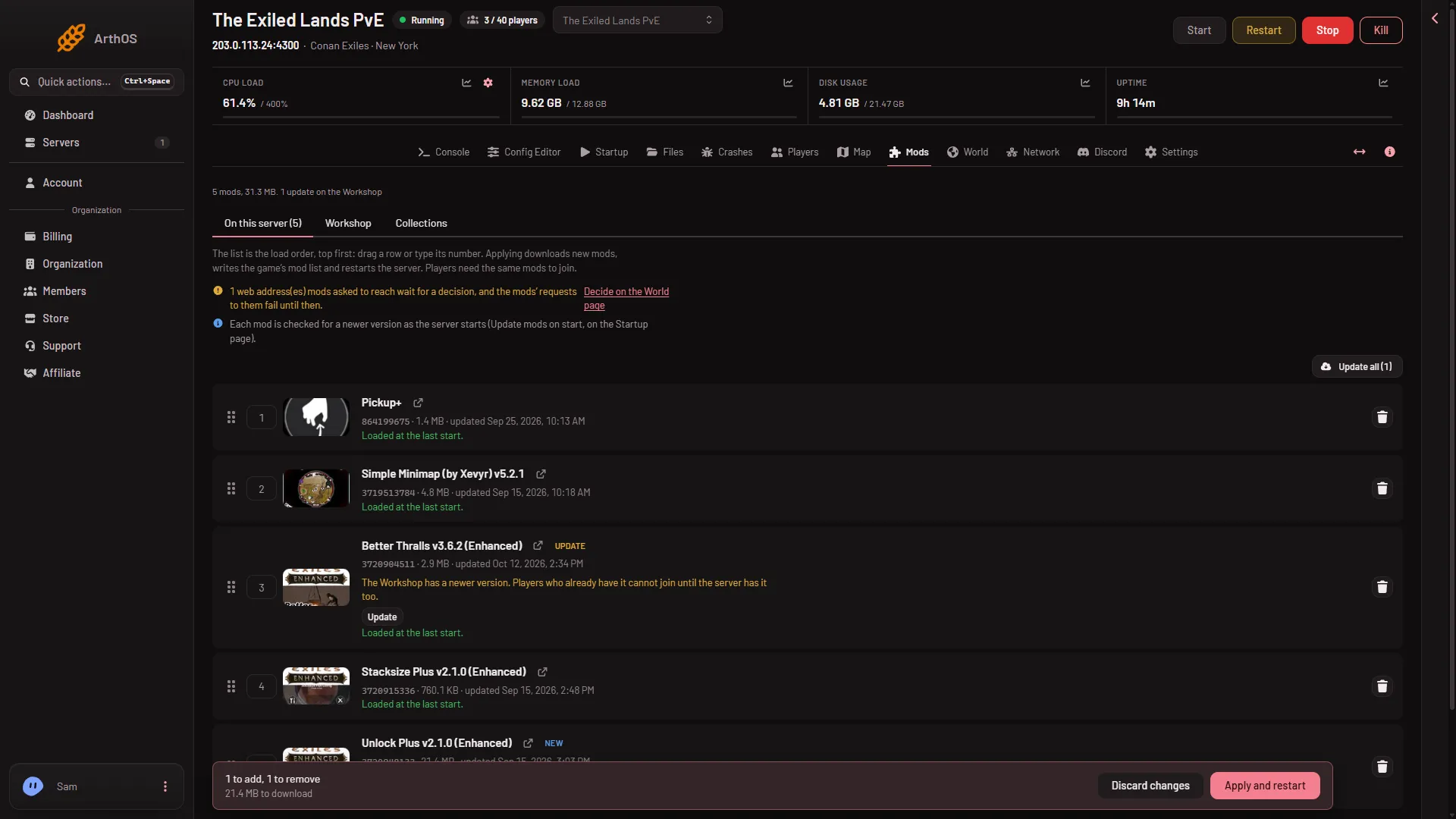
Nothing downloads when you add a mod. Downloads start when you apply the list. Adding mods puts them in a draft, and the bar Changes not applied yet shows how much is waiting, for example “(size) to download”.
When you choose Apply or Apply and restart, the panel adds up the downloads and compares them with the free disk. If they do not fit, it stops before it downloads anything and shows:
the downloads need (x) GB and the server has (y) GB free of (z) GB; free some space or raise the disk first
The panel keeps a small margin of 256 MB free, so a list that only just fits is refused too. The server keeps the copy of the mods it already had.
- Take off the list
- Apply and restart
Take a mod off the list with the bin on its row (1). Choose Apply and restart (2) to start the disk check. On a running server this drops everyone who is on, so warn them first with Restart with a warning on the Players page. A stopped server shows Apply instead.
Make room
Three places hold files that you can remove:
- Mods you do not use. Take them off the list and apply. This does not free disk by itself: the Apply box says “Mods taken off are kept aside, not loaded, until their files are deleted.” Then, under On the server, not loaded, choose Delete files on each folder you no longer want. See remove a mod.
- Worlds the panel set aside. On the World page, a world set aside by Start a new world or Put back stays in the list Set aside by the panel until you choose Delete. See delete a set-aside world.
- Old backups. The game makes its own world backup at every start and every 5 minutes while it runs, as
game_0_backup_(number).dbfiles. The World page lists them, with Put back only. To remove one, open Files and go toConanSandbox/Saved. A deleted file goes to the Trash and may still count until it is removed from there. The panel’s own backups are under Settings, Backups.
If the disk is still too small after that, the message says to “raise the disk”. That means a bigger plan. Plans for Conan Exiles come with 40 GB, 50 GB or 60 GB of disk.
Apply again
After you made room, choose Apply again. If the page says “the mod list changed since this page loaded; reload to see it”, reload the page and apply once more. If it says “there is nothing to apply”, the list is already what the server loads.
If it does not work
- The limit message shows with fewer than 150 mods. Count the whole list on On this server, not only the rows you can see. Use the filter box to check for rows you forgot.
- The server stops with “The server ran out of disk space” on the Crashes page. The disk filled while the game was running. Free space as above, then start the server. See disk full.
- A mod is refused for another reason. A mod made for the old Conan Exiles is refused, because it does not load on Enhanced. That is a different rule.
More about the game: Conan Exiles servers.