
















To remove a mod, open the Mods page, press the remove button on its row, then press Apply (Apply and restart while the server runs). The mod stays on the server until you apply. Applying restarts the server, and it stops loading the mod.
Remove the mod
- Open the Mods page and stay on the tab On this server.
- Find the mod. Type part of its name or ID in Filter by name or ID if the list is long.
- Press the remove button on its row (1). Its label is Take (mod name) off the list.
- A bar appears at the bottom of the page. It says, for example, “1 to remove”.
- Press Apply and restart (3) when the server is running, or Apply when it is stopped. A box titled Apply the mod changes? lists what it does. Under Takes off the list you see your mod.
- Read the line about the server. If the server is running, it says the server stops now and starts again, and players online are disconnected. If the server is offline, it says the list changes now and the server stays offline.
- Confirm with the button in the box.
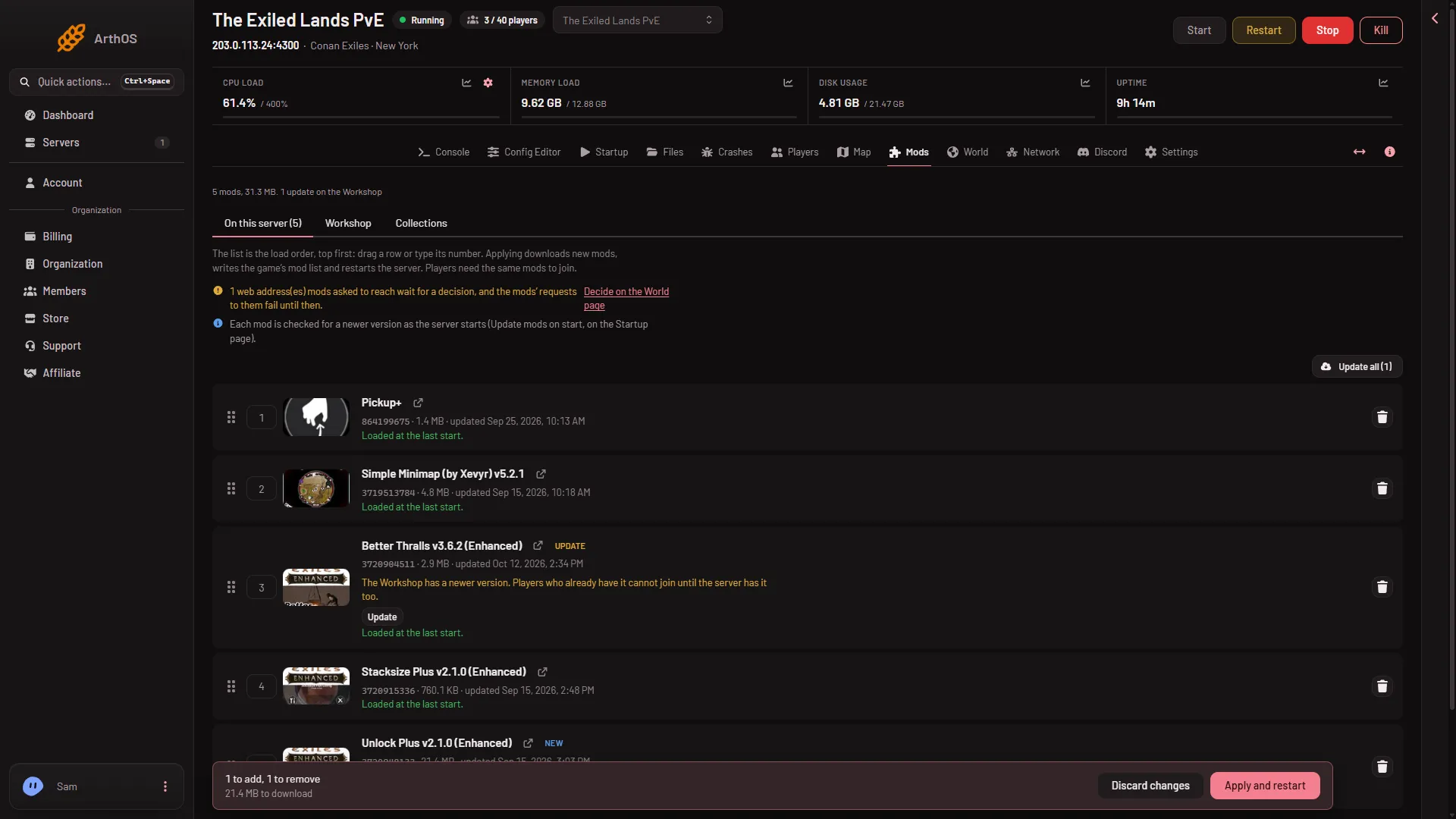
- Take the mod off the list
- Discard changes
- Apply and restart
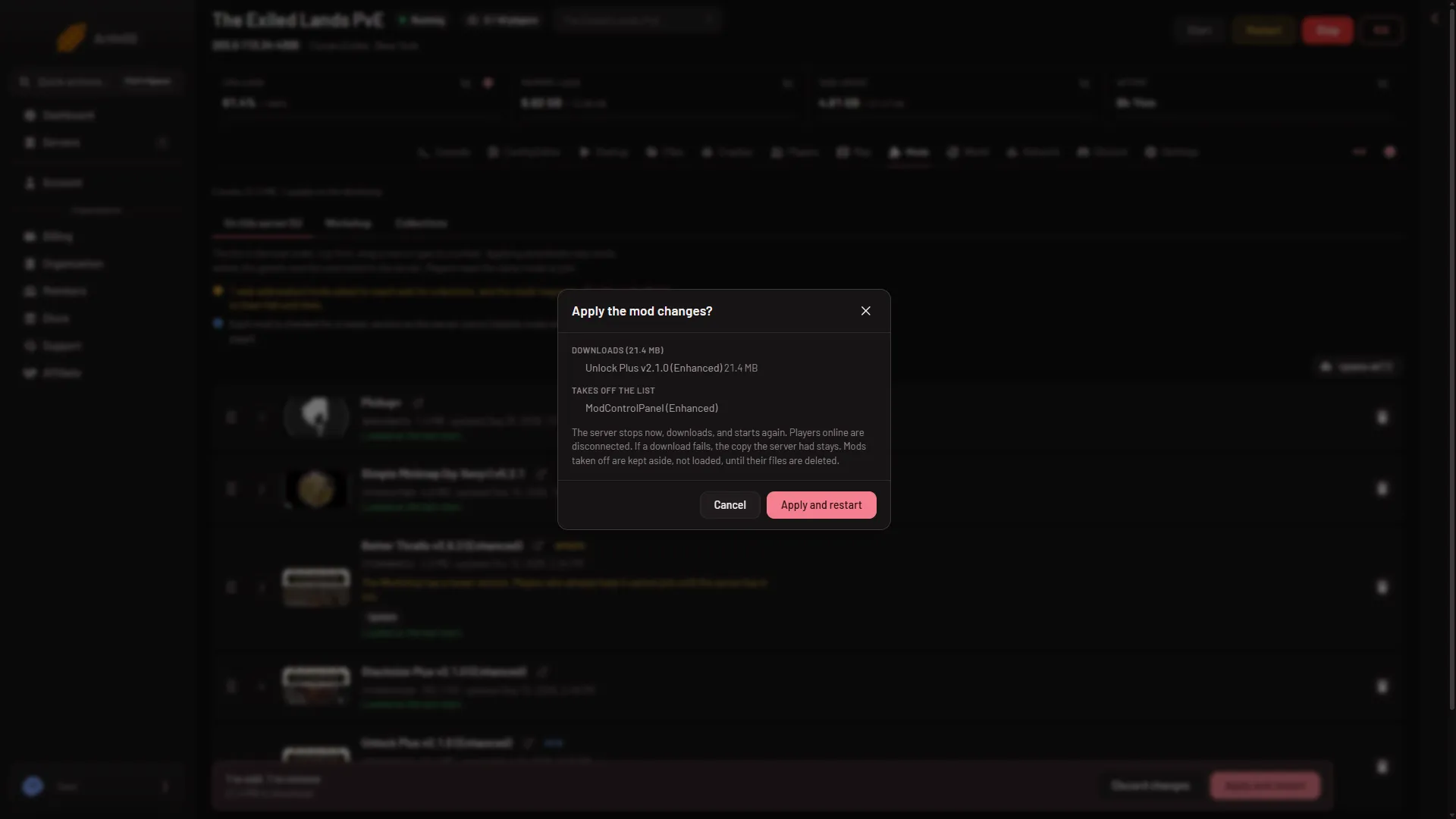
- Confirm and restart
Discard changes (2) puts the list back as it was before you pressed anything. Pressing the remove button changes nothing on the server by itself.
What Apply does
Applying writes two things. The first is the game’s mod list, ConanSandbox/Mods/modlist.txt, which names the mods in load order. The second is the list of mod IDs that players’ games download when they join. Both are written without the mod you removed. See the Mods page for the whole list.
The game loads only what its mod list names. After the restart, the mod is not loaded.
Free the disk space
Taking a mod off the list does not delete its files. The page then shows a section On the server, not loaded, with a note that these folders only take disk space. Press Delete files on the folder to free the space. Adding the mod again later downloads it again.
Remove a mod that is blocking your server
If a mod makes the server crash, take that mod off first. The Crashes page says the same: if it repeats with mods, take the newest one off the list first. Do not rename or delete a mod’s .pak file by hand in Files. The game fails to load a mod whose pak file was renamed.
If it does not work
- Apply says there is nothing to apply. The list is already the same as the one the server loads. Check that you pressed the remove button on the right row.
- Apply says the list changed since the page loaded. Someone else changed it. Reload the page and remove the mod again.
- There is no remove button or no Apply. Your role may not allow changing the startup. The page says: “You can see the mods here; adding them needs permission to change the startup.” Ask the owner for a role that allows it.
- The mod still seems to be on the server. Look at the row note. If the list is applied, the mod is gone from the list. A folder left under On the server, not loaded is only disk space.
More about the game: Conan Exiles servers.