
















To go back to an earlier world, stop the server, then use Put back on the World page. The server plays that backup from its next start. The world you have now is set aside first, so you can put it back too.
Put a backup back
- Stop the server with Stop at the top of the page. This drops everyone who is on, so tell them first with Message everyone on the Players page. The game keeps its world open while it runs, and the panel refuses until it is stopped. A stop asks the game to save, so wait until the server is offline.
- Open the World page.
- In the Backups card (1), find the backup you want. They are listed newest first, and the list scrolls, so there may be more than the first few rows. Choose Put back (2) on its row.
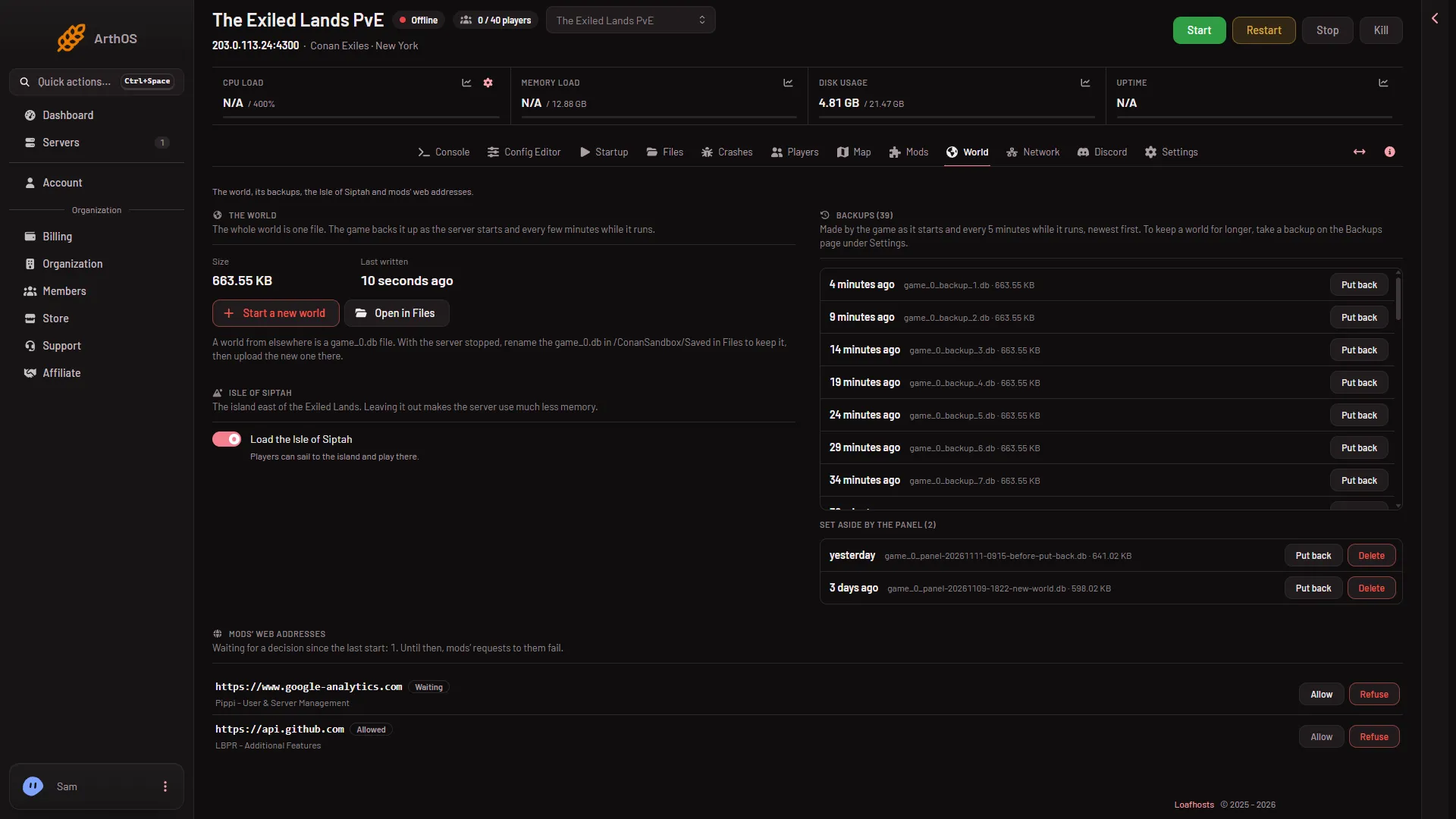
- Backups card
- Put back
- A box asks “Put back the world from (name)?”. It says the world is played from the next start and that the current world is set aside first. Choose Put back (1).
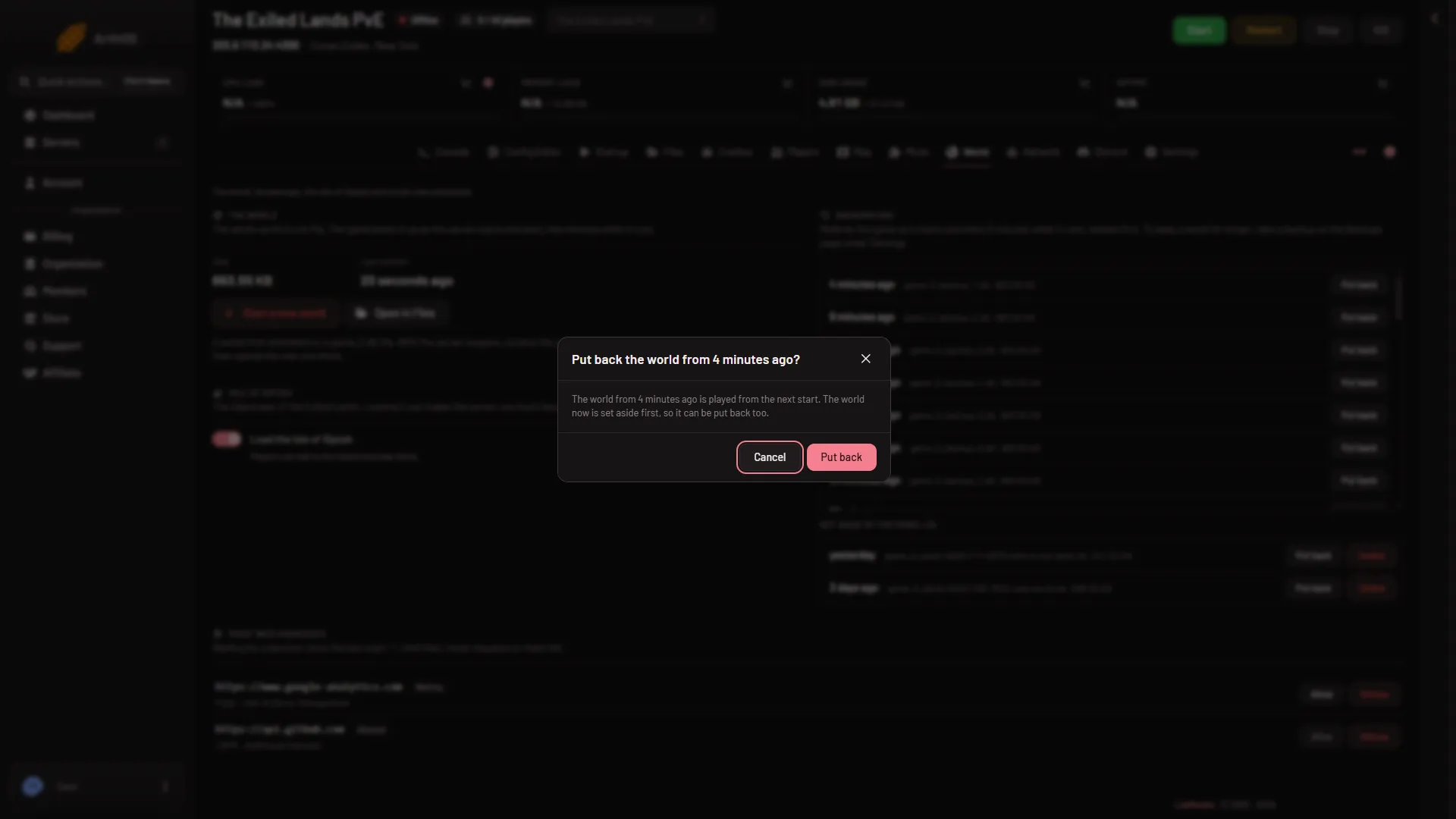
- Confirm
- The panel says “Done. The server plays that backup from its next start.” Start the server.
What the panel does
It renames your current world to a set-aside copy. Then it copies the chosen backup over game_0.db. The game’s own backup file is not removed, so you can use it again. At the next start the game makes a new backup and numbers its copies again, so the number of this one may go up by one.
Undo it
The set-aside world is listed under Set aside by the panel, with its own Put back button. Its file name starts game_0_panel-before-put-back-, then a time stamp and .db. Stop the server and use it to go back to the world you had. Each set-aside world also has Delete, which removes it for good, so keep them until you are sure. See delete a set-aside world.
Which backup to pick
Backup names end in a number: game_0_backup_1.db is the newest, then 2, then 3. The game makes one at every start and every 5 minutes while it runs. See game backups explained. To keep a world for longer, take a backup on the Backups tab inside Settings, see panel backups and schedules.
If it does not work
- The panel says to stop the server first. The server is still running. Stop it and wait until it is offline.
- The panel says the backup is not on the server any more. The file has been removed. Choose another backup.
- The server will not start after. The page Crashes shows what the game said. Put back a different backup, or the set-aside world.
- The first stop was slow. A stop on a new world can take close to 4 minutes. Let it finish.
More about the game: Conan Exiles servers.