
















The game backs up its own world. It copies the world file each time the server starts, and again every 5 minutes while the server runs. You do not set this up. You can see the copies on the World page.
What they are
The world is one file, game_0.db. Each backup is a copy of it with a number in the name: game_0_backup_1.db, game_0_backup_2.db and so on. The number 1 is the newest. The older ones carry higher numbers.
They are in the folder ConanSandbox/Saved, beside the world. On the World page they appear in the Backups card, newest first, with a Put back button on each.
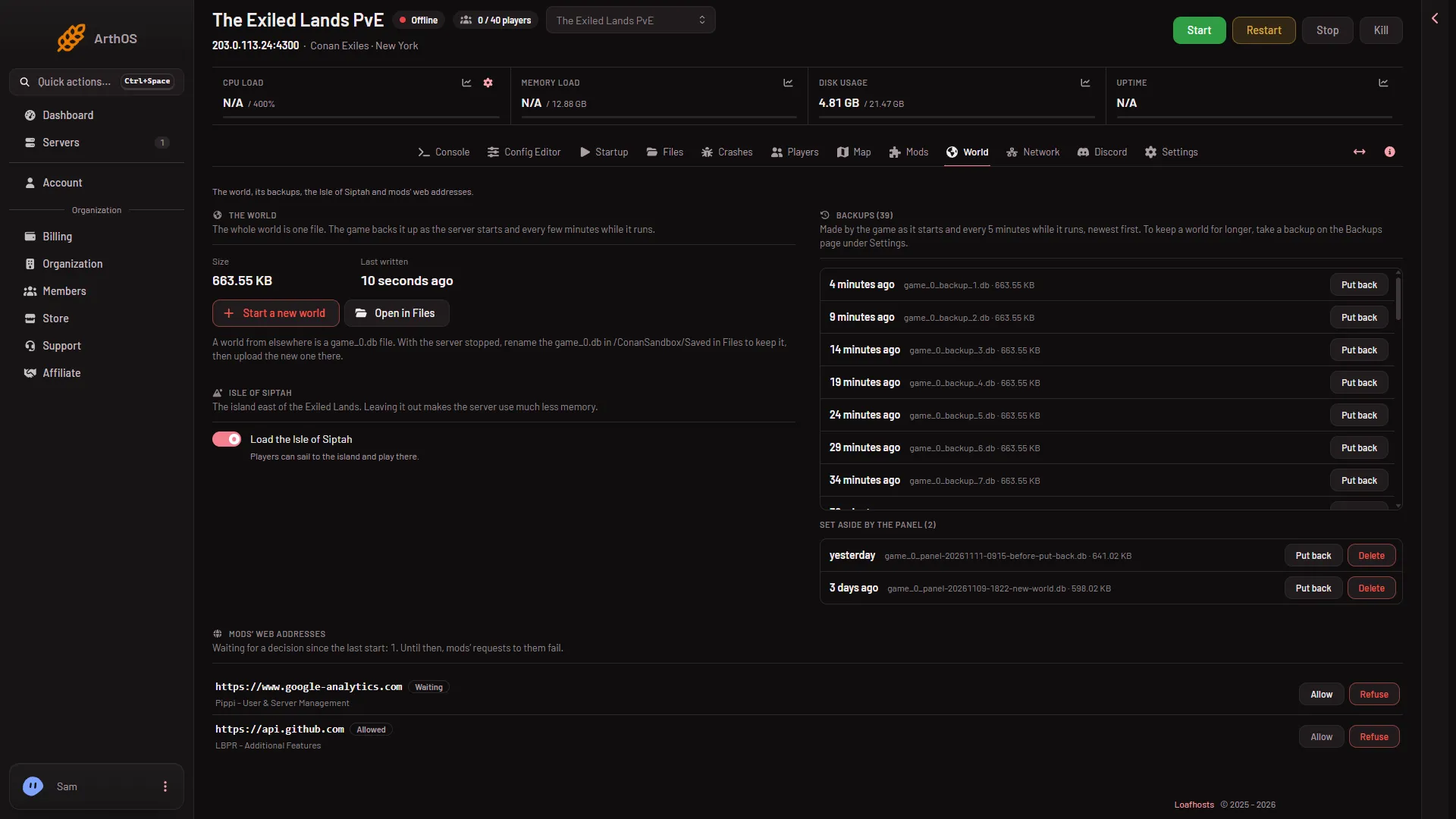
- Backups card with its count
How many are kept
On a Loafhosts test server, 19 were kept in 92 minutes, and no limit was seen. The game keeps adding copies, so the number grows with the time the server runs.
They use disk
Every copy is a whole world. A big, old world makes big copies, and many copies add up.
The World page has no Delete for these copies, only Put back. To free space, first delete a world the panel set aside: the World page lists them, each with Delete. See delete a set-aside world. If that is not enough:
- Stop the server. This drops everyone who is on, so tell them first.
- Open Files (Open in Files on the World page goes to the folder) and go to
ConanSandbox/Saved. - Delete old
game_0_backupfiles you do not need. Keep the newest few, because they are your restore points.
A file deleted in Files goes to the Trash button on that page and may still use disk until it is removed from there. Check the Trash before you assume the space is free. How the game numbers its copies after you delete one from the middle has not been checked.
Mods you no longer use also take space. See the disk full fix.
What they are good for
They protect you from a bad moment: a damaged world, a mod that broke things, a mistake in the game. To use one, see put back a backup. You lose whatever happened after that copy was made, at most about 5 minutes if you choose the newest while the server was running.
What they are not
They live on the same server and the same disk as the world. If you want a copy that is kept for longer, or that you control, take one on the Backups tab inside Settings. The World page says so: “To keep a world for longer, take a backup on the Backups page under Settings.” See panel backups and schedules. You can also download game_0.db yourself, see the world file.
If it does not work
- The Backups card is empty. It says “No backups yet. The game makes one as the server starts.” Start the server once.
- The disk is full. Delete old backups as above, and see disk full.
- You want to know which backup to use. Pick number 1 for the most recent. Pick a higher number to go further back.
More about the game: Conan Exiles servers.