
















When the Steam Workshop has a newer version of a mod, its row on the Mods page shows an Update chip. Choose Update all, then press Apply. Players’ games update their mods by themselves, so a server on an older mod turns them away until you update.
Why it matters
A player’s game downloads the newest version of each mod. If your server still has an older one, the player cannot join. The row says it: “The Workshop has a newer version. Players who already have it cannot join until the server has it too.”
Update the mods
- Open the Mods page. The line at the top shows how many mods have a newer version on the Workshop, for example “1 update on the Workshop”.
- Stay on the tab On this server. Rows with a newer version carry the chip Update (1).
- To update one mod, press Update on its row. The row then reads Updates on apply.
- To update every mod that has a newer version, press Update all (2). The number in brackets is how many it covers. Update none clears your choice.
- The bar at the bottom shows what changes and the size to download. Press Apply and restart (3), or Apply when the server is stopped.
- Read the box Apply the mod changes?. If the server is running, it stops now, downloads and starts again. Players online are disconnected. If a download fails, the copy the server had stays.
- Confirm.
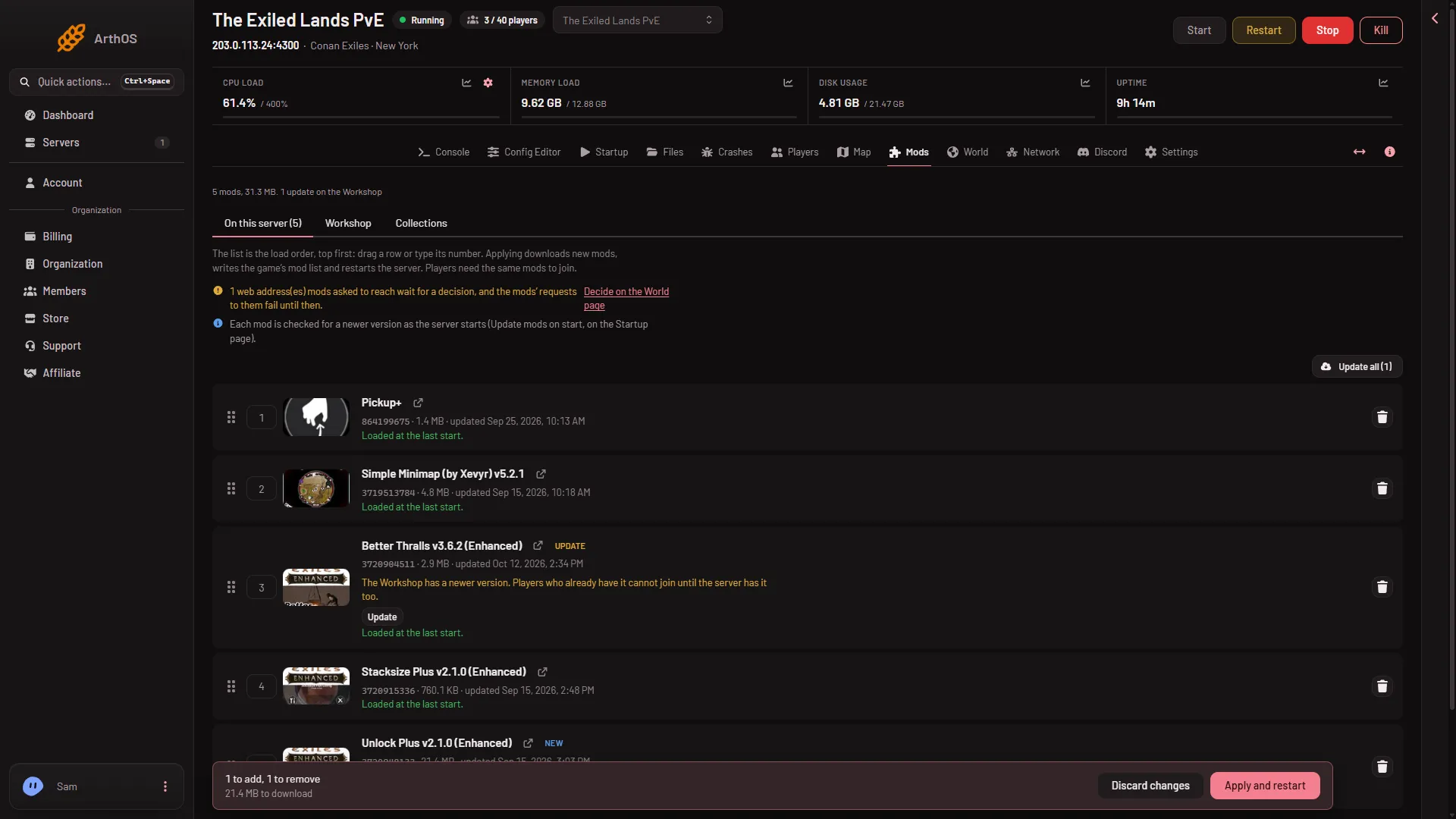
- Update chip
- Update all
- Apply and restart
Update again by hand
If a row has no chip but a mod acts wrongly, its row may offer Download again. This fetches the files a second time. It still needs Apply. When the row offers it was not checked on Enhanced, server build 25792439 as of 13 November 2026.
Let the server do it at each start
You can turn on Update mods on start on the Startup page. Then each mod is checked for a newer version as the server starts. See update mods on start.
If it does not work
- No Update chip, but players cannot join. Read the line above the list. It says whether mods are updated as the server starts. If it says they are not, the server may not have checked the Workshop yet. Reload the page.
- Apply says there is nothing to apply. Every mod is current and the list is as the server loads it.
- Apply says the downloads need more space than the server has. The box gives both numbers. Free space first, for example by deleting folders under On the server, not loaded.
- The Workshop did not answer. The row shows the last known state. Try again in a minute.
- No Apply button. Your role may not allow changing the startup.
More about the game: Conan Exiles servers.