
















Right after a start, the Players page says “The server is running, but the game is not answering the panel yet.” This is normal. The game answers once the world has loaded, about half a minute after the start. Wait, then look again.
Why the page waits
The panel reads who is on, the characters and the bans through the game’s remote console (RCON). The game opens it late in its start. Before that, the page can show only what is in the files.
You do not need to turn the remote console on. The panel turns it on itself every time the server starts. It sets the remote console, its password and its port in the Game file. Those rows are locked in the Config Editor: “The panel sets this every time the server starts, so it cannot be changed here.”
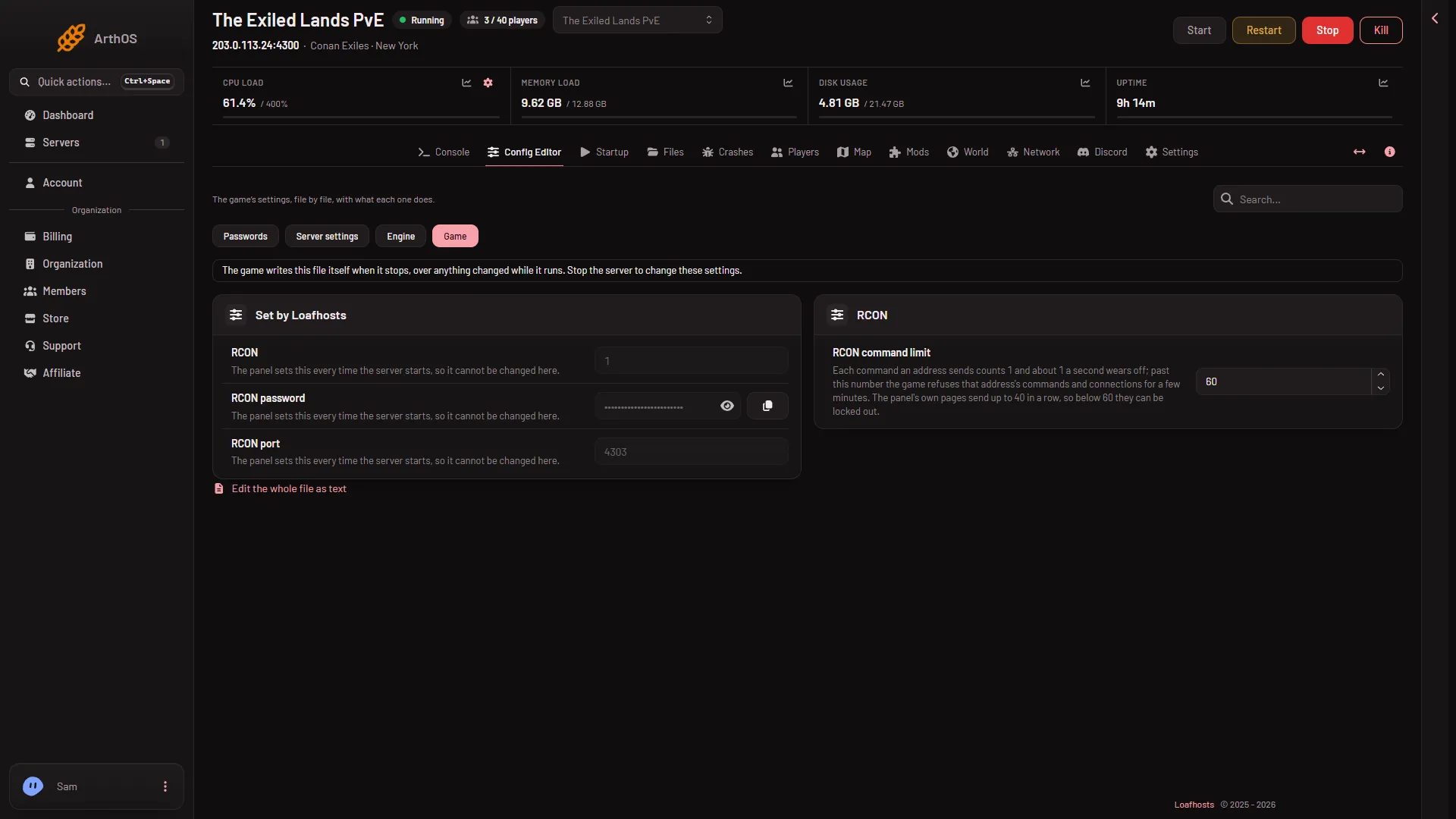
- Open the Game file
The page shows one of three notes when it cannot read yet:
- “The server is starting.” Who is on and the characters show once it is up.
- “The server is running, but the game is not answering the panel yet.” Wait about half a minute.
- “The server is offline.” The whitelist, its switch and the message of the day can be changed now. The game reads them at its next start. A kick, a ban, lifting a ban and a message to everyone need the server running and answering.
The Map page says “The game is not answering the panel yet.” for the same reason.
Check the game is ready
- Open the Console.
- Wait for the line
Started SourceServerQueries.
That line appears 16 to 25 seconds after the game’s files load. The first start of a new server takes longer. When you see it, the Players page fills in within a short time.
If it stays after a few minutes
- The remote console password was changed. The password is written into the game’s settings when the server starts. Restart the server so it uses the one under Passwords in the Config Editor. The page may say “the game refused the panel’s RCON password”. See remote console password refused.
- The game is refusing the panel for too many commands. The page waits a few minutes. See locked out by the command limit.
- The page says the game did not accept the panel’s RCON connection. The full text is “the game did not accept the panel’s RCON connection; try again shortly”. Wait a minute and look again. If it stays, see locked out by the command limit.
- The server stopped or crashed. Open the Crashes page. A start that failed, crashed or ended early shows there.
- Kick, ban and messages say to try again. Those work only while the server runs and answers. Wait for the game to be ready, then repeat the action.
More about the game: Conan Exiles servers.