
















When the Players, Map or World page says “the game refused the panel’s RCON password”, restart the server. The password is written into the game’s settings when the server starts. A password changed while the server runs does not reach the game until the next start.
What the message means
The panel reads and changes the game through the remote console (RCON). It logs in with the Remote console password. The game checks that password against the one it read at its last start. If you changed the password after that start, the two differ and the game says no.
The full message reads: “the game refused the panel’s RCON password: it is written into the server’s settings when the server starts, so restart the server to use the new one.”
Players never use this password. It is the panel’s own way into the game for the Players, Map and World pages.
The fix
- Open the Config Editor.
- Choose the Passwords source (1).
- Check Remote console password (2). It must be 12 to 64 letters, digits,
-or_, and it cannot be empty. - If you changed it, the bar “Unsaved changes” appears. Choose Save. The page says “Saved. Restart the server to apply the changes.” when the server runs.
- Restart the server.
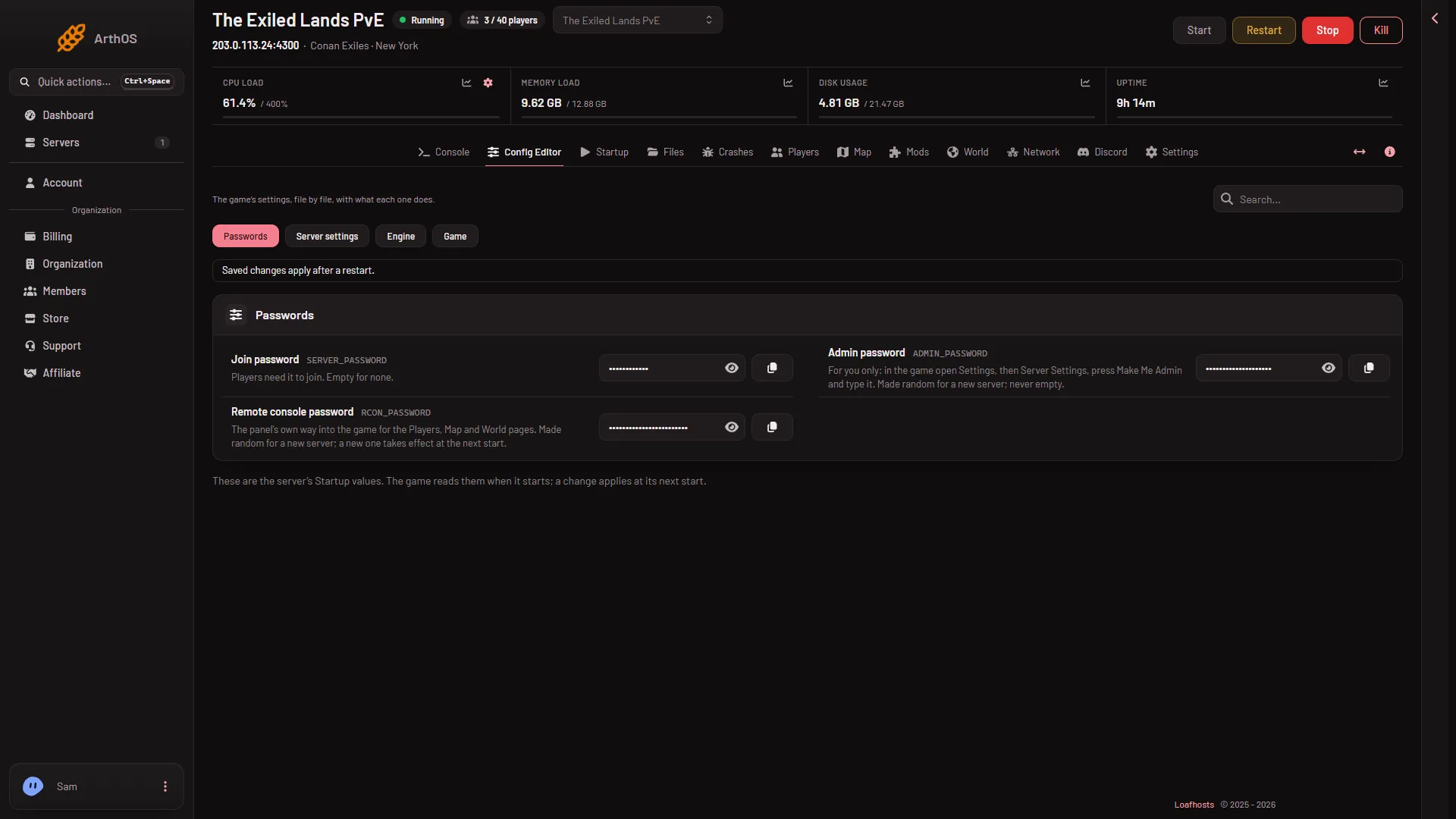
- Passwords source
- Remote console password
After the restart, wait about half a minute. The page then reads the game again.
You do not need to enter it anywhere else
The panel writes the password into the Game file itself at every start. The rows for the remote console, its password and its port are locked in the Config Editor: “The panel sets this every time the server starts, so it cannot be changed here.” The RCON password row in the Game file is locked too. A password typed into the file by hand in Files is replaced at the next start.
For a new server, the Remote console password is made random. You can leave it as it is. The Startup page does not show passwords: it points to Passwords in the Config Editor.
If it does not work
- The message stays after a restart. The server must have started after you saved. Check the Crashes page that the start finished, then look again after half a minute.
- The page says the game is not answering yet. That is a different note, and it is normal right after a start. See the Players page says not answering.
- The page says “the game is refusing commands from the panel for now”. That is the command limit, not the password. See locked out by the command limit.
- Save refuses the password. It is too short, too long or has a character that is not allowed. Use 12 to 64 letters, digits,
-or_.
More about the game: Conan Exiles servers.