
















A Conan Exiles server that takes minutes to stop is usually saving its world. Let it finish. Stopping it early, by killing it, can lose what players did since the game last saved.
Why a stop is slow
When you press Stop, the panel asks the game to save and shut down. The world is one database file, and the game writes it before it exits.
- On a world that has been played, a stop took about 40 seconds when measured on Loafhosts servers.
- On a brand new world, the first stop took up to 3 minutes 43 seconds.
So a stop of a few minutes on a new world is normal. A stop that takes much longer is worth a look: see “If it does not work”.
What the Console shows
Press Stop at the top of the server page and open the Console. The panel prints one line: “If it has not stopped in (seconds) seconds, it is killed. Change this under Settings, Auto-Kill.”
The number in that line is your server’s own Auto-Kill limit. While it counts down, the game is still writing.
What Auto-Kill does
Open Settings and find the Auto-Kill card. It says: “Stop asks the game to save and shut down. If it is still running this many seconds later, it is killed, so a stuck stop cannot hang.”
The number is in Seconds until auto-kill (2), on the card Auto-Kill (1). The card’s own sentence about 15, 120 and 30 seconds names other games. For Conan Exiles, read the number in the box.
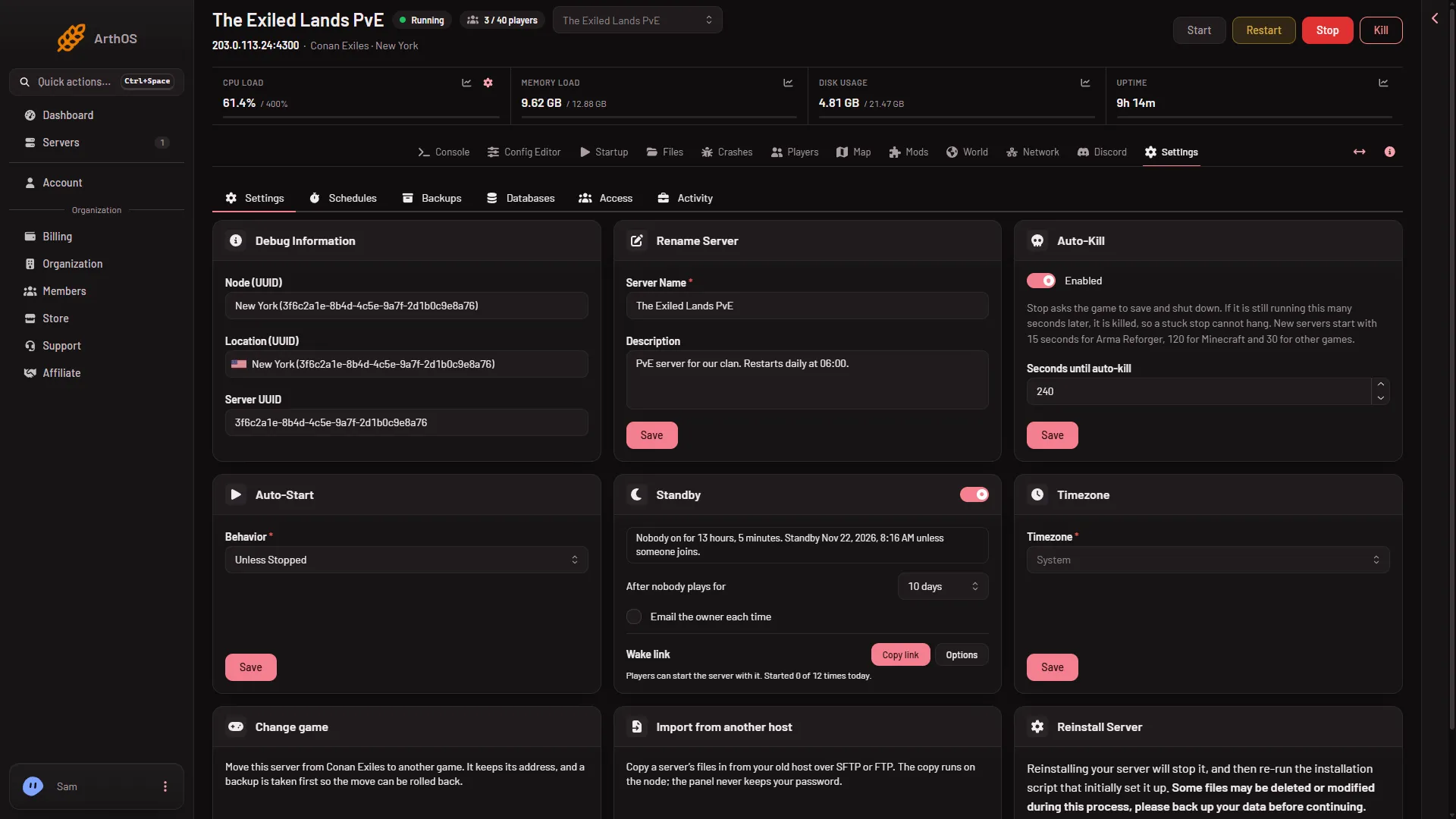
- Auto-Kill card
- Seconds until auto-kill
Do not lower this number. A Conan stop can take minutes, so a low number kills a healthy save. To see whether a stop was killed, open Crashes: that start shows Ended early or Crashed with no clean exit. Then raise the number.
Other stops use the same wait
These all end with the same clean stop, so they take the same time:
- A restart from the Players page, Restart with a warning, once its countdown ends.
- A restart from a schedule, when its step is Restart. A Kill step does not wait: it ends the game at once and nothing is saved.
- Standby, when nobody has played for the time you set.
If it does not work
- The stop passes the Auto-Kill time and the server is killed. Raise Seconds until auto-kill on the card, then stop again. Check Crashes afterwards to see whether the next start was clean.
- The stop seems stuck and Enabled on the Auto-Kill card is off. Nothing then ends a stuck stop. Keep Enabled on. As a last step, Kill at the top of the server page ends it, and a kill does not save.
- The server stopped by itself and nobody pressed Stop. This is a different problem. If the machine ran out of memory, Crashes says “The server used all its memory and was stopped”. See Conan Exiles ran out of memory.
- The server stops fast every time. That is fine. A world that is small or already saved stops quickly.
More about the game: Conan Exiles servers.