
















Conan Exiles has three setting files in the Config Editor, and they save in two different ways. Server settings saves while the server runs. Engine and Game save only while the server is stopped. Most refusals come from mixing these up.
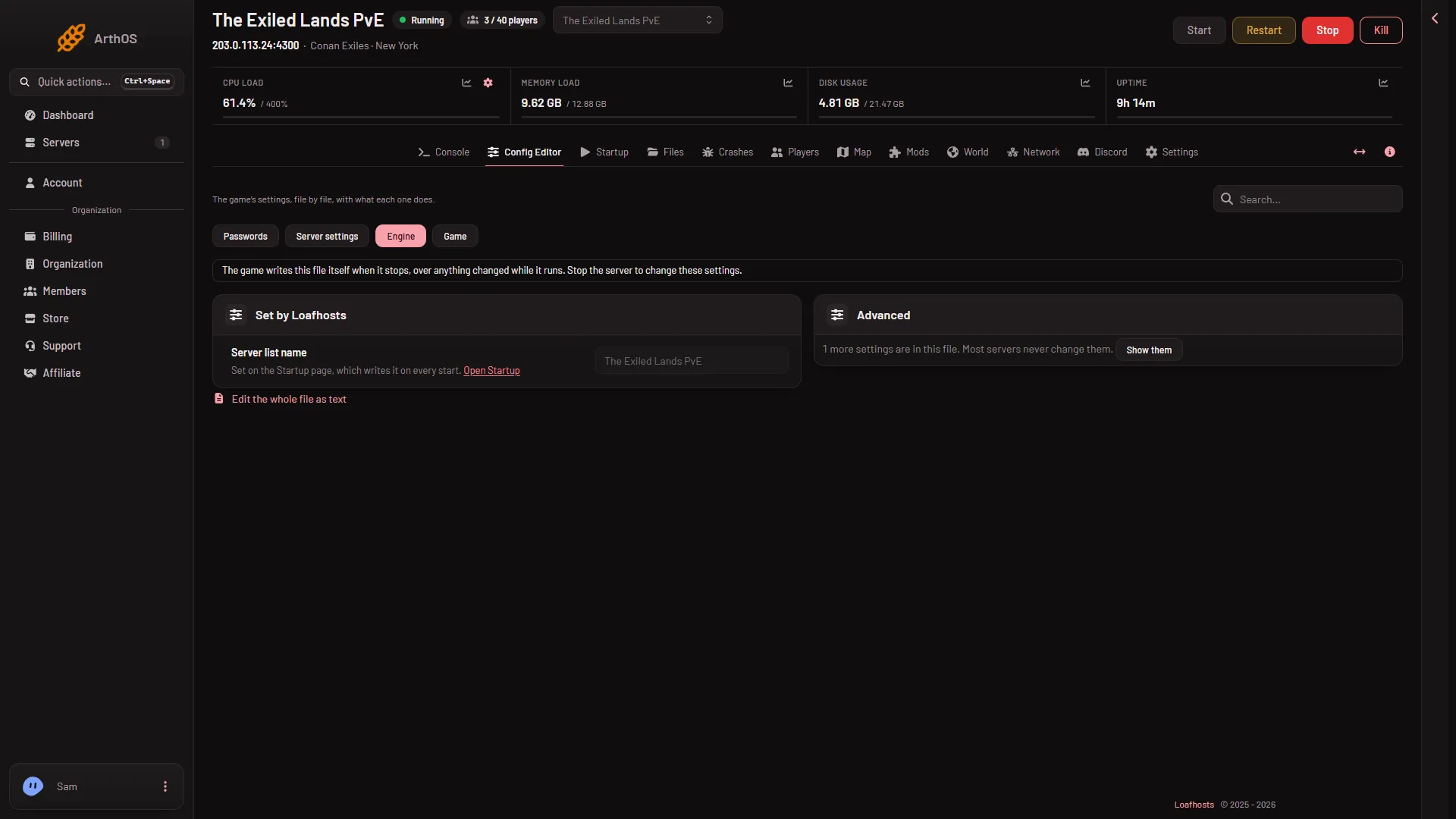
- Engine source
Engine or Game will not save
The Engine file holds little to edit: one locked row and the Advanced card. The page says: “The game writes this file itself when it stops, over anything changed while it runs. Stop the server to change these settings.”
- Stop the server.
- Open Engine (1) or Game in the Config Editor.
- Change the value. The bar “Unsaved changes” appears: choose Save. The page says “Saved. The changes apply when the server starts.”
- Start the server.
Server settings is refused while the server starts
You see: “the server is not answering yet; try again once it has finished starting, or stop it and save”.
While the server runs, the panel changes each setting through the game’s remote console (RCON), and the game writes the file at once. The game only answers once the world has loaded, about half a minute after the start. Wait, or stop the server and save.
“The file changed since you opened it”
You see: “the file changed since you opened it; reload to see the current values”. The file was changed after you opened the page, for example by the game, by a text edit in Files, or by someone else. Reload the page, make your change again, and save.
The game also writes Engine.ini and ServerSettings.ini itself when it stops. If you edit ServerSettings.ini by hand in Files while the server runs, your edit is lost at the next stop. Use Server settings while it runs.
It saved, but nothing changed in the game
After a save the page says either “Saved and in use now.” or “Saved and in use now, except (names): those apply at the next start.” Six settings are read only as the server starts:
- Living Settlements Enabled
- Building Replication Distance
- Disable Building Abandonment
- Land Claim Radius Multiplier
- No Ownership
- PVP Enabled
Restart the server for these. The page has a Restart now button.
A row is locked
Some rows say: “The panel sets this every time the server starts, so it cannot be changed here.” These are the remote console settings, the server name, the passwords and Mods players download. Change the name on Startup, the passwords under Passwords and the mod list on the Mods page.
If it does not work
- The game did not take a value. The panel shows “the game did not take (setting): (its answer)”. Read the answer. A value that holds a double quote is refused: the page says the setting “cannot contain quotes”.
- Edits keep disappearing. Check that you changed Engine or Game while the server was stopped.
More about the game: Conan Exiles servers. For the editor itself, see the Config Editor.