
















To start a Conan Exiles server over, stop it, open World and choose Start a new world. The world you have now is set aside, not deleted. The game makes a new one at the next start, and every character, base and thrall starts over.
The world is one file, game_0.db. Starting a new world moves that file out of the way and lets the game make a fresh one.
Before you start
- You need a role that allows changing files on the server.
- The server must be stopped. The game keeps its world open while it runs and writes it again when it stops. The page says so: “Stop the server to start a new world, put a backup back or switch the Isle of Siptah: the game keeps its world open while it runs.”
- Players lose their characters and bases on the new world. Stopping the server also drops everyone who is on. Tell them first with Message everyone on the Players page.
Start a new world
- Stop the server with Stop at the top of the page and wait until it is offline.
- Open the World page.
- In the card The world, choose Start a new world (1).
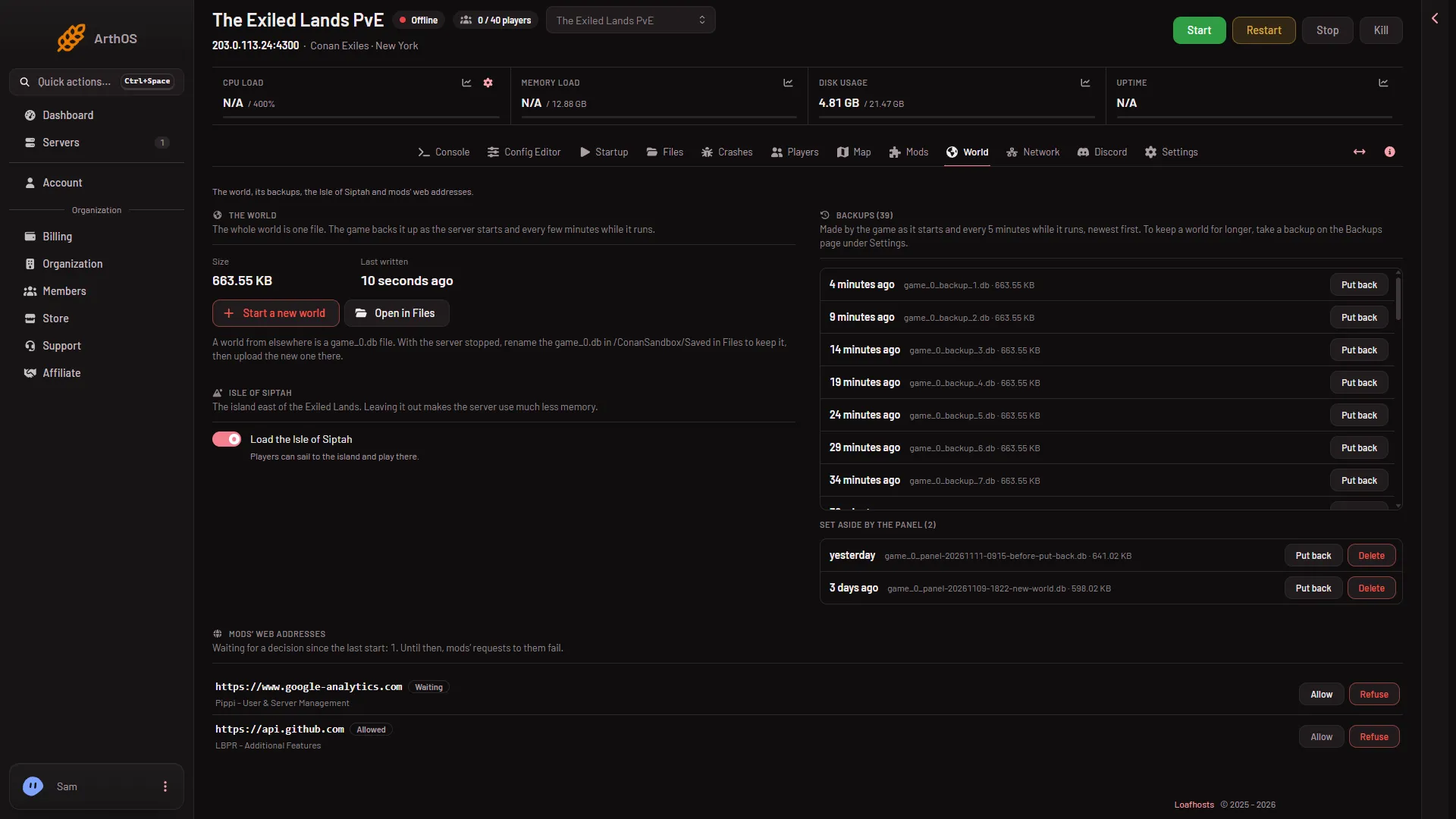
- Start a new world
- A box asks “Start a new world?”. It repeats what happens: the world now is set aside, it stays on the page and can be put back, and everything starts over. Choose Start a new world (1) to agree.
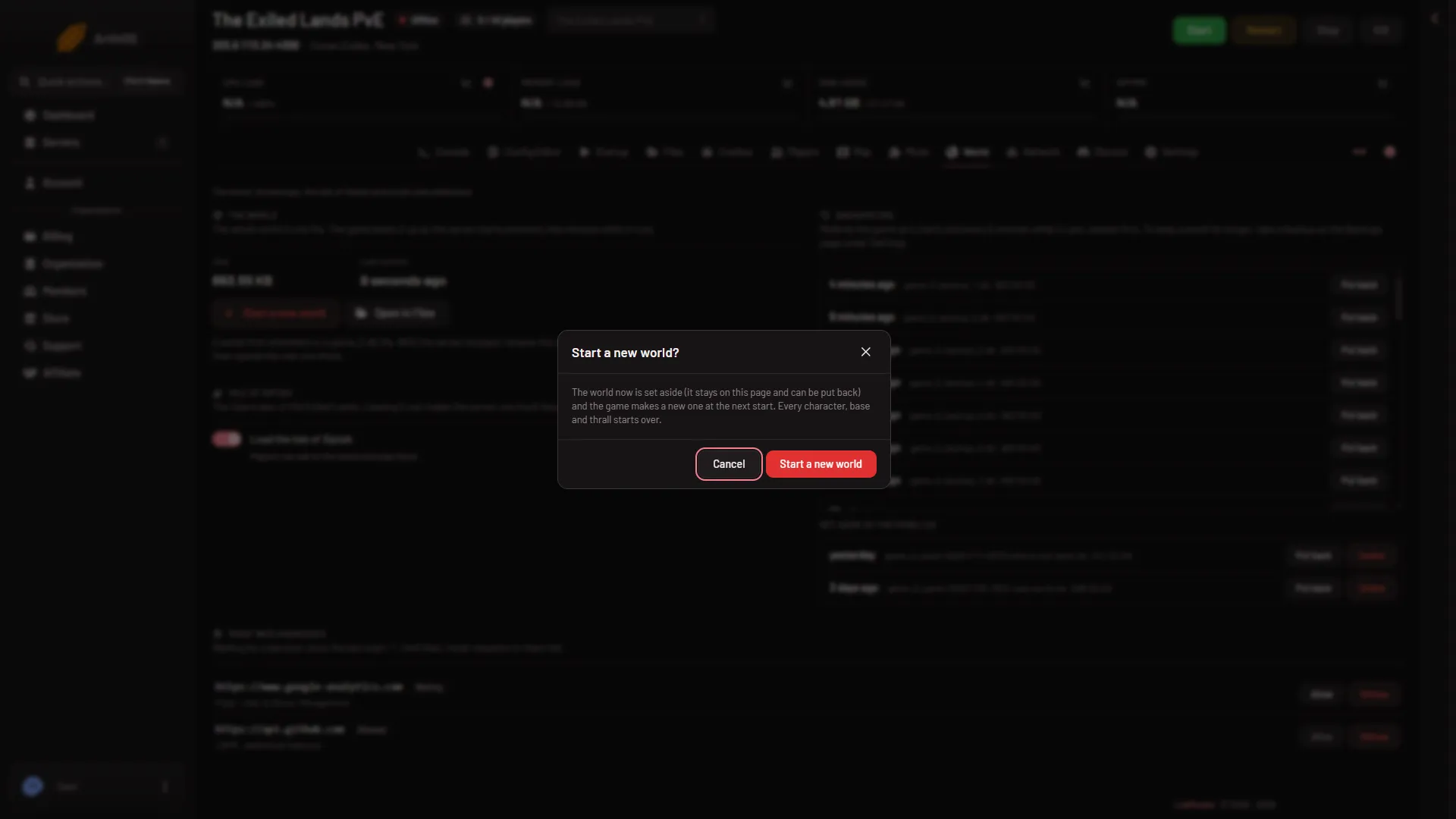
- Agree
- The panel says “Done. The game makes a new world at the next start.”
- Start the server.
What the panel does
The panel renames the world file, and the two files that sit beside it while the game runs (game_0.db-wal and game_0.db-shm), to game_0_panel-before-new-world-, then a time stamp, then .db. Nothing else is touched. Your settings, passwords, mods, whitelist and ban list are separate files and stay as they are.
If there is no world yet, the panel refuses: “there is no world yet: the game makes one at its first start”. A server that has never started needs no new world.
The first start and stop are slow
The first start of a new world takes longer than a normal start. The first stop of it can take a few minutes: up to 3 minutes 43 seconds was measured on a new world, against about 40 seconds on a world people have played. Wait for it.
Go back to the old world
The world you set aside is listed on the same page under Set aside by the panel, with a Put back button. Stop the server, choose Put back, and confirm. The world from the new run is set aside first (as game_0_panel-before-put-back-, a time stamp and .db), so it can be put back too. See restore a backup.
When you are sure you do not want a set-aside world, you can delete it. That frees disk. See delete a set-aside world.
If it does not work
- The button does nothing, or the page says to stop the server. The server is still running. Stop it, and wait until it is offline.
- The panel says there is no world yet. The game has not made one. Start the server once.
- The old characters are still there. The new world is made at the next start. Start the server, then check the Characters in the world list on the Players page.
- The first stop seems stuck. Wait. A first stop of a new world is slow. See first start and stop times.
More about the game: Conan Exiles servers.