
















Update mods on start is a setting on the Startup page. When it is on, the server downloads a newer version of each mod on its list before the game starts. A new Loafhosts Conan Exiles server has it on.
Why keep it on
Players’ games update their mods by themselves. A server with an older mod turns them away. With the setting on, every restart brings the server’s mods up to date, so players on the new version can join.
What it does
Before the game starts, the server checks the Steam Workshop for a newer version of each mod on the list. It uses an anonymous Steam login. It downloads what is newer, then starts the game. The download happens inside the start, so a start with a new version takes longer.
It only updates mods that are on the list. It does not add mods, and it does not change the order.
Turn it on or off
- Open the Startup page.
- Under Variables, find Update mods on start (1).
- Change it and press Save (3). The page says “Variables updated.”
- The setting is used the next time the server starts. A restart drops everyone who is on; to warn them first, use Restart with a warning on the Players page (it works only while the game answers the panel).
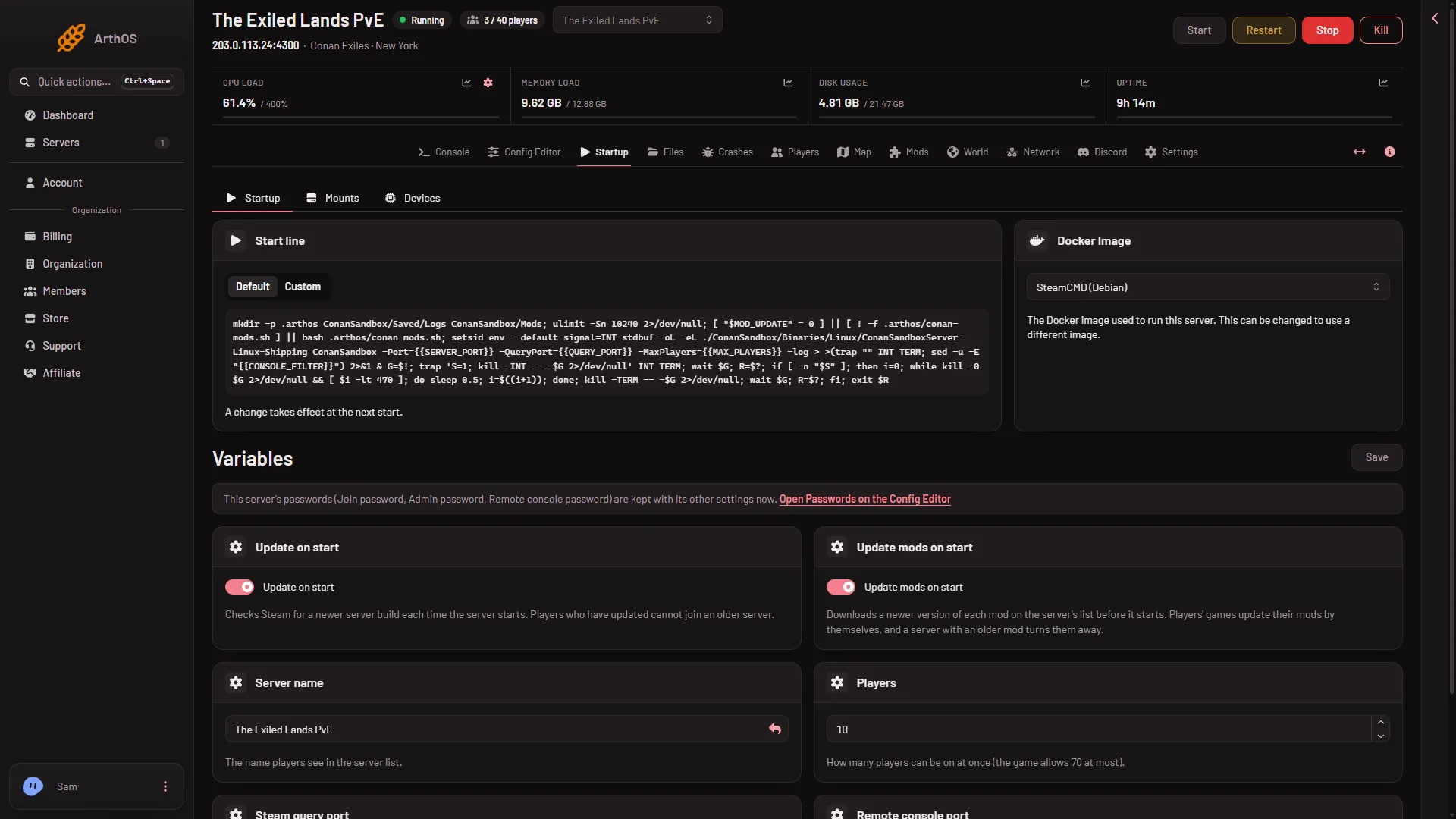
- Update mods on start
- Update on start
- Save
Do not mix it up with Update on start (2) beside it. That one checks Steam for a newer server build each time the server starts. See update the server on start.
See the setting on the Mods page
Above the mod list, the page has a line about it. When the setting is on, it reads: “Each mod is checked for a newer version as the server starts (Update mods on start, on the Startup page).”
When it is off, it reads: “Mods are not updated as the server starts. Players with a newer version of a mod cannot join until the server has it: update it here, or turn on Update mods on start on the Startup page.”
With the setting off, update by hand. See update the mods on your server.
If it does not work
- Players still cannot join after a restart. Look at the rows on the Mods page. A row with the Update chip means the server does not have the newest version yet. Press Update all and Apply.
- The setting is on but a mod is old. Update that mod by hand from the Mods page.
- The start takes longer. Downloads run before the game starts. A big mod makes that longer.
- The setting will not save. Your role may not allow changing the startup.