
















A Conan Exiles world is one file named game_0.db. To use a world from elsewhere, stop the server, rename the game_0.db on it so you keep it, upload your file as game_0.db, and start the server. The new file name must be all lower case.
Before you start
- Have your world file ready on your own computer. It must be a
game_0.dbfile. A world from an older server is aGame.dbfile: see the note under the steps. - You need a role that allows changing files on the server.
- The server runs on Linux, and the game’s makers say the world file name must be all lower case there.
game_0.dbis right.Game_0.dbis not.
Steps
- Stop the server with Stop at the top of the page and wait until it is offline. This drops everyone who is on, so tell them first with Message everyone on the Players page. The game keeps its world open while it runs and writes it again when it stops.
- Open the World page. In the card The world, the text reads “A world from elsewhere is a game_0.db file. With the server stopped, rename the game_0.db in (folder) in Files to keep it, then upload the new one there.” The folder is named in the card.
- Choose Open in Files (1). It opens that folder.
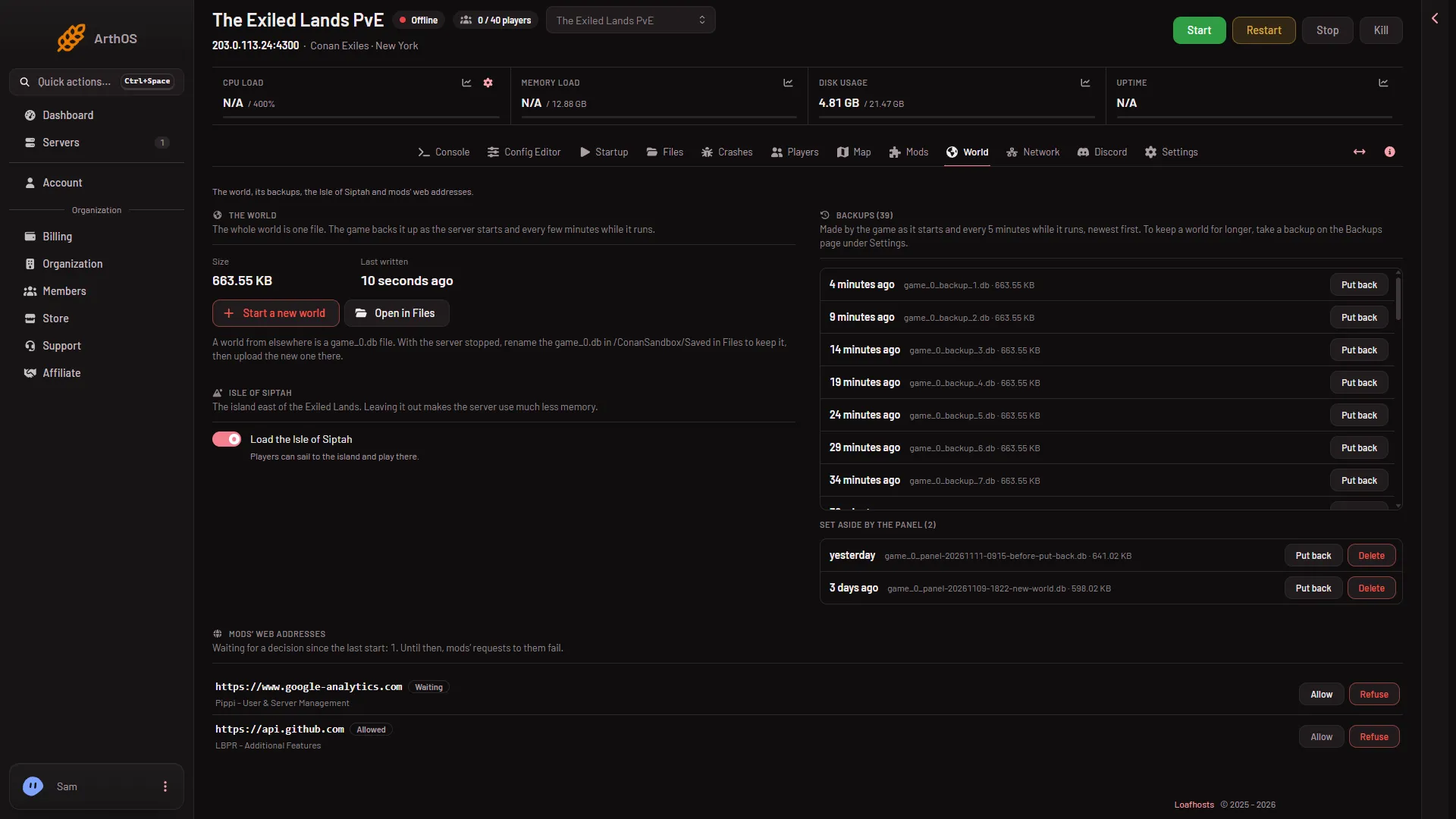
- Open in Files
- Find
game_0.db. Ifgame_0.db-walorgame_0.db-shmsit beside it, they belong to it. Rename them as well, the way the panel does when it sets a world aside. - Rename
game_0.dbto something you will recognise, such asgame_0_old.db. Do not start the new name withgame_0_backup, which is how the game names its own backups. - Open the New menu (2) and choose File from Upload. Pick your world file. Check the name in the folder (1) is
game_0.db, in lower case.
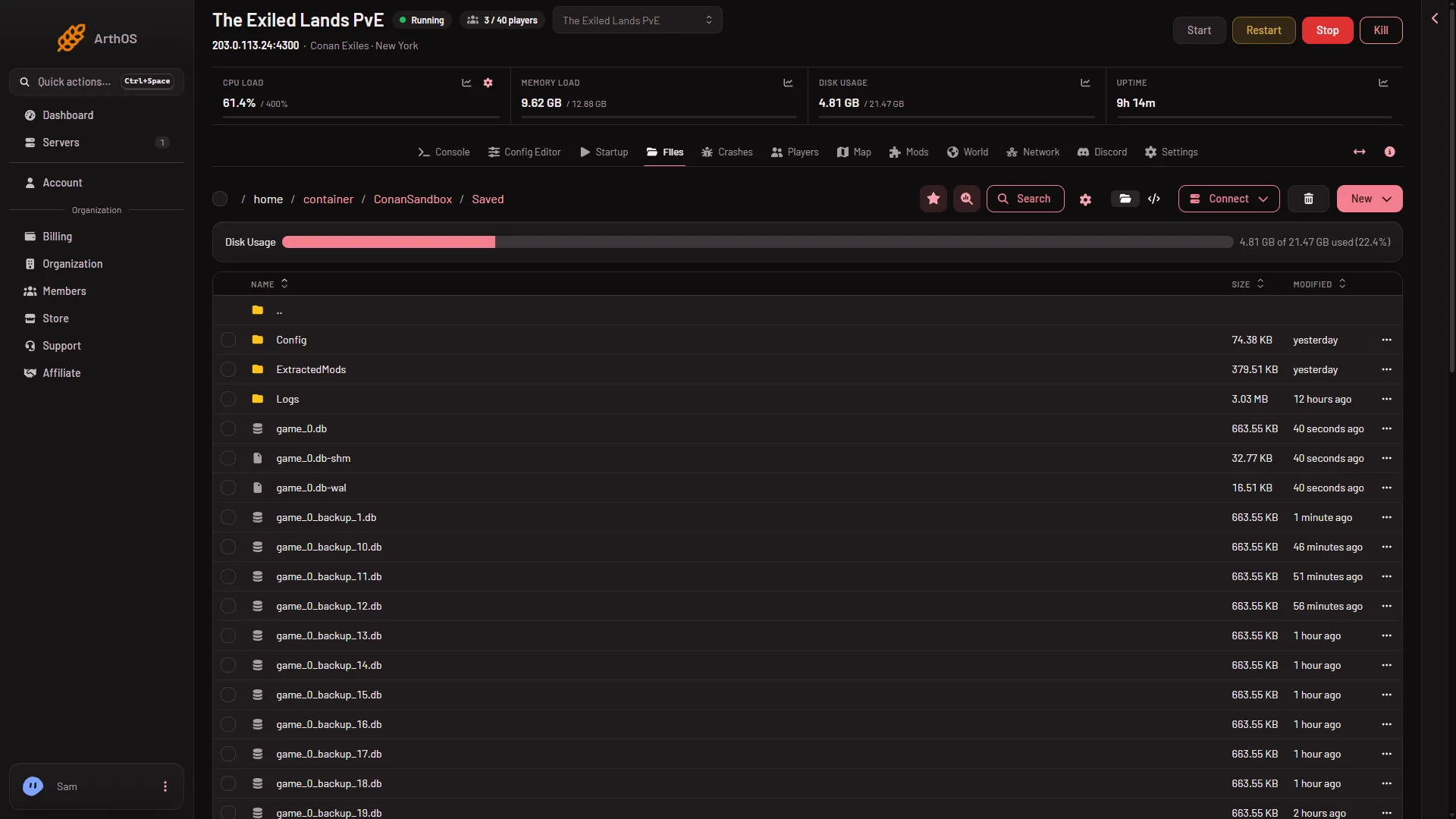
- game_0.db
- New menu
- Start the server.
- When it is up, open World. Size and Last written show the file. Open Players and look at Characters in the world.
Go back
The file you renamed is still in the same folder. To return to it, stop the server, delete or rename the uploaded game_0.db, and give the old file the name game_0.db again. Or use Start a new world first so the panel sets the current world aside for you. See start a new world.
If it does not work
- The world is empty or not the one you uploaded. The file may have the wrong name or be in the wrong folder, so the game does not use it (it may then start a new world: not checked on “Enhanced, server build 25792439” as of 13 November 2026). It must be
game_0.db, all lower case, in the folder the card names. - The server will not start, or the Crashes page says “The world file could not be read or written”. The file may be damaged or not a Conan Exiles world. Put your old world back and try another file. See the world file.
- The old world came back after the upload. The game writes its world again when it stops, so a swap made while it ran can be overwritten. Stop it fully, then do the steps again.
- Upload fails or the file is not allowed. Your role may not be allowed to change files on this server.
Not checked on “Enhanced, server build 25792439” as of 13 November 2026: whether a world made by a different game build opens on this server.
More about the game: Conan Exiles servers.
Sources: exiles-enhanced.inflexion.io: Linux, exiles-enhanced.inflexion.io: Ue4 ue5 migration