
















When the game updates, players update too, and a server on an older build turns them away. The server only checks for a new build when it starts. Check that Update on start is on, then restart the server.
Check Update on start
- Open Startup.
- In Variables, find Update on start (1). The page explains it: it checks Steam for a newer server build each time the server starts, and players who have updated cannot join an older server.
- If the switch is off, switch it on and choose Save (2). The page says “Variables updated.”
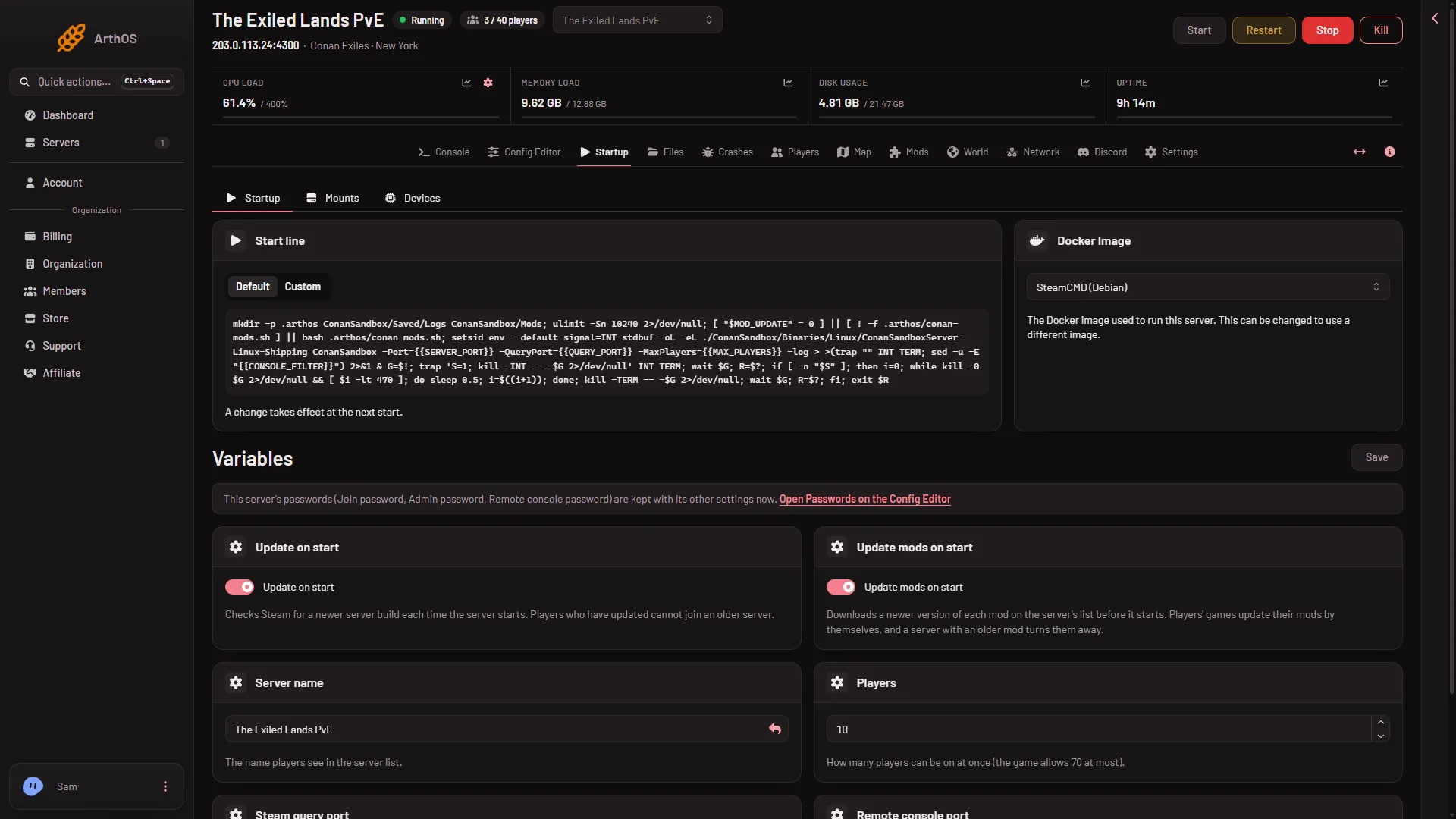
- Update on start
- Save
- Restart the server. The check runs as the server starts. A restart drops everyone who is on. On the Players page, Restart with a warning tells them first, but only while the game answers the panel.
If the switch is already on, the server may simply not have restarted since the update. Restart it.
Check which build the server runs
Open Crashes. A start shows Game version when its log names the build. After a restart, a newer number means the update happened.
Players need Conan Exiles Enhanced
This server runs Conan Exiles Enhanced. The old version of the game is a separate branch, and the game’s makers say a server switched to it does not update to Enhanced. Players need Conan Exiles Enhanced.
Mods can mismatch too
Players’ games update their mods by themselves. A server with an older mod turns them away. Update mods on start on the same Startup page downloads a newer version of each mod on the server’s list before it starts. See update mods on start.
If it does not work
- Still the old build after a restart. Reload Startup and read the Update on start switch to check that it saved.
- Only some players are refused. Ask whether they run Enhanced and the same mods.
More about the game: Conan Exiles servers. For the setting itself, see update the server on start.