
















“Database disk image is malformed” means the game cannot read its world file. On Loafhosts, put back one of the game’s own backups from the World page, then start the server again. The game makes a backup as it starts and every 5 minutes while it runs.
How you see it
The Crashes page lists each start of the server. A start that failed for this reason carries the finding “The world file could not be read or written”. The finding says:
“The world is one database file. Put back one of the game’s backups from the World page (it makes one every few minutes), then start again.”
The finding appears when the log holds any of these phrases: “database disk image is malformed”, “database is locked”, “disk i/o error” or “unable to open database”. The world is one file, ConanSandbox/Saved/game_0.db. All of its characters, bases and thralls are in it.
Fix it
- Stop the server. The game keeps its world open while it runs, so the panel refuses a change on a running server. A stop can take a few minutes: see why.
- Open the World page.
- Look at the Backups list (1). The newest is first. The names are
game_0_backup_and a number, where 1 is the newest. - On the newest backup, choose Put back (2).
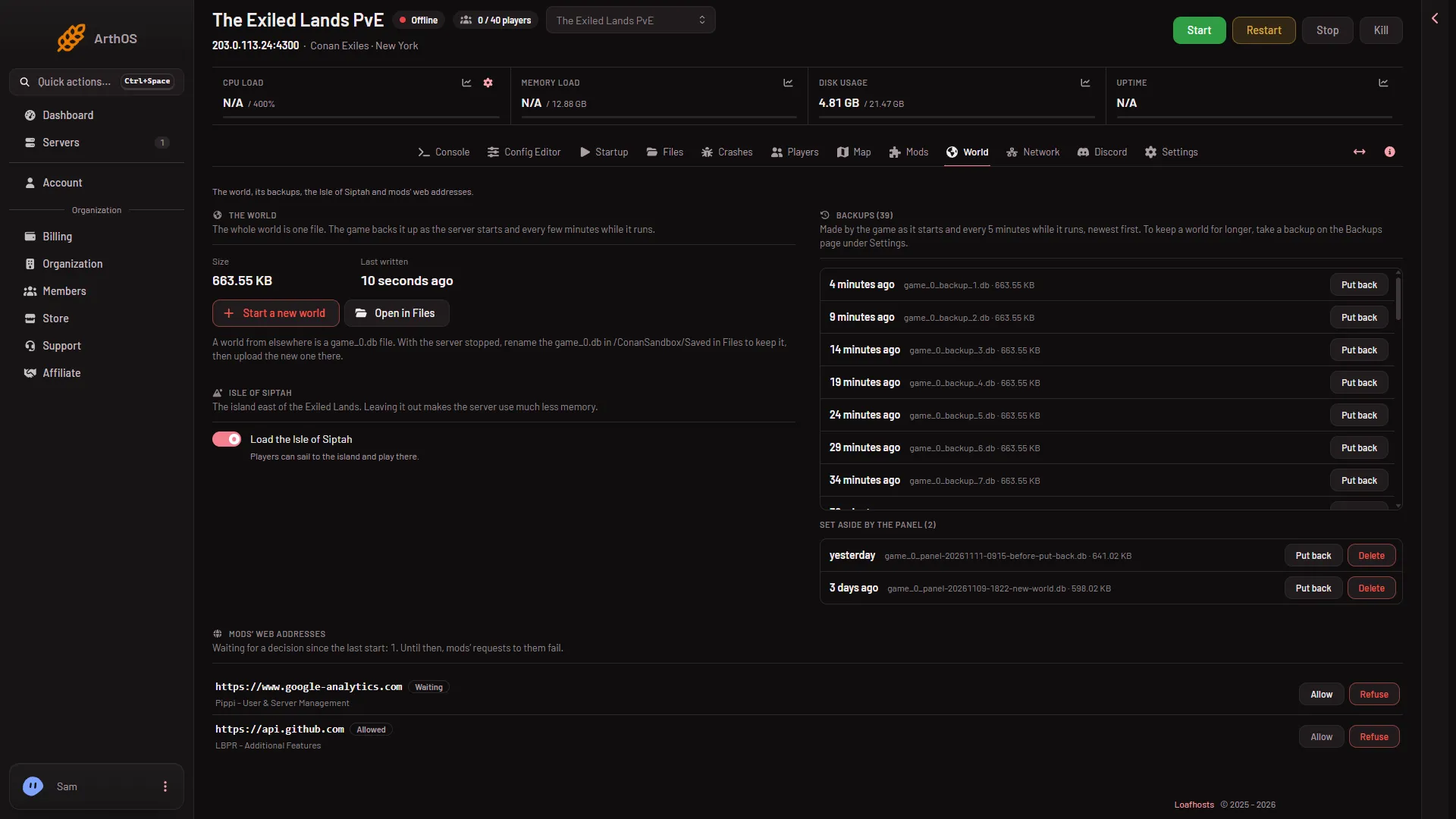
- The game's backups
- Put back
- Read the box. It says the world from that backup is played from the next start. It also says the world you have now is set aside first, so it can be put back too.
- Choose Put back in the box (1). The panel says “Done. The server plays that world from its next start.”
- Start the server.
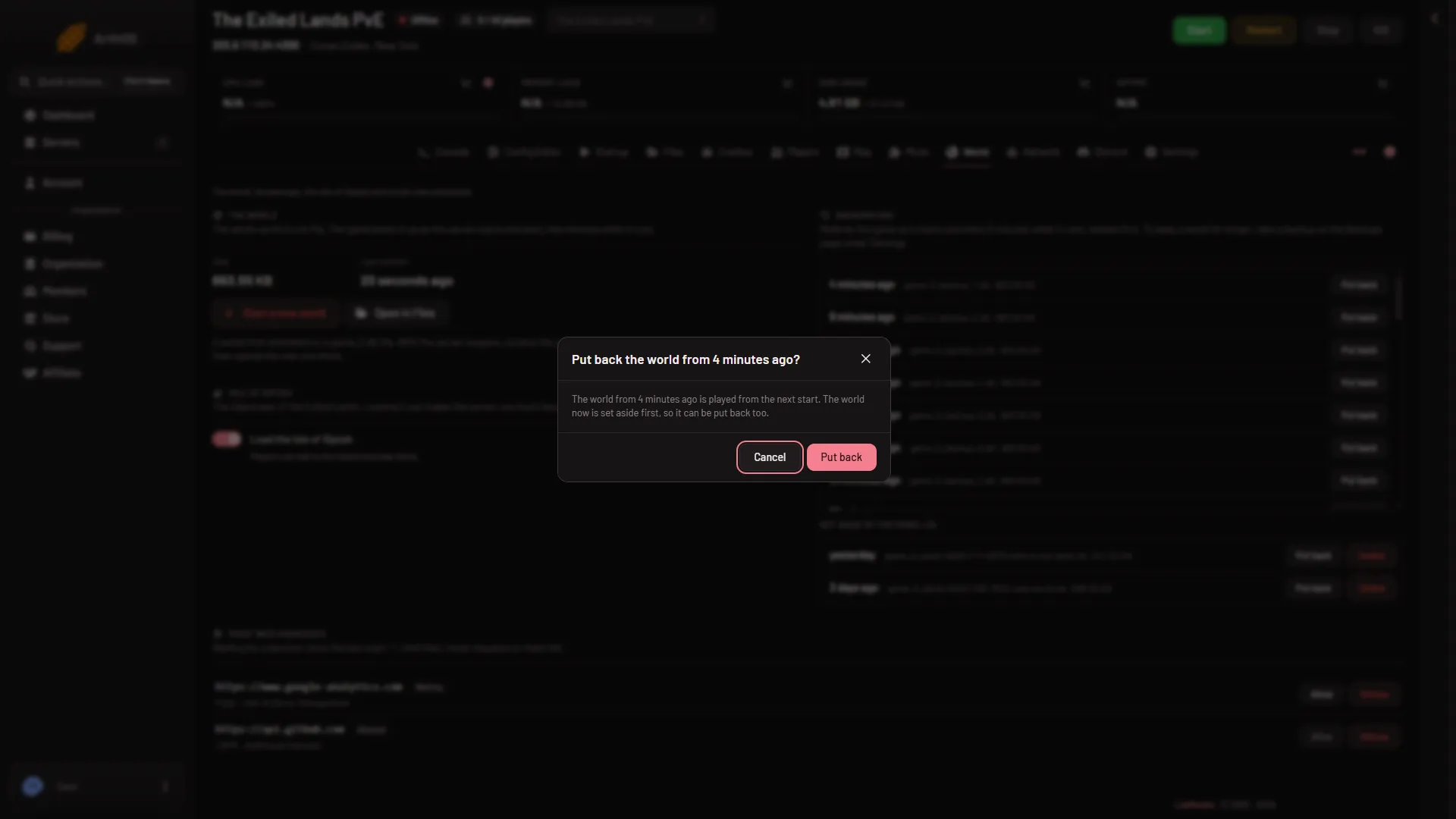
- Put back
The world you replaced is kept under Set aside by the panel. You can put it back later, or delete it.
What you lose
While the server runs, the game adds a backup every 5 minutes, so the newest one is usually recent.
By hand
On your own machine, with the server stopped:
- Move
ConanSandbox/Saved/game_0.dbaside, together withgame_0.db-walandgame_0.db-shmif they exist. A leftover pair beside a different database can break it. - Copy a
game_0_backup_(n).dbfile overgame_0.db. Number 1 is the newest. - Start the server.
No command that checks a world file for damage is named here: none is sourced.
If it does not work
- The same finding comes back. Stop the server and put back the next older backup. Repeat until it starts.
- Put back is refused. The server is running. Stop it first.
- There are no backups. The list says “No backups yet. The game makes one as the server starts.” Check Backups under Settings for a panel backup, and restore that instead.
- The finding is about disk space. That is a different finding: “The server ran out of disk space”. Free space first: delete worlds the panel set aside, delete the files of mods you do not use (Delete files under On the server, not loaded on the Mods page), and remove old backups.
- You cannot see the World page. Your role may not allow reading or changing files. Ask the owner of the server.
More about the game: Conan Exiles servers.