











Yes. Players who bought Satisfactory on Steam and players who bought it on the Epic Games Store can play on the same dedicated server. Players on Xbox or PlayStation cannot join a dedicated server at all.
What the wiki says
The official wiki says: “Game clients from both the Epic and Steam game stores can connect and play on dedicated servers regardless of where the server binaries were downloaded.” It also says dedicated servers are not available for the console release, and that Coffee Stain has no plan to add it.
PC and console players cannot play together at all, on any kind of session. The wiki says there is no crossplay between PC and console.
How each player joins
Steam and Epic players join the same way. There is no store-specific step. The Server Manager is a screen inside the game where a player keeps a list of servers.
- In the game, open the Server Manager and choose Add Server.
- Type the address (the part before the colon, for example
203.0.113.24) and the port (the number after it, for example7400). Copy them from the Joining card on the Players page in the panel. Not checked on 1.2 as of 27 October 2026: the names of the boxes in Add Server. - Choose Join Game.
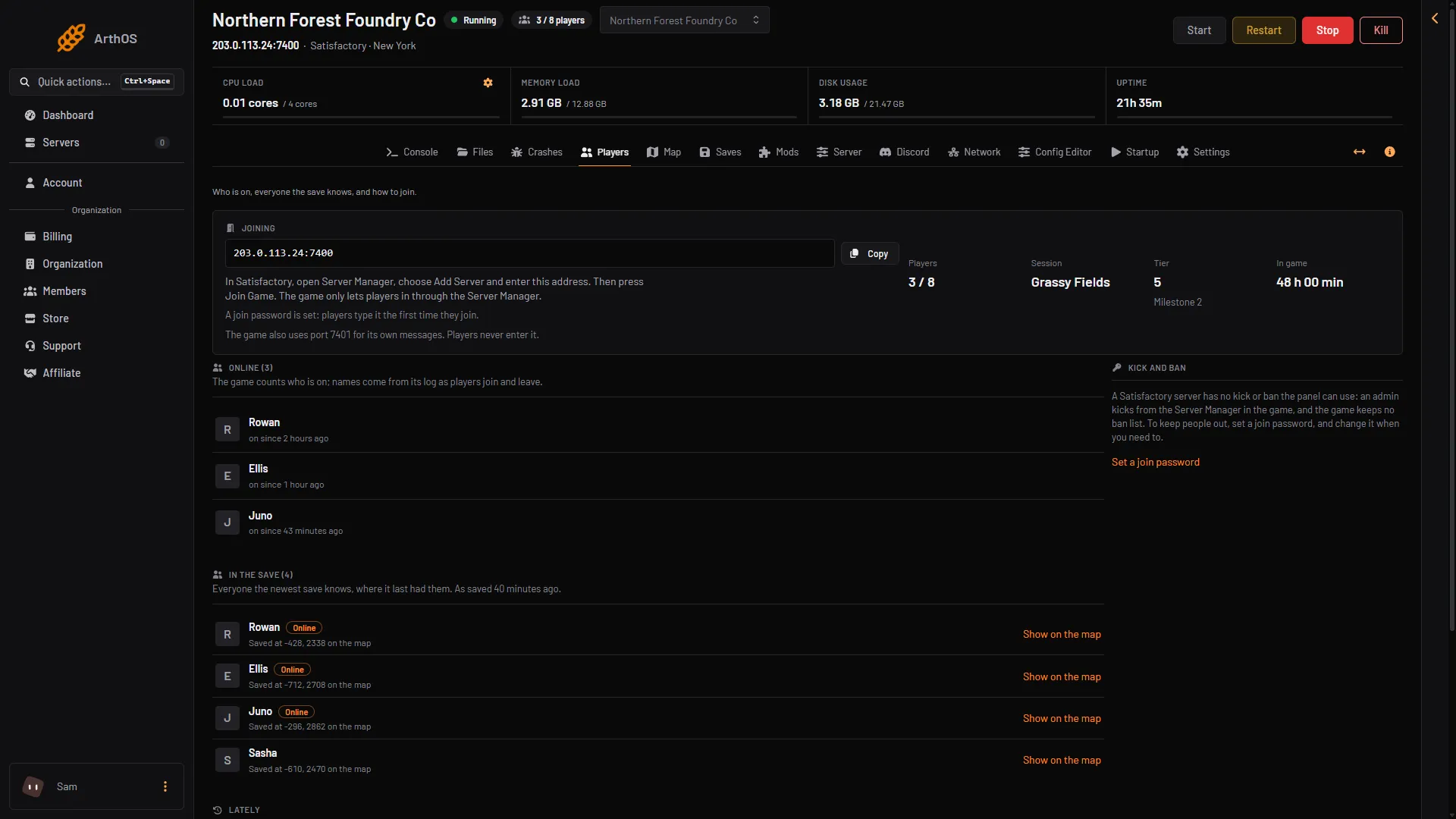
- Copy the address
- How players join
A join that skips the Server Manager is refused. The player sees “Encryption token missing”. This is true for both stores. See the Server Manager.
If the server has a join password, every player types it the first time, whichever store they use.
What everyone must match
- The same game version. Everyone, and the server, must run the same build number.
- The same branch. If the server runs Experimental, every player must too. See the Experimental branch.
- The same mods. If the server has mods, every player needs SML and the same mods on their PC. The Players page shows a note when the server runs mods.
If it does not work
- A player on one store cannot join, and the others can. Compare their game versions and branches with the server’s. A version mismatch is the usual cause. See version mismatch.
- A player sees “Encryption token missing”. They did not use the Server Manager. Ask them to add the server there.
- A console player asks to join. It is not possible. Dedicated servers are for PC only.
More about the game: Satisfactory servers.
Sources: satisfactory.wiki.gg: Dedicated servers, satisfactory.wiki.gg: Multiplayer