











A new Satisfactory server from Loafhosts is running and claimed, but it has no game in it. Nobody can play until you start one. Open the Saves page, choose New game, name the session, pick a starting area and choose Start.
Start the game
A session is one factory and all its saves. The name you give a new game is the name of its session.
- Choose Start at the top right of the server page and wait until the server is running. The Saves page says “Start the server to save, load or start a game.” until then.
- Open the Saves page.
- Choose New game.
- In Session name, type a name for the world. Use letters, digits, spaces,
-and_. The picture shows Grassy Fields, which is only an example. - In Starting area, pick one of the four places the game offers (see the list below).
- Tick Skip the intro if you do not want the opening scene.
- Choose Start.
The starting areas are:
Grass FieldsRocky DesertNorthern ForestDune Desert
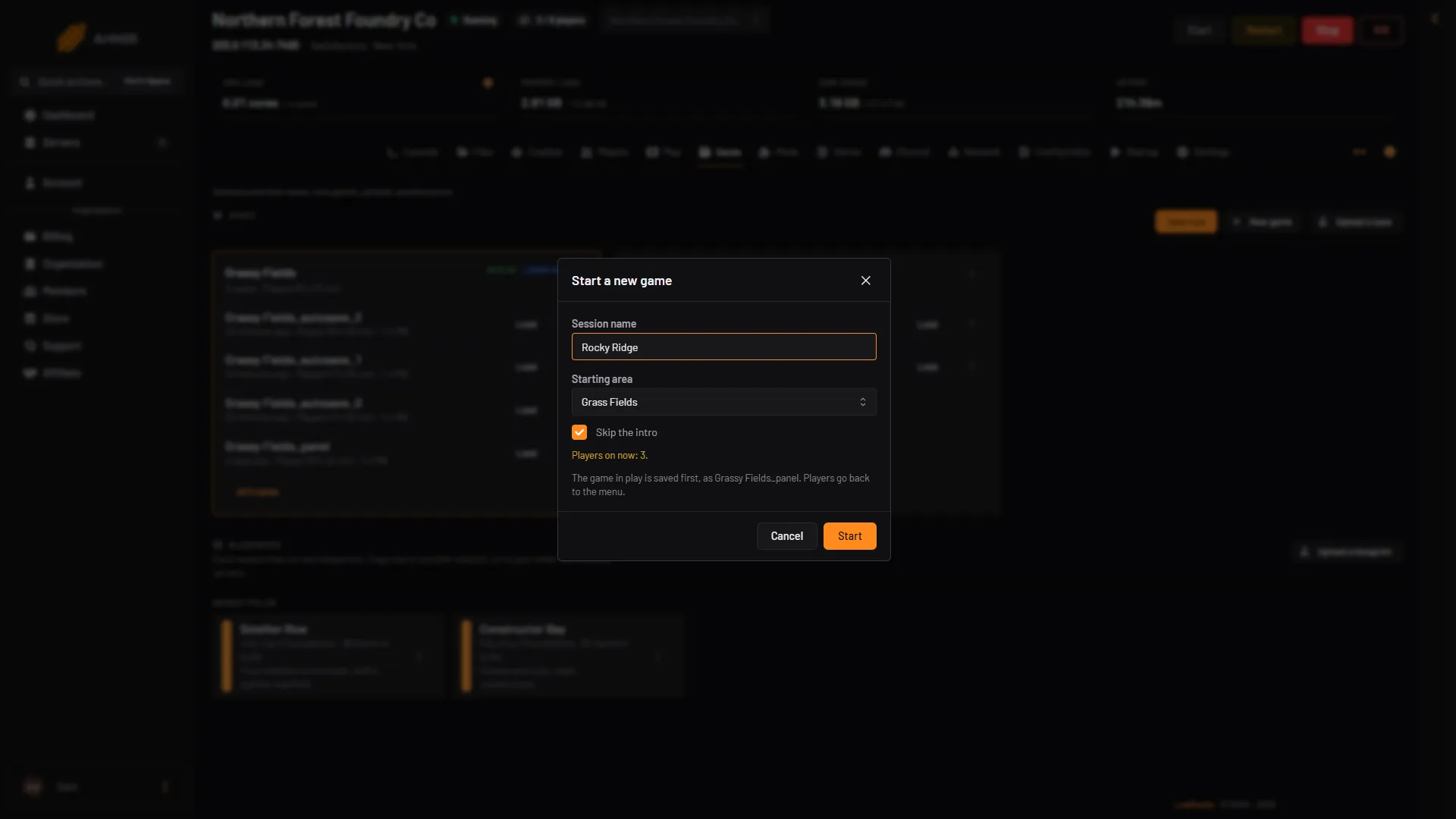
- Session name
- Starting area
- Skip the intro
- Start
The panel answers “A new game, (your name), is starting in (your area).” The game is ready a few seconds after it starts. Players then join through the Server Manager, a screen inside the game. See connect to a Satisfactory server.
If a game was already running
The box tells you what happens to it. The game in play is saved first, as (session)_panel. That is the same file that Save now with an empty name writes, and it replaces that file. For a rollback point, use Save now with a name of your own before you start the new game. Players in the game go back to the menu and can join again. If that save fails, the panel does not start the new game and the old one stays.
A new game does not delete the old one. It stays on the Saves page as its own session, and you can load it again.
Check that it loads at start
Each session on the Saves page can show a Loads at start tag. That is the session the server loads when it starts. Check that the session shows Loads at start on the Saves page. If it does not, open the session’s menu (the three dots) and choose Load at start. It tells the server which session to load next time it starts.
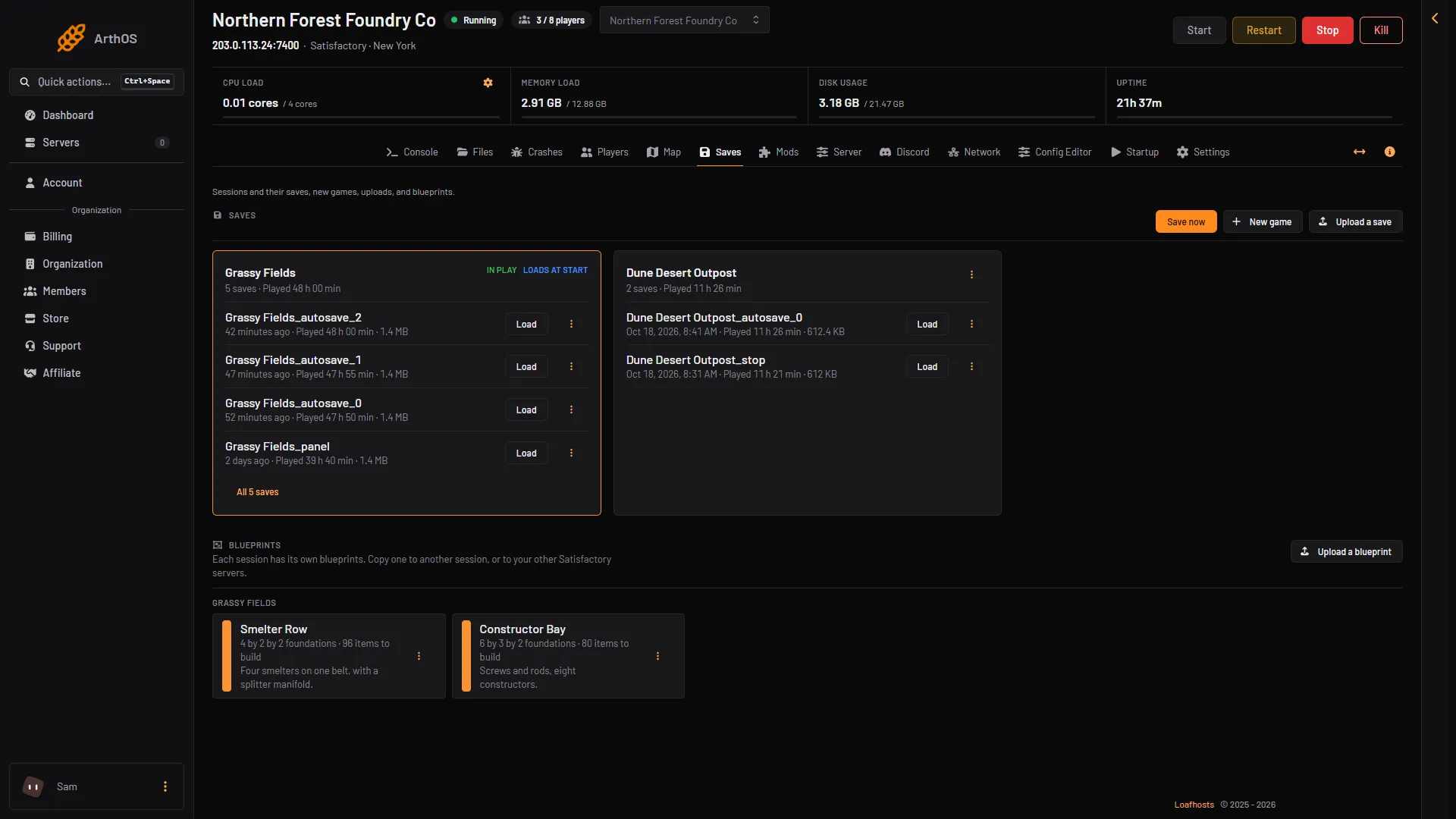
- In play
- Loads at start
If it does not work
- New game is not offered or fails. The server must be running and the game must answer. Wait a minute after a start.
- The name is refused. Take out any other signs than letters, digits, spaces,
-and_. - Players cannot join after the start. They must join through the Server Manager in the game, not by a direct address. See Encryption token missing.
- You want a world you already built. Upload it instead: upload a Satisfactory save.
More about the game: Satisfactory servers.