












You can delete any Palworld world except the one in play. Open the World page, find the world, and choose Delete. The world’s bases, Pals, characters and backups are removed from the server for good. To delete the world you are playing, play another world first.
A server can hold many worlds. Each one sits in its own folder, named by a 32-character id, in Pal/Saved/SaveGames/0. Deleting one frees the disk space it used. Your other worlds are not touched.
Before you delete
If you might want the world later, keep a copy first:
- Take a panel backup: Settings, Backups, Create, then Create Backup. See back up a Palworld server. A panel backup is never touched by Delete.
- Or download the world. See download a Palworld world.
In the panel
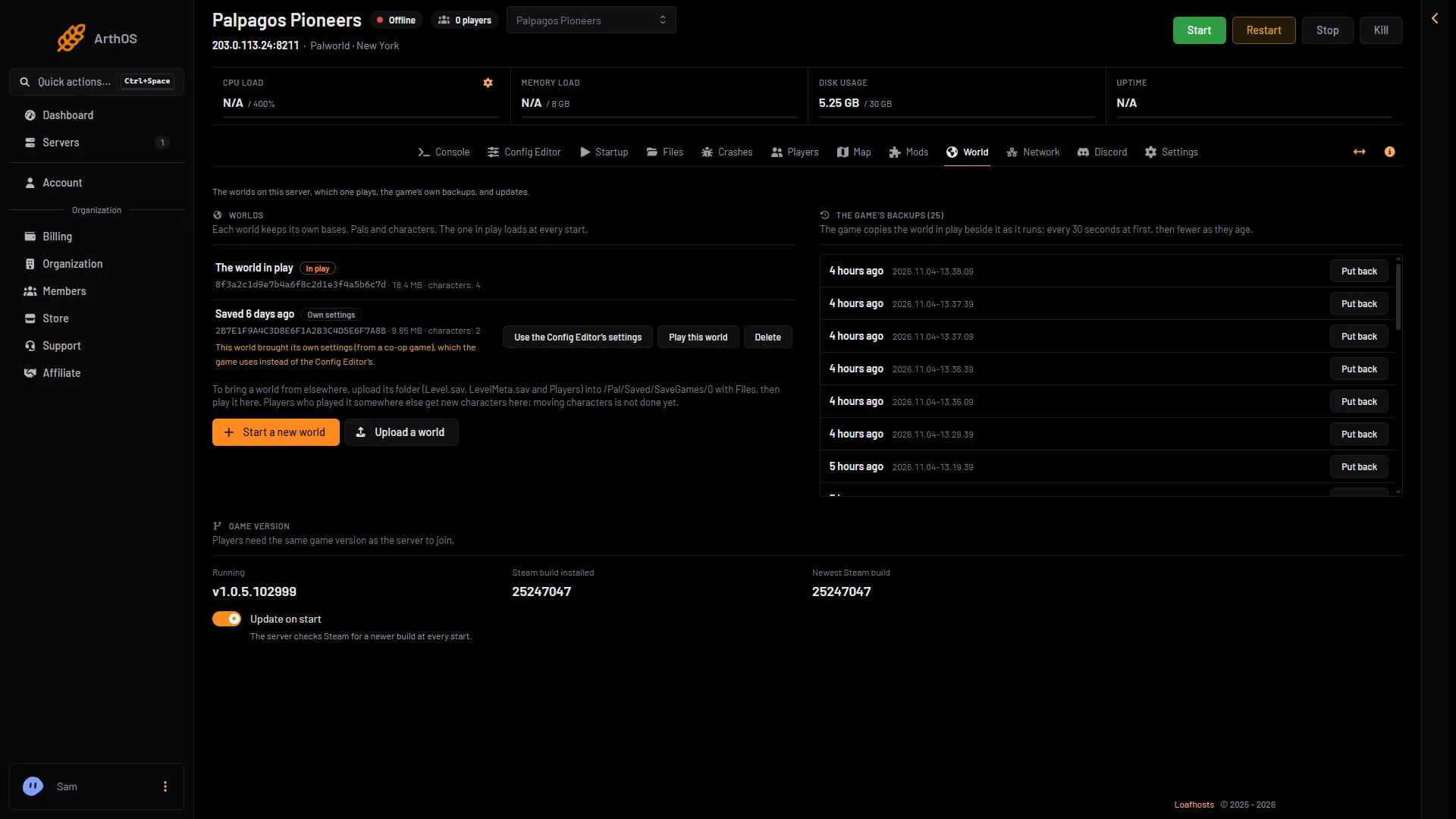
- In play tag
- Play this world
- Delete
-
Open the World page.
-
Under Worlds, the world in play has the tag In play (1). In play means the world the server loads at every start. Every other world is “Saved” with a time. Each row shows the world’s id, its size and how many characters it holds.
-
If the world you want to delete is the one in play, play another world first:
- Stop the server. Play this world is greyed out while the server runs.
- On a different world, choose Play this world (2 in the first picture), then Play it. If you have no other world, choose Start a new world.
- Start the server. The new choice loads at the next start. See switch Palworld worlds.
-
On the world you want to remove, choose Delete (3 in the first picture).
-
The box Delete world (id)? (1) says: “Its bases, Pals, characters and backups are deleted from the server. The panel’s own backups of the server are not touched.” (2) Choose Delete (3) to agree.
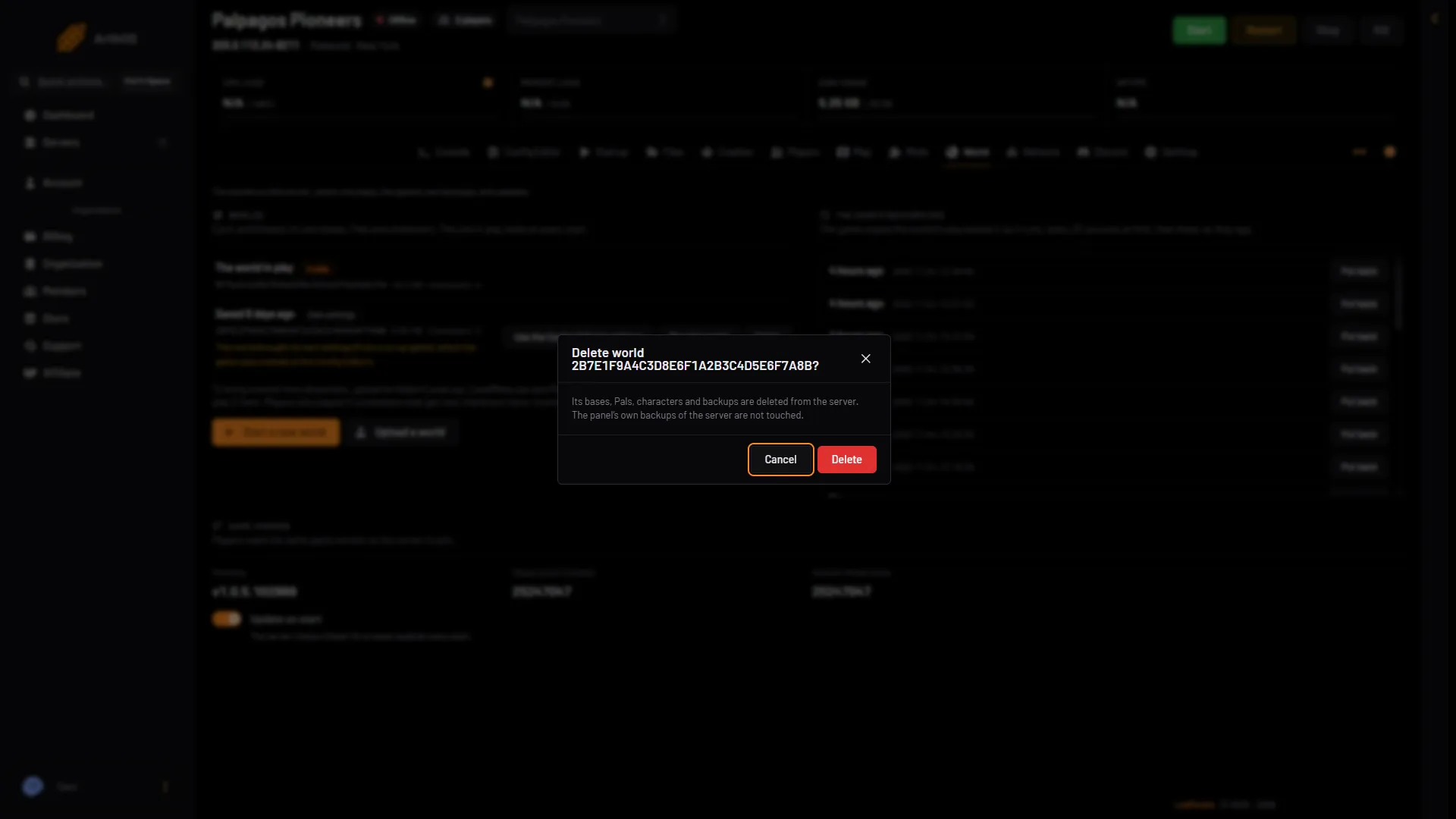
- Delete world box
- Panel backups stay
- Delete
-
The page shows “Deleted.” and the row is gone.
Delete is only offered on a world that is not in play. It works while the server runs, because the world is not in use. The button needs a role that allows editing the server’s files.
What “backups” means here
The box says the world’s backups are deleted. These are the game’s own backups, kept inside the world’s folder (the list under The game’s backups on the World page). They go with the world. Backups you took under Settings, Backups are kept elsewhere and stay.
If it does not work
- There is no Delete button on the world. That world is in play. Play another world first, as above.
- Play this world is greyed out. The server is running. Stop it first.
- No Delete button on any world. Your role may not allow file changes on this server.
- You deleted the wrong world. Restore a panel backup from before the delete. It puts back the whole server as it was, so settings, passwords, mods and every world go back to that moment, and what changed since is lost. Then choose Play this world if you want it. See back up a Palworld server.
More about the game: Palworld servers.