
















A Factorio server saves the world by itself. Two settings control it: Autosave every (minutes) sets how often, and Autosaves kept sets how many autosave files the game keeps before it writes over the oldest. A new Loafhosts server starts with a save every 10 minutes and 5 autosaves kept. In the game’s settings file they are autosave_interval (minutes) and autosave_slots.
Change them in the panel
- Open Config Editor.
- Choose the source Server settings.
- In the group Saving, set Autosave every (minutes) (1) and Autosaves kept (2).
- Choose Save in the bar “Unsaved changes: (n)”.
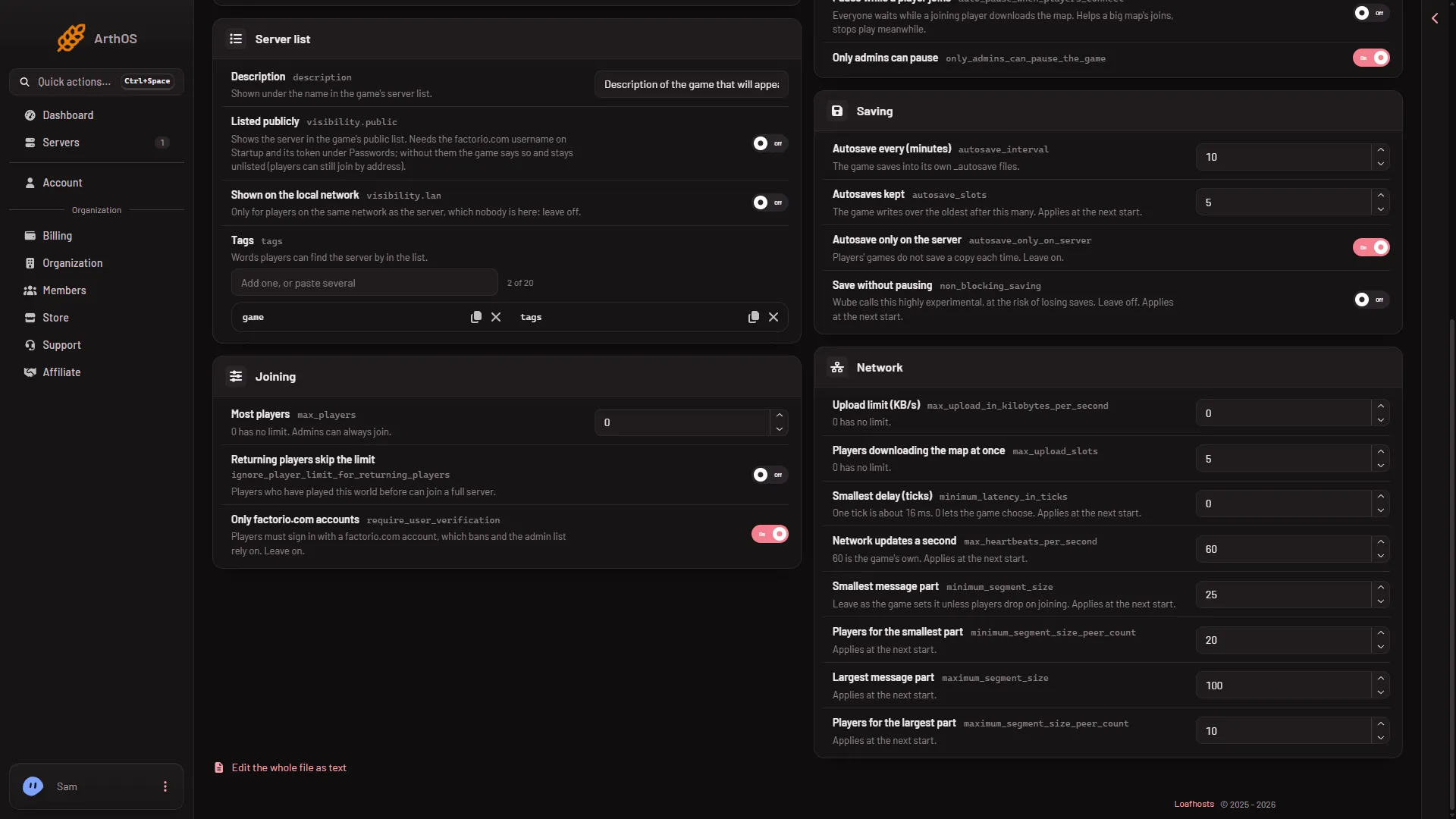
- Minutes between saves
- How many to keep
When they take effect:
- Autosave every (minutes) applies at once on a running server. It accepts 1 to 1440.
- Autosaves kept waits for the next start. It accepts 1 to 1000.
On a running server the panel says which of your changes took effect and which wait.
The same group has Autosave only on the server (autosave_only_on_server). Its help line reads “Players’ games do not save a copy each time. Leave on.” The game’s own comment adds that autosaving on connected Windows clients is disabled whatever this option says.
Where the autosaves are
The game writes its autosaves as files with names that start with _autosave, such as _autosave1.zip. They sit in the saves folder, next to the world the server runs, which is saves/world.zip. An autosave does not rewrite world.zip: that file is written at a stop, Save now and Save a copy now. The panel says so under the setting: “The game saves into its own _autosave files.”
To see them, open the World page. The Saves list shows each save. An autosave carries the tag Autosave. The save the server is running carries Runs now.
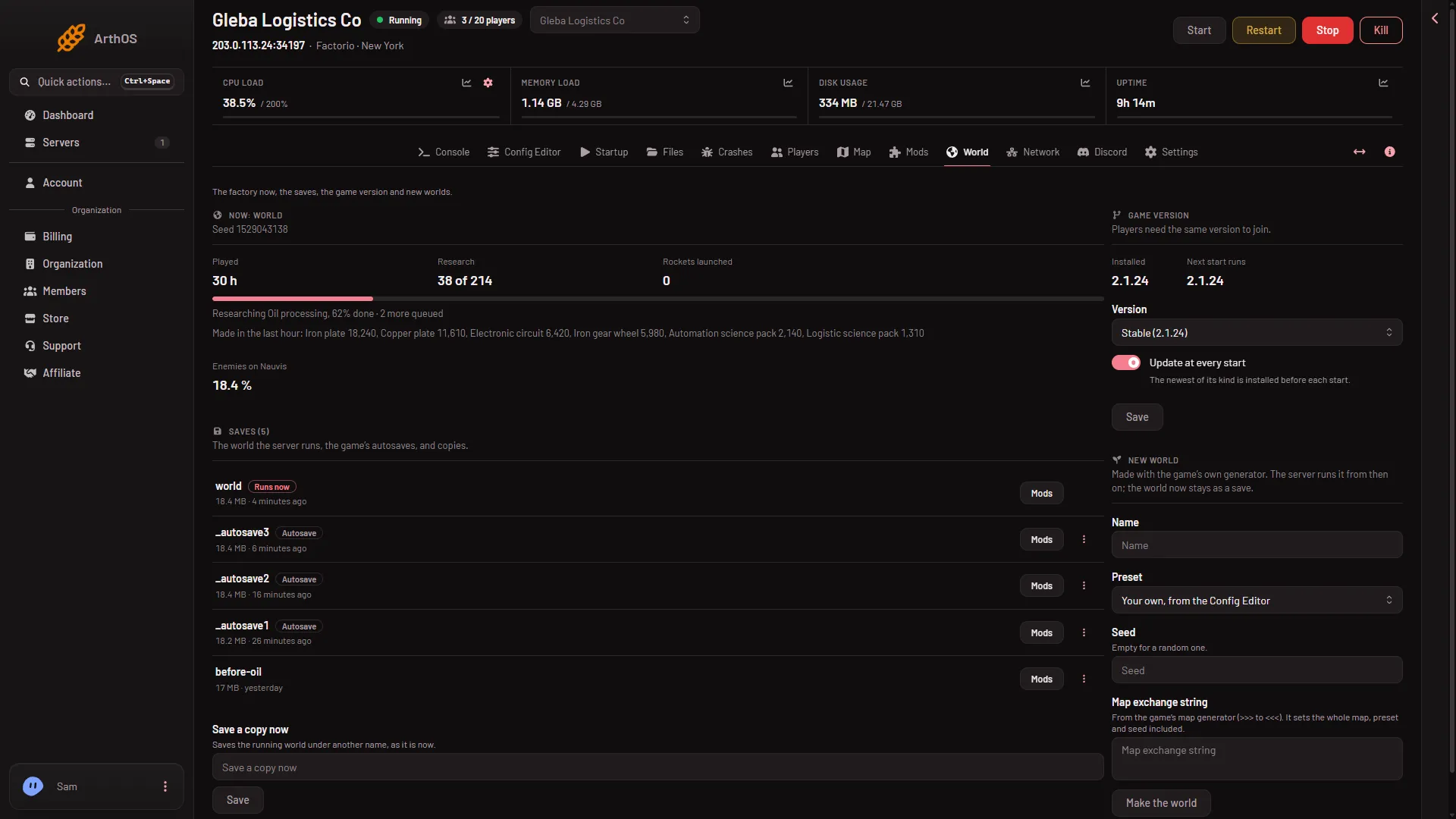
- The save that runs
- An autosave
To go back to an autosave, open its menu and choose Run this from the next start, then restart. See load an autosave.
Choosing the numbers
- A short interval loses less if something goes wrong. A long one saves less often.
- More autosaves give you more points to go back to. Each one is a copy of the world as of that save, so a big world with many slots uses more disk.
- The game cycles through the slots. When all are used, the next autosave writes over the oldest.
A stop saves too
A stop from the panel asks the game to save and exit, so the world is saved when the server stops. You can also save at once with Save now on the Players page. See save now.
If it does not work
- Autosaves kept did not change. It waits for a restart. Restart the server with Restart at the top of the server page. This drops everyone who is on, so warn them first with Message everyone on the Players page.
- No autosave files appear. The server needs to have run for one interval. Wait, then reload the World page. Pause when nobody is on is on by default, and the game’s wiki says a server with it on is paused while nobody is connected. Not checked on 2.1.24 as of 13 November 2026: whether a paused server skips its autosave, so expect none while it sits empty. See pause when nobody is on.
- You wanted a save right now. Use Save now, or Save a copy now on the World page to keep a named copy.
More about the game: Factorio servers.
Sources: wiki.factorio.com: Multiplayer