
















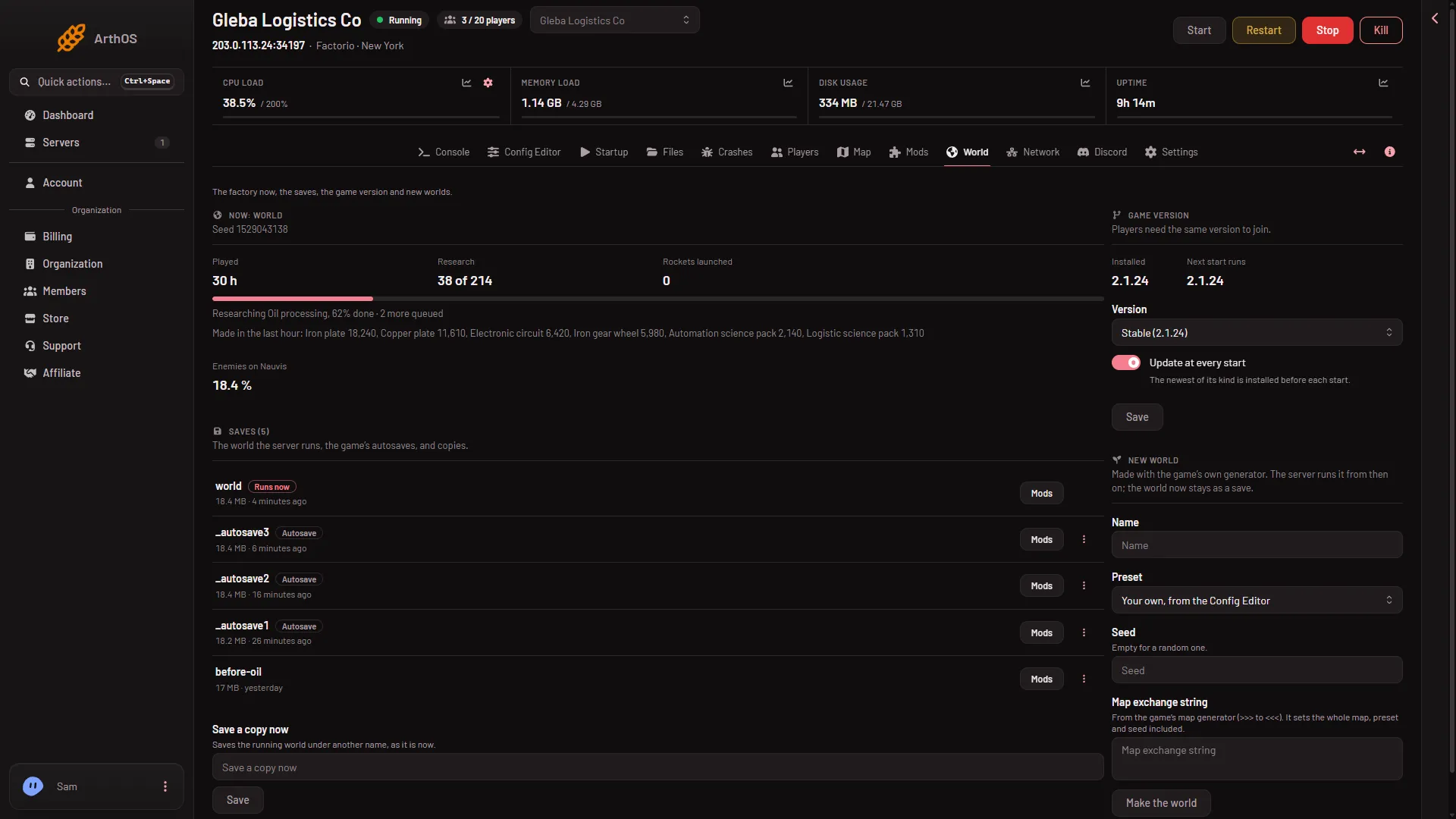
The World page lists every Factorio save on your server. One of them is the world the server runs, marked Runs now. The game’s own autosaves are marked Autosave. Copies you made yourself have no tag. Every row also has a Mods button.
Read the Saves list
- Open World.
- Find the card Saves (1). The number in its title is how many saves the server holds.
- The Saves card
- Runs now
- Autosave
The list puts the save that runs now first, then the others with the newest first. The tags mean:
- Runs now (2). The save the server loads. Its name is the World value on the Startup page.
- Autosave (3). A file the game wrote by itself. Its name starts with
_autosave, for example_autosave1. - Mods is a button on every row, not a tag. It opens “Mods of (name)”, which says whether the server has every mod the save was made with and has Install these mods.
If the list says “No saves yet.”, the server has not made its world. Start it once.
When saves are written
- Autosaves. The game writes them as it runs, into their own files. They do not rewrite the running world file. A new server saves every 10 minutes and keeps 5 autosaves. The game writes over the oldest one when it needs room.
- When you stop the server. A stop from the panel asks the game to save first, so the running world file is current. That file is only written at a stop, with Save now and with Save a copy now.
- When you ask. The Save now button on the Players page, and Save a copy now on the World page, write a save at once. See save a copy.
Change how often it saves
Autosave settings are in Config Editor, file Server settings, group Saving:
- Autosave every (minutes) takes effect at once on a running server.
- Autosaves kept takes effect at the next start.
See autosave settings.
Where the files are
Saves are .zip files in the saves folder. Open Files and go to saves. The running world is saves/world.zip unless you changed the World name.
A panel backup copies the server’s files as they are. The save inside is as the game last wrote it.
If it does not work
- My save is missing. Check the World value on Startup. A name with no save makes a brand new world at the next start. Pick the right save under switch worlds.
- No autosaves show up. The server may not have run for 10 minutes yet. The autosave setting is under Saving in Config Editor.
- The world is older than expected after a stop. The server may have been killed. A kill does not save, so the running world file is as of the last stop or save. A newer autosave may be in the list: see switch worlds. Look at Seconds until auto-kill on the Settings page.
More about the game: Factorio servers.