
















Factorio saves by itself every few minutes. If you want a save right now, you can ask for one. There are two buttons, and they do different things. Save now saves the world into the save the server is running. Save a copy now saves it under another name and leaves the running save alone.
The server must be running for both. A stopped server has nothing to save. A normal stop from the panel saves the world on its own, so you do not need to press anything before a stop.
When to save by hand
- Before you take a backup. A backup copies the server’s files as they are. The world file in it is the world as the game last saved it, so press Save now first.
- Before a risky change: a big mod change, a new Config Editor setting, or testing something in the factory.
- When a player says they just finished something big and you want it on disk.
Save the running world
- Open the Players page.
- In the header of the Online list, choose Save now (1).
- The panel answers “The world is being saved.” The save is written in a moment.
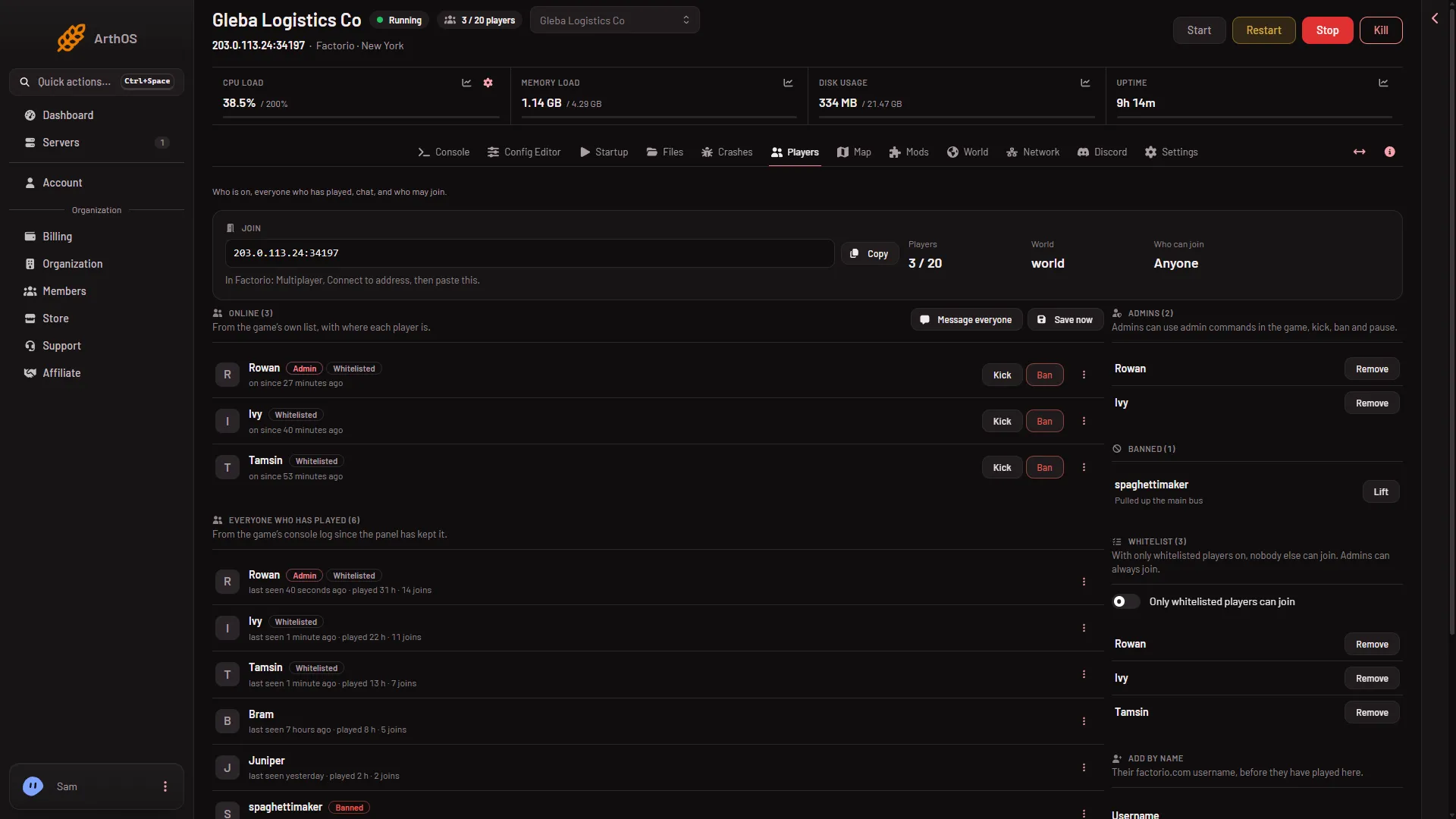
- Save now
Save now needs a role that allows restarting the server. If the button is missing or refuses, your role may not allow it.
Save a copy under another name
A copy is a second file in the Saves list. It does not change the save the server runs. You can go back to it later.
- Open the World page.
- Find Save a copy now (2). The card says “Saves the running world under another name, as it is now.”
- Type a name. Use letters, digits, dots, dashes and underscores. The name must not start with
_or a dot. Names that start with_belong to the game’s own autosaves. - Choose Save.
- The panel answers “The world is being saved as (name).” The copy appears in Saves (1) when the game has finished writing it.
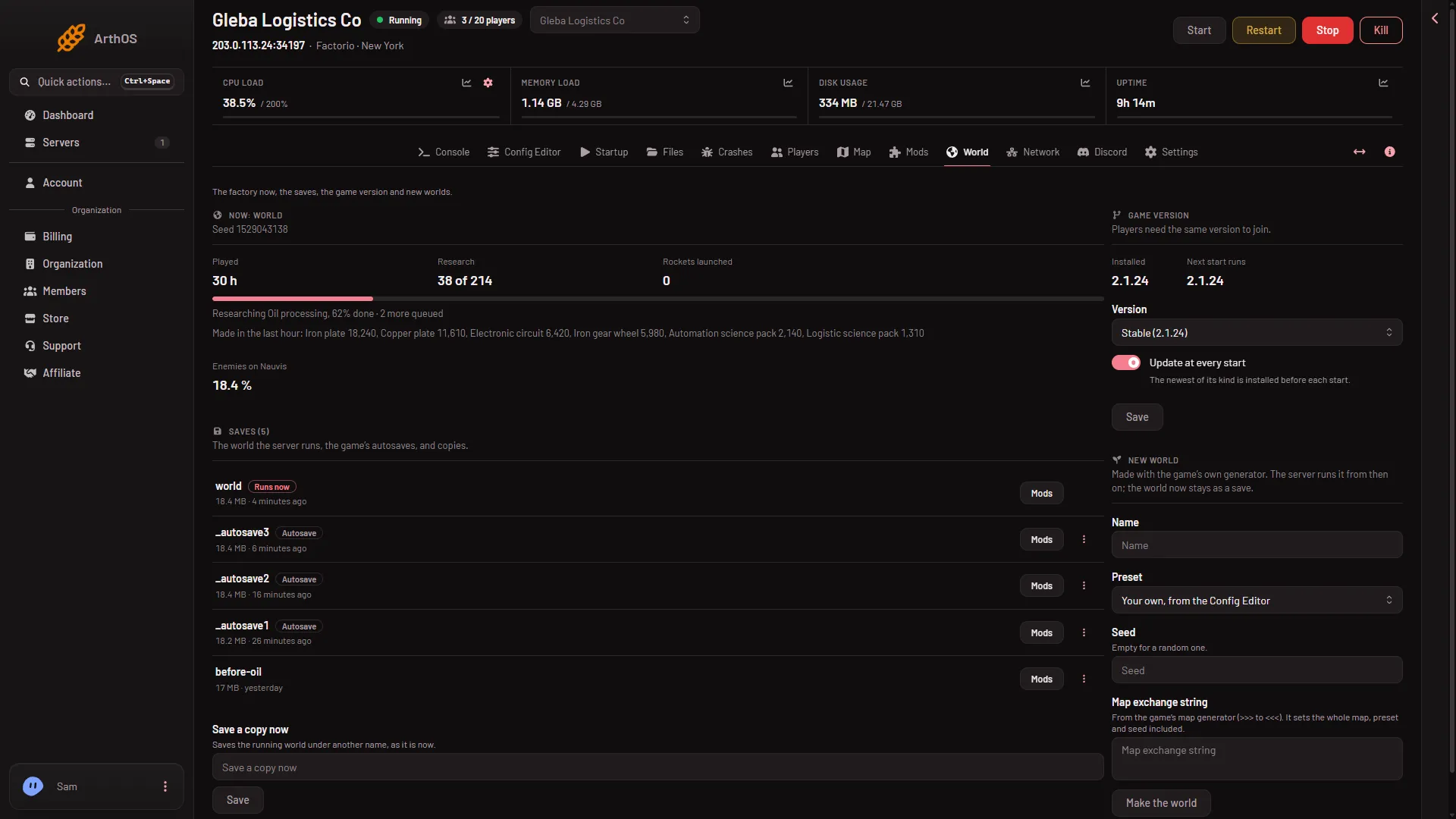
- Saves list
- Save a copy now
To run the copy later, open the row menu More for (name) in Saves and choose Run this from the next start, then restart the server. See saves and autosaves.
Save, then back up
- Choose Save now on the Players page.
- Wait a few seconds.
- Open Settings, then Backups, and create the backup. See world backups.
The backup then holds the world file as it was a few seconds ago. A backup taken while the server runs can still note “Taken while running. The game did not confirm a save.” Only a stop is a certain save.
By hand
An admin typing in the game can use /server-save. On the server’s own console, /save (name) saves under that name. A normal stop also saves.
The server runs saves/world.zip. The game’s autosaves are separate _autosave files and do not rewrite it: world.zip is written at a stop, Save now and Save a copy now.
If it does not work
- The button refuses and says the game did not start a save. The game did not answer in time. Try again in a moment. If the server is still starting, wait until it has loaded its world.
- The server is stopped. Start it first. Stopping it from the panel already saves.
- The name is refused. Remove spaces and any other characters. Do not start the name with
_or a dot. - The copy is not in the list yet. Wait a few seconds and look again.
More about the game: Factorio servers.
Sources: wiki.factorio.com: Console, wiki.factorio.com: Command line parameters