
















You set the enemies of a Factorio world in two places in the Config Editor: how many nests there are, and how fast the enemies grow and spread. Both are used only when a new world is made. The world your server runs keeps its own enemies.
Nests: how many and how big
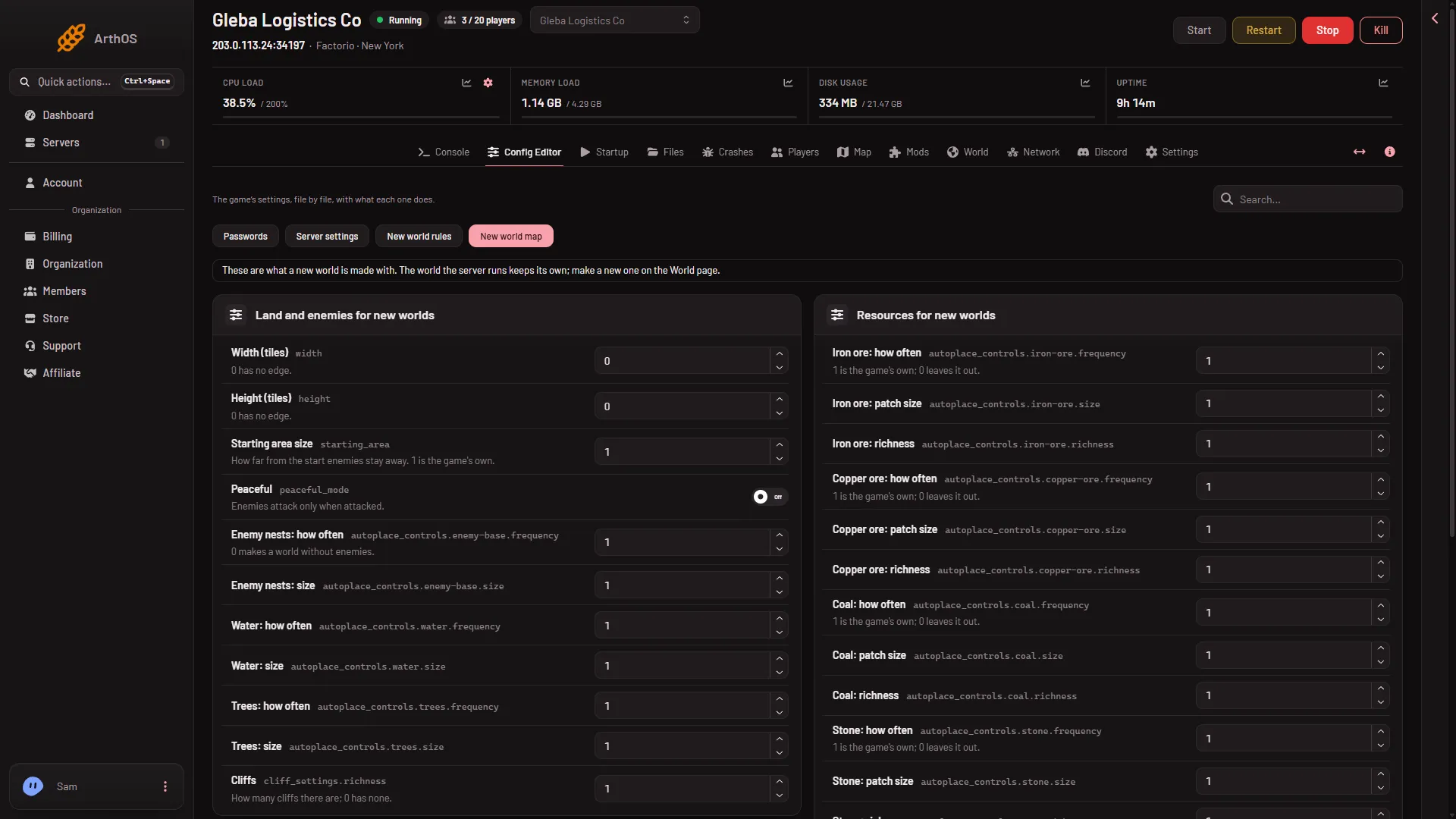
Open Config Editor and choose the file New world map (1). In the group Land and enemies for new worlds you find:
- Enemy nests: how often. How many nests there are in an area. 1 is the game’s own. 0 makes a world without enemies.
- Enemy nests: size. How much ground each nest covers.
- Starting area size. How far from the start the enemies stay away. A bigger number pushes the nests further out.
- Peaceful. With this on, enemies do not start fights and only respond when you or a building of yours fires at them. The Factorio wiki says peaceful mode, like a world without enemies, disables some achievements.
The numbers run from 0 to 6.
- New world map
Evolution: how fast they grow stronger
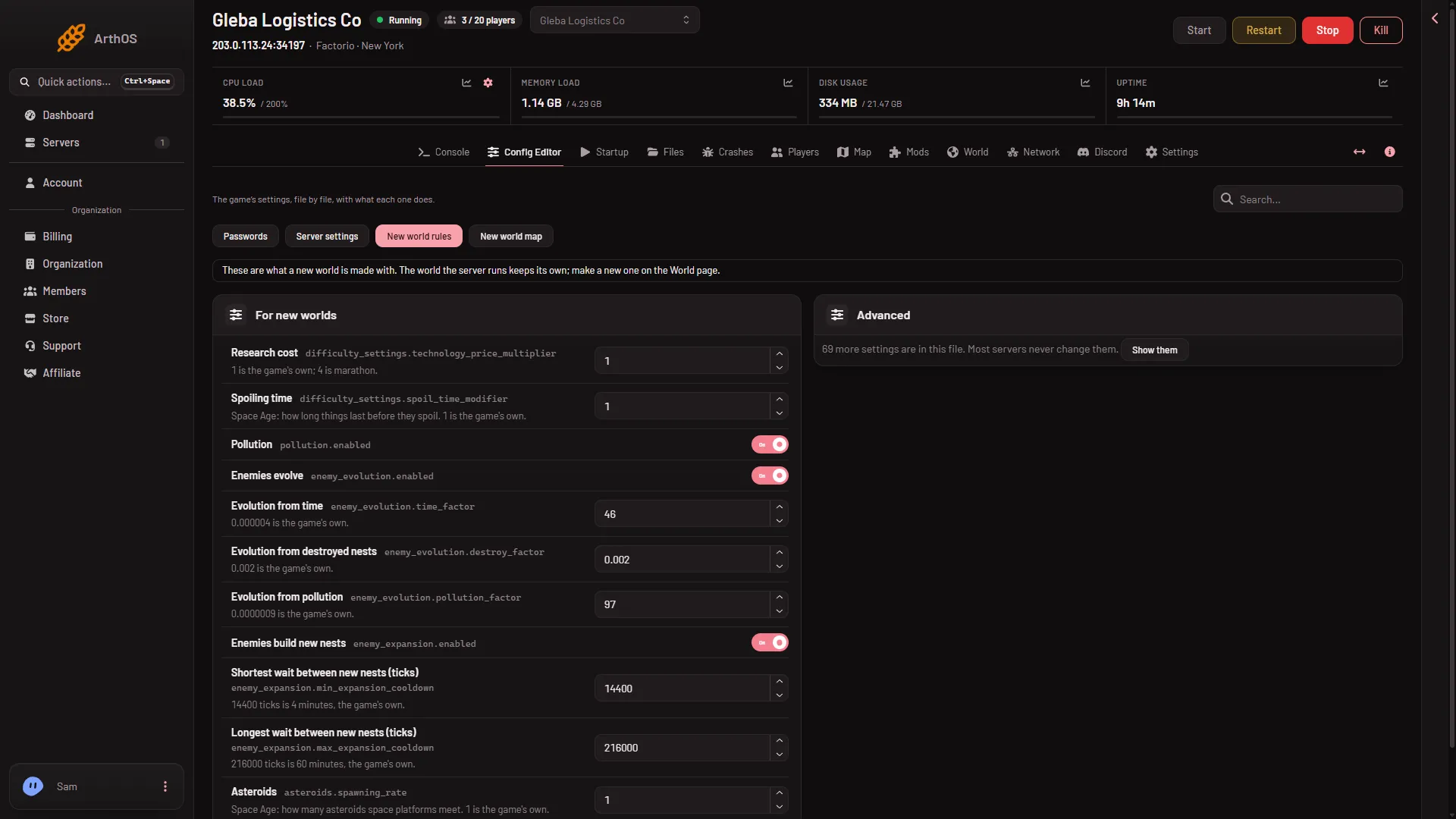
Evolution makes the enemies tougher over time. Choose the file New world rules. In the group For new worlds:
- Enemies evolve (1 below). Off means the enemies stay as weak as they start.
- Evolution from time. Growth just from time passing. The panel currently shows a wrong number on this row, so leave it alone for now.
- Evolution from destroyed nests. Growth each time a nest is destroyed.
- Evolution from pollution. Growth from the pollution your factory makes. The panel currently shows a wrong number on this row too, so leave it alone for now.
Use Enemies evolve to switch evolution off altogether.
Expansion: new nests
Enemies send out groups that start new nests. These settings are in the same group:
- Enemies build new nests (2 above). Off stops the spreading.
- Shortest wait between new nests (ticks) and Longest wait between new nests (ticks). A tick is a 60th of a second. The game’s own values are
14400(4 minutes) and216000(60 minutes).
Longer waits mean slower spreading.
- Enemies evolve
- Enemies build new nests
Save and make the world
- Choose Save on each file you changed. The page says “Saved. A new world made on the World page uses these; the world the server runs keeps its own.”
- Open World. In New world, give a Name no save has yet.
- Set Preset to Your own, from the Config Editor.
- Leave Map exchange string empty. A pasted string sets the whole map, so it replaces your settings.
- Choose Make the world and confirm. This drops everyone who is on, so warn them first with Message everyone on the Players page.
The server stops, a backup is taken, and the new world runs from the next start. The old one stays as a save. See start a new world.
If it does not work
- Nothing changed in my world. These files are read only when a world is made. Make a new one.
- Enemies are still there with Peaceful on. Peaceful enemies still respond if you or your buildings shoot at them.
- No nests at all. Enemy nests: how often is 0.
- The new world ignores my rules. Check that Preset is Your own, from the Config Editor and that Map exchange string is empty.
More about the game: Factorio servers.
Sources: wiki.factorio.com: Map generator