
















Two of the files in the Config Editor are used only when a world is made: New world map and New world rules. Change them, and the world that runs now stays as it is. The new values are read the next time you make a world on the World page.
This is the usual surprise. Someone sets Iron ore: richness higher, restarts, and sees no change. The existing world already holds its own settings.
Where they are
- Open the Config Editor page.
- Choose the file New world map (1) or New world rules.
- Change a value. A bar reads “Unsaved changes: (n)” with Discard and Save. Choose Save.
- New world map
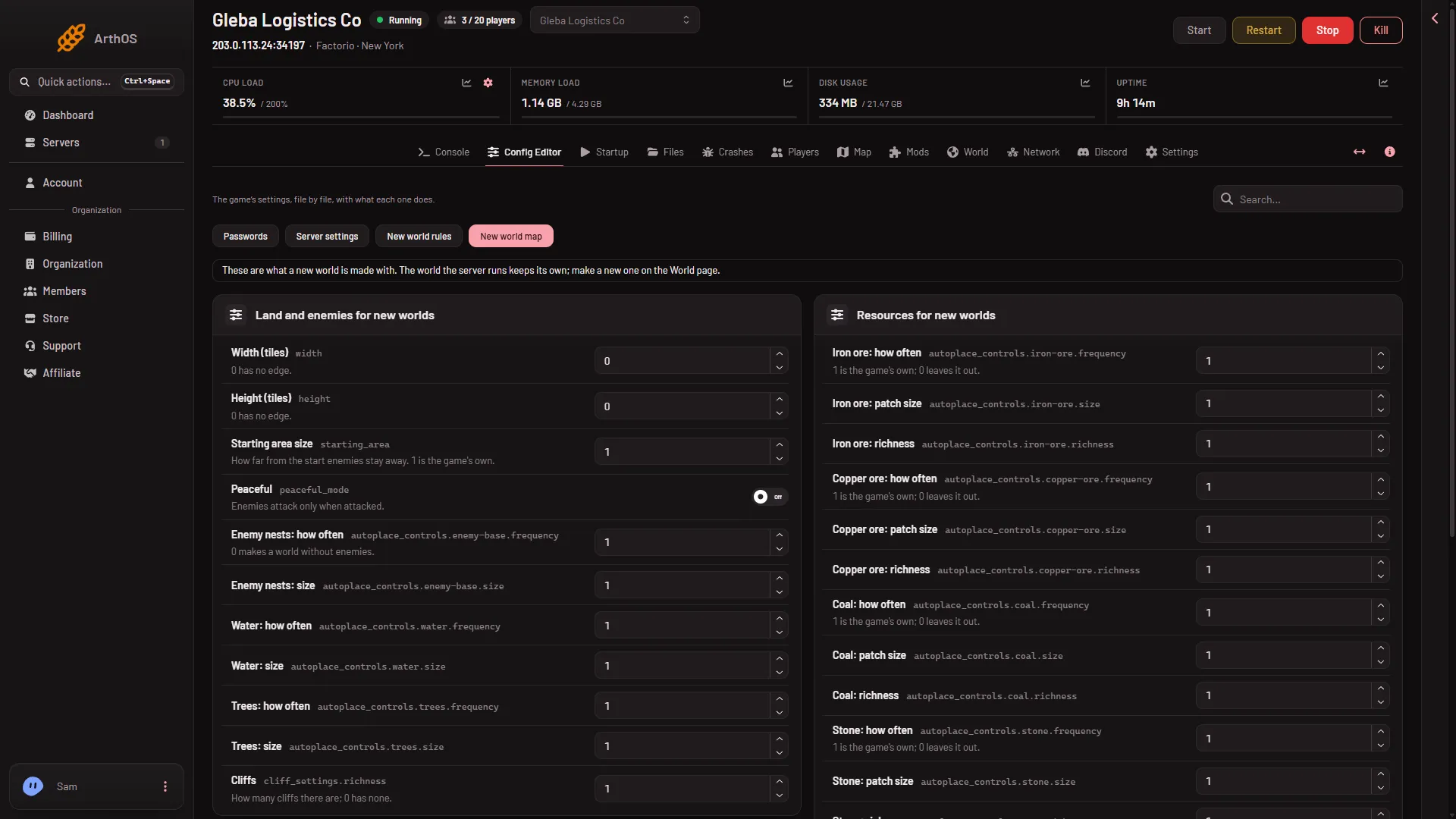
The panel says it itself: “These are what a new world is made with. The world the server runs keeps its own; make a new one on the World page.”
After saving, the page says “Saved. A new world made on the World page uses these; the world the server runs keeps its own.” Nothing restarts and nothing in the running world changes. The values wait until you make a world. See start a new world. To use them, choose Your own, from the Config Editor as the Preset there.
A preset other than Your own, from the Config Editor replaces the values in this file, so use one or the other. Your own, from the Config Editor is the choice the Preset box starts on.
New world map
The numbers run from 0 to 6. 1 is the game’s own setting. 0 leaves the thing out.
Land and enemies for new worlds
- Width (tiles) and Height (tiles): 0 has no edge.
- Starting area size: how far from the start enemies stay away.
- Peaceful: enemies attack only when attacked.
- Enemy nests: how often and Enemy nests: size. Setting how often to 0 makes a world without enemies.
- Water, Trees: how often and size, for each.
- Cliffs: how many there are. 0 has none.
Resources for new worlds
For each of Iron ore, Copper ore, Coal, Stone, Uranium ore and Crude oil there are three values: how often, patch size and richness.
New world rules
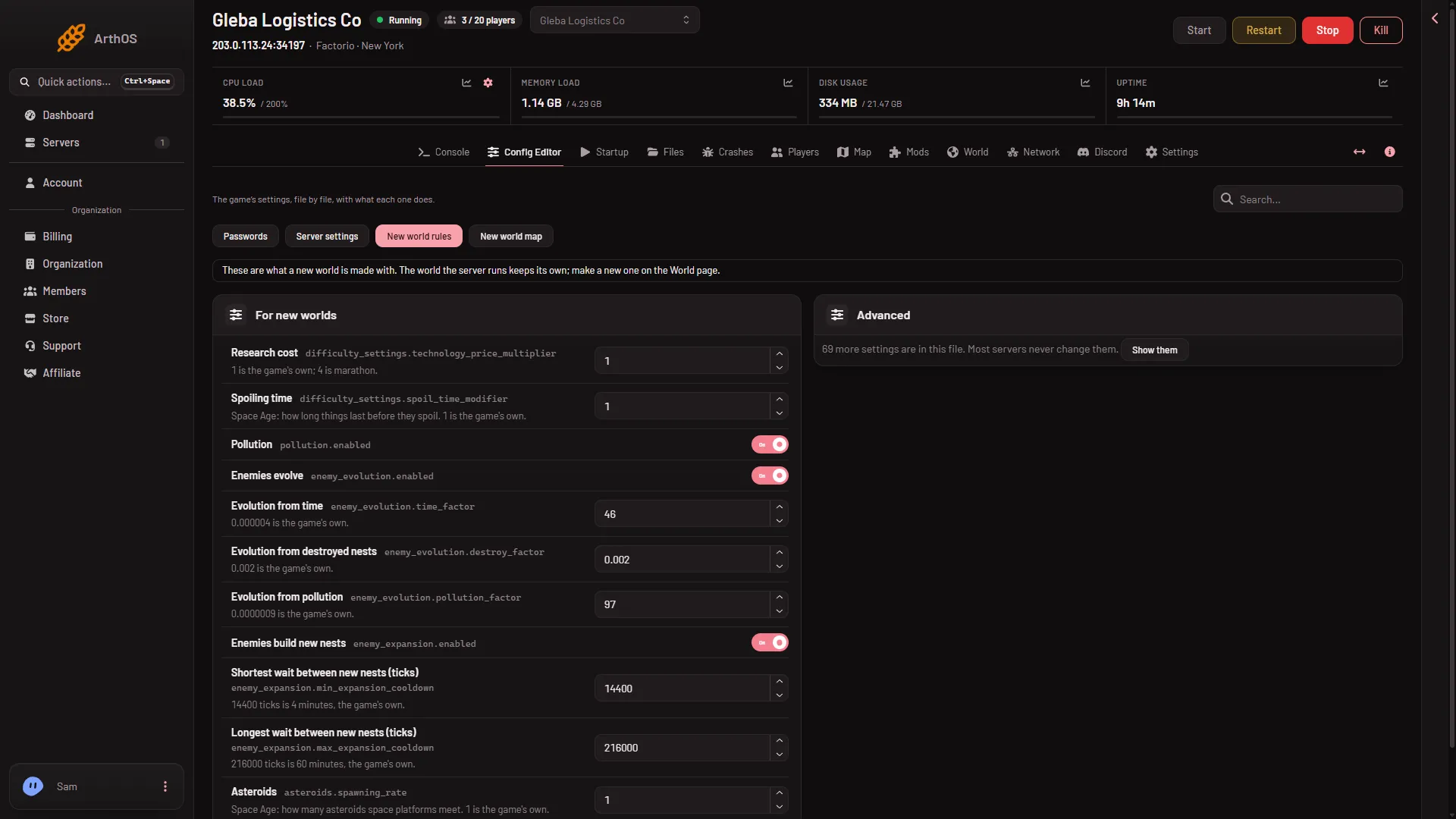
These are in the group For new worlds.
- New world rules
- Research cost
- Pollution
- Research cost (2): 1 is the game’s own, 4 is marathon.
- Spoiling time and Asteroids: for Space Age.
- Pollution, Enemies evolve, Enemies build new nests: switches.
- Evolution from time, Evolution from destroyed nests, Evolution from pollution: how fast enemies evolve. The panel currently shows a wrong number on Evolution from time and Evolution from pollution, so leave those two alone for now.
- Shortest wait between new nests (ticks) and Longest wait between new nests (ticks): 14400 ticks is 4 minutes and 216000 ticks is 60 minutes, which are the game’s own.
Only the common settings are listed. The card Advanced says how many more settings are in the file, with the button Show them. Most servers never change them.
By hand, the game reads map-gen-settings.json and map-settings.json only together with --create, which is why a running world ignores them (the Factorio wiki, Multiplayer).
Change a world that already exists
These settings cannot. To get a different map, make a new world. The old one stays as a save. See the presets for ready-made sets, and the seed for the map’s shape.
If it does not work
- Nothing changed in my world. The setting is for new worlds only. Make a world to see it.
- The new world ignores my values. A preset other than Your own, from the Config Editor was chosen. Choose that one.
- There is no seed here. The seed is set on the World page when you make the world, not in this file.
Sources: wiki.factorio.com: Map generator, wiki.factorio.com: Multiplayer