
















A Loafhosts Factorio server updates itself. Before each start it checks factorio.com for the newest version of the kind you follow, and installs it if it is newer. To update now, restart the server. To stop updates, turn off Update at every start.
How it works
When the server starts, the panel compares the version you want with the version installed. If they differ, it downloads the new files from factorio.com and checks them against the checksum factorio.com publishes. It swaps the files only when the checksum matches. The newest version is read from factorio.com, at most every 10 minutes.
So a broken or partial download cannot damage the server. The Console then says the update did not download whole, and the server starts on the version it already had. Restart it later to try again.
On a normal update the Console says the server is updating Factorio from the old version to the new one.
Update now
- Check which kind you follow. Open the World page and read Game version: Stable or Experimental.
- Make sure Update at every start (box 2 in the picture below) is on.
- Choose Restart at the top of the server page. A restart drops everyone who is on, so use Message everyone on the Players page first. See restart a server.
- Watch the Console. It updates, then starts. A start is ready when “Starting RCON interface” appears.
- Back on the World page, Installed shows the new version.
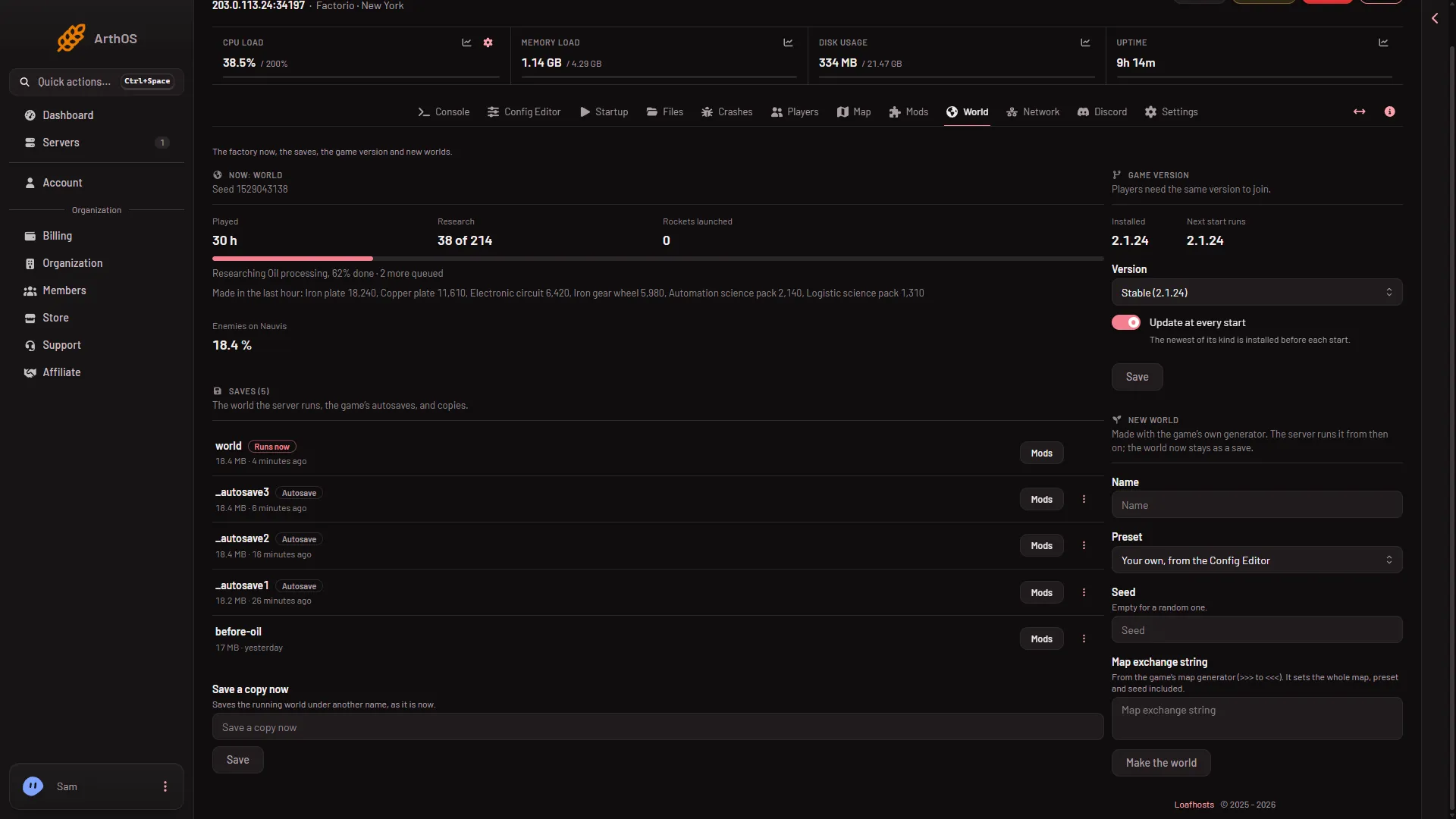
- Installed
- Update at every start
Turn automatic updates off
- Open the World page.
- In Game version, switch off Update at every start.
- Choose Save.
The card then says it stays on the installed version until you change this. The same switch is on the Startup page as Update on start, 1 for on and 0 for off.
Turn it off when your players or your mods are not ready for a new version. If you want one exact number instead, see pin a version.
Before you update
- Take a backup. See back up a world.
- Check your mods. A mod made for another game version, such as a 2.0 mod on a 2.1 server, stops the server from starting. The Crashes tab names the mod. Turn it off or update it on the Mods page. Updating a mod downloads it from the mod portal, so the server needs its own factorio.com username on Startup and token under Passwords. A save that used a mod you turn off may lose what the mod added, so choose Save a copy now first.
- Check your world. A world saved by a newer version does not load on an older one, so going back later can fail.
If it does not work
- The version did not change. Updates happen at a start. Choose Restart. If the Console says the update did not download whole, restart once more.
- Nothing newer exists. You already have the newest version. The Game version card shows Installed and Next start runs with the same number.
- The server will not start after an update. Most often a mod is not made for the new version. Open Crashes, find the mod, and turn it off on the Mods page. Or choose One version to go back, see game version.
- Players cannot join. Their game is on another version.
More about the game: Factorio servers.
Sources: factorio.com: Latest releases, wiki.factorio.com: Multiplayer