
















You cannot set a load order for Factorio mods on this server, and you do not need to. The game orders mods by their dependencies. A mod that needs another mod loads after it. The Mods page lets you turn each mod on or off, and nothing more.
How the order is decided
Each mod says which other mods it needs. When the server starts, Factorio reads the list of mods that are on and sorts them so that every mod comes after the mods it depends on. For the settings files, the wiki says the game goes through the mods “in the order of their dependencies and then in the natural sort order”, which is by name. Not checked on 2.1.24 as of 13 November 2026 for the other loading steps. Moving a mod up or down in a list would change nothing, so the panel offers no such control. If two mods fight over the same thing, the fix is for one of them to declare the other as a dependency, which is for the mod’s author.
Wube’s own mods follow the same rule: Space Age, Quality, Elevated rails and Recycler. They are shown at the top of the page under Wube’s own, each with an on and off switch. Space Age needs the other three.
See what is on and what loaded
- Open Mods, then the Installed tab.
- Each mod shows a chip: Loaded, Off, Refused or Not started yet.
- A mod brought in only because another mod needs it is listed under “Installed because another mod needs them”, with “needed by (name)” on its row.
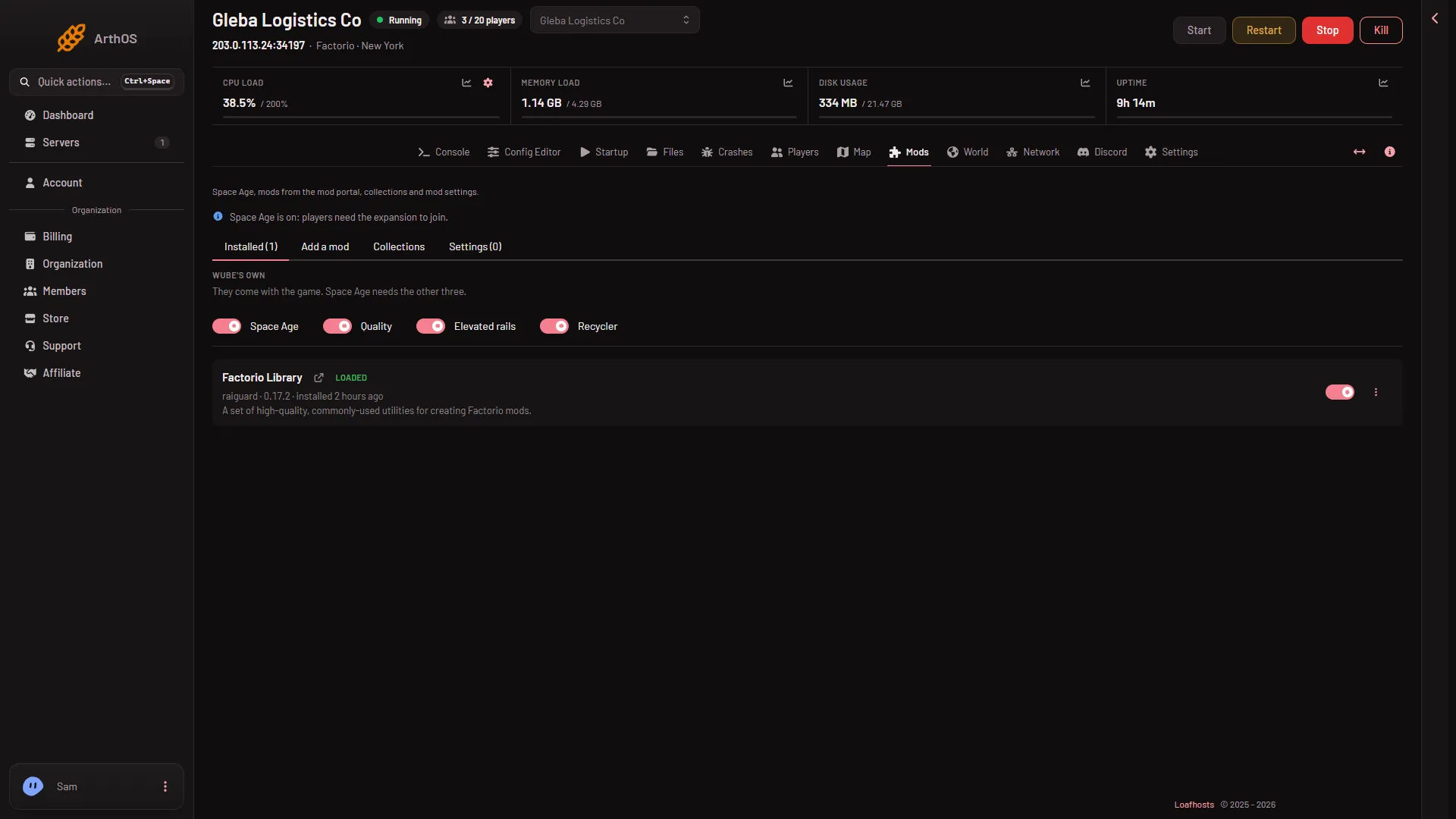
- Wube's own mods
What shows as Loaded is read from the last start. The page says when: “What loaded is read from the last start (when).”
When two mods fight
Mods that cannot run together are a different problem from order. The panel refuses an install with “(name) cannot run together with (other mod); turn that one off first”. Turn one of them off with the switch on its row, Turn (name) off. It stays on the server and is skipped from the next start. On a world that already uses the mod, turning it off may lose what the mod added, so use Save a copy now on the World page first.
If it does not work
- A mod is Refused. The game would not take it, often because it is for another Factorio version or needs a mod that is not there. Install what it needs, or turn it off.
- The server stops at start and names a mod. See a mod crashed the server.
- You want to edit the list by hand. The game’s own file is
mods/mod-list.jsonin Files. It says which mods are on. It does not set an order. See mod-list.json.
More about the game: Factorio servers.
Sources: wiki.factorio.com: Multiplayer, wiki.factorio.com: Mod settings