
















Three quick checks find most causes: Memory Load on the Console, the Crashes page, and whether a player is joining. Then look at mods and upload. Change one thing at a time, so you know what helped.
1. Look at the Console strip
Open Console. The strip above the tabs shows CPU Load, Memory Load, Disk Usage and uptime. Each is read against your plan. The panel shows memory and disk a little higher than the plan’s size.
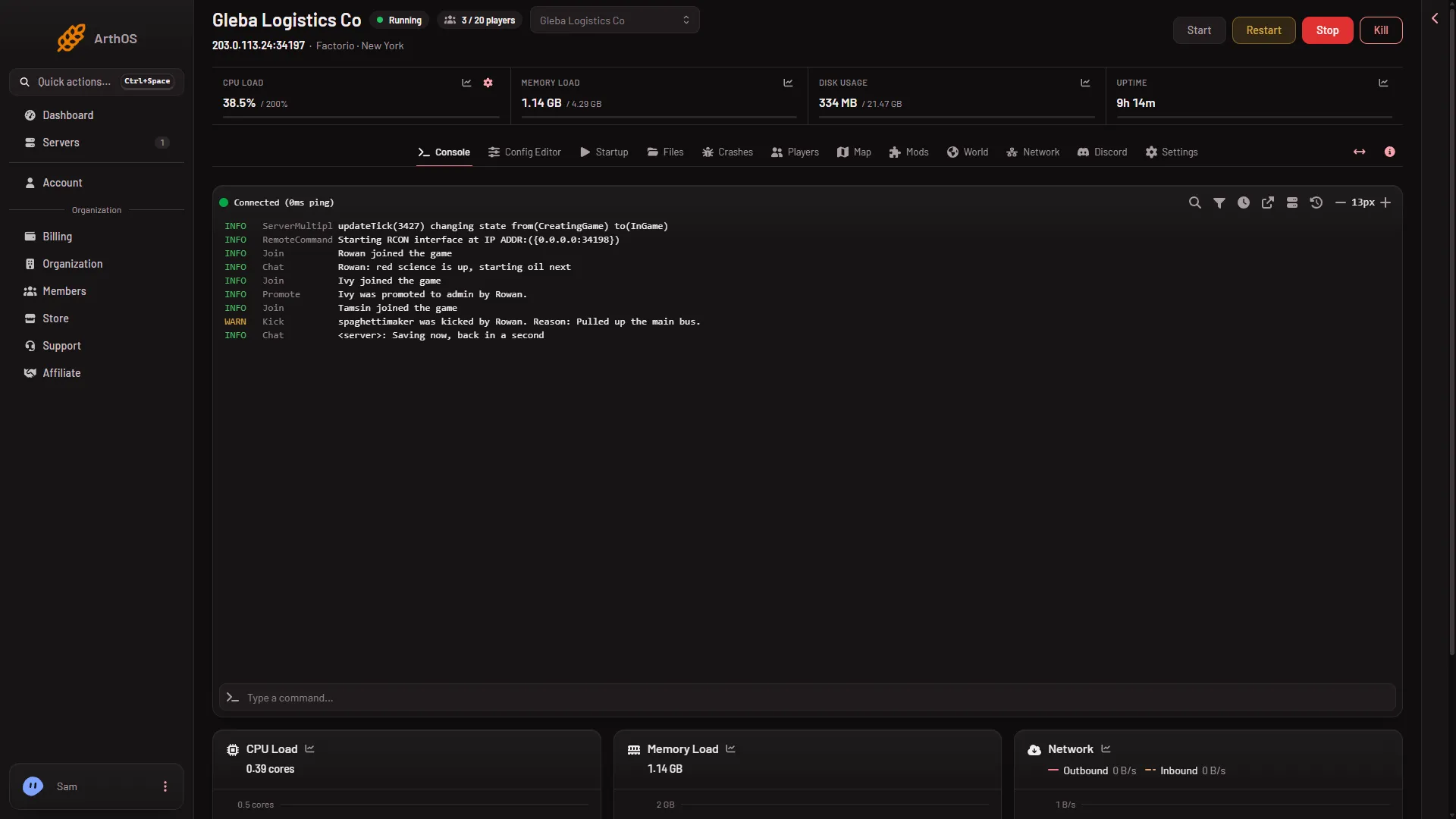
- Memory Load close to its limit. The server may be running out of memory. See the server ran out of memory.
- CPU Load high while players play. The server may have no room to spare. Fewer mods can help, and so can a bigger plan.
- Both look low. Go on to the next checks. Not checked on 2.1.24 as of 13 November 2026: what CPU Load reads on a Factorio server that lags, so a low reading does not clear the machine.
Each reading links to a history chart, so you can see whether it was high when the lag happened. Check the strip while players are lagging, not afterwards.
2. Check Crashes
Open Crashes. If the server ran out of memory or a mod failed, the page says so in plain words. A server that restarts by itself looks like lag to players. See the server crashed.
3. A player is joining
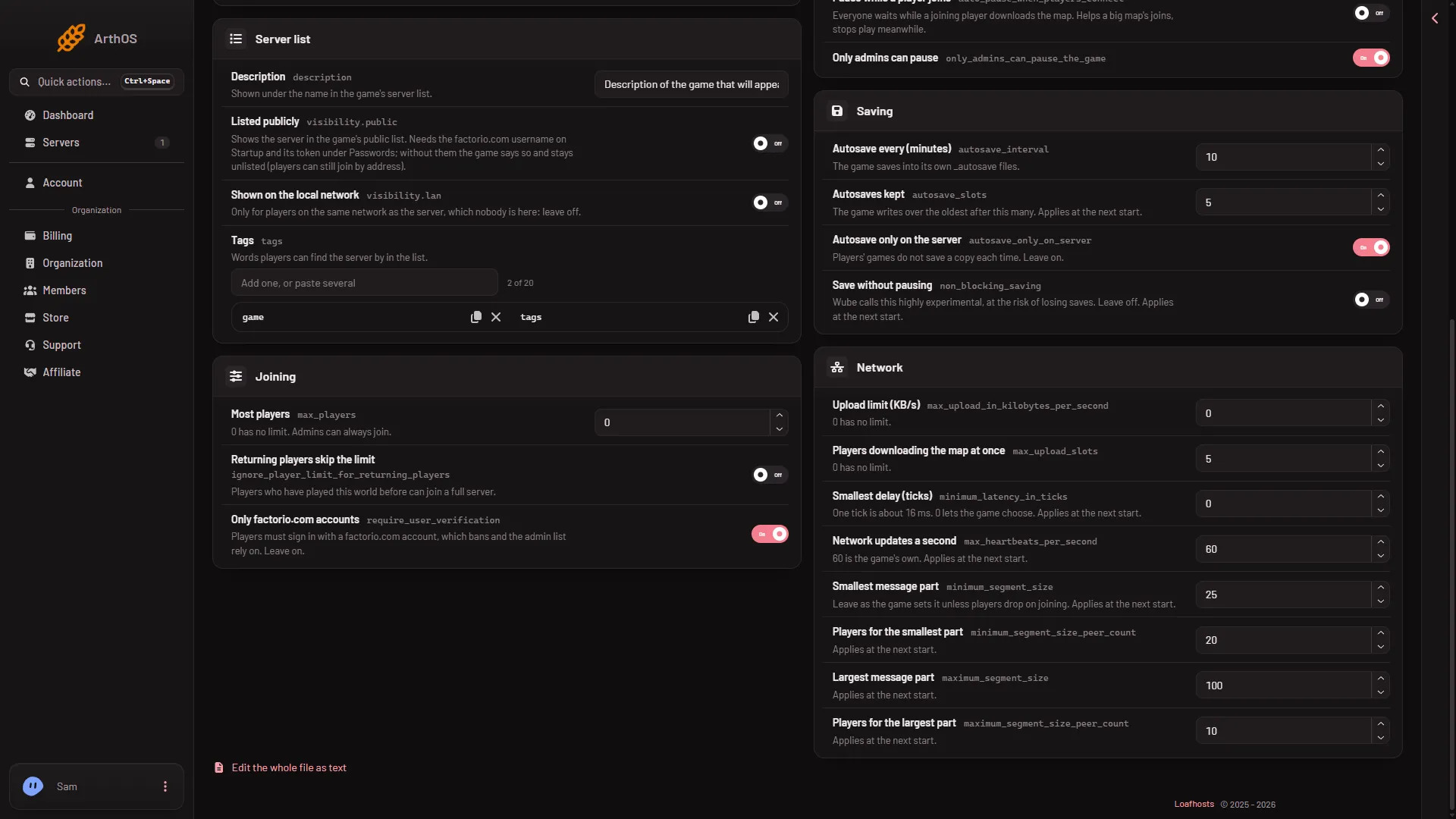
When a player joins, the server sends them the whole map. Two settings in the Config Editor, under Server settings, Network, help:
- Players downloading the map at once: how many players may download the map together. It applies without a restart.
- Upload limit (KB/s):
0means no limit. See the upload limit.
Under Playing there is also Pause while a player joins. The panel’s own help says: “Everyone waits while a joining player downloads the map. Helps a big map’s joins, stops play meanwhile.”
- Upload limit
- Players downloading the map at once
4. Mods
Every player needs the same mods as the server. A player whose game no longer matches the server is sent back to rejoin, and the game calls that a desync. See a player desynced. A large mod set also needs more memory. The Crashes page says “Big factories and big mods need more.”
Open the Mods page. Each installed mod has a switch: Turn (name) off. Turning a mod off keeps it on the server, so you can bring it back. A save that used the mod may lose what the mod added, so choose Save a copy now on the World page first. The change applies at the next start.
5. The other network settings
Smallest delay (ticks), Network updates a second and the message part sizes are for fine tuning. They wait for a restart. See Factorio network settings.
6. Test
- Make one change.
- Choose Save in the Config Editor. The panel says whether the server needs a restart.
- If it does, use Restart at the top of the server page. This drops everyone who is on, so warn them first with Message everyone on the Players page. The world saves as the server stops.
- Ask a player to play for a while.
If it does not work
- Lag only when a player joins. Section 3.
- Lag all the time, with Memory Load high. The server needs more memory, or fewer mods.
- Lag grows over a long session. Compare the history charts on the Console strip early and late in the session. If memory or CPU climbs, the server needs more room: a bigger plan or fewer mods.
- One player only. Their own connection is the likely cause. The server settings treat everyone alike.
Not checked on 2.1.24 as of 13 November 2026: how much each setting changes lag with real players on a Loafhosts server.
More about the game: Factorio servers.
Sources: wiki.factorio.com: Multiplayer