
















A preset is a ready-made set of map settings. On the World page, the Preset list in the New world card offers Your own, from the Config Editor first, then nine of the game’s own presets. The box starts on Your own, so choose Default for the game’s normal settings. A preset applies only to a new world. It never changes a world that already exists.
The presets
- Default. Normal settings. The game’s makers recommend it for the usual way to play.
- Rich resources. Resource patches on the first planet hold twice as much, so you do not have to expand far.
- Marathon. Technologies cost four times as much, so a game lasts longer.
- Death world. Enemy bases are twice as common and twice as big, and enemies evolve faster. The start area is smaller.
- Death world marathon. Marathon and Death world together, with a few more changes. The game’s makers say to pick it only if you know the game well.
- Rail world. Resource patches are large and far apart (a third as many, three times the size), so you need trains. Enemies do not build new bases.
- Ribbon world. The map is only 128 tiles high on every planet, which makes a long strip.
- Lakes. Lakes of a consistent size, and cliffs that follow the coast. Forest paths are off and tree coverage is 50%. It uses the map generation of Factorio 1.1.
- Island. One large island in an endless ocean. Forest paths are off and tree coverage is 50%. It also uses the map generation of Factorio 1.1.
With Space Age on, a preset changes only the first planet, Nauvis.
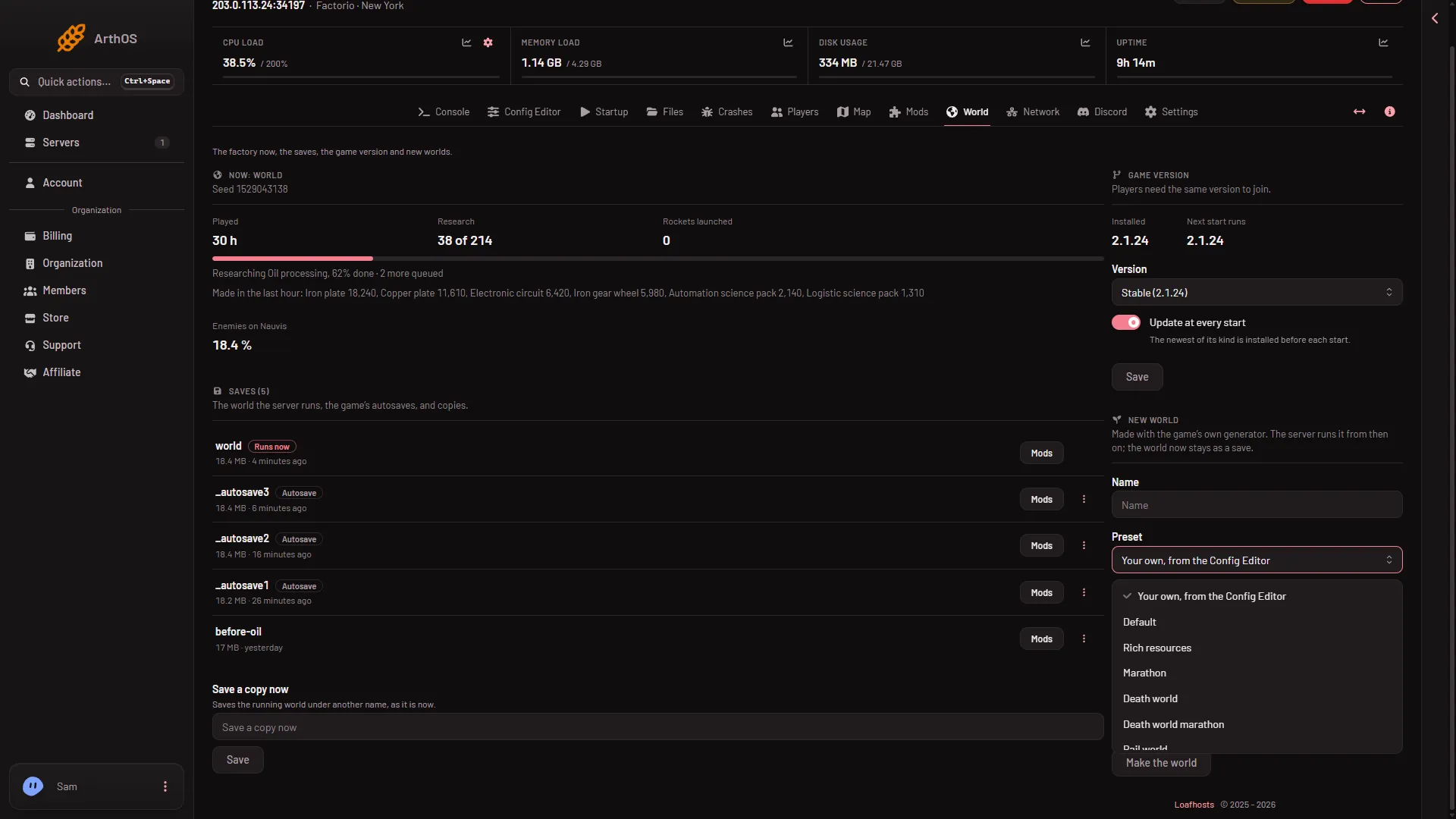
Your own
Your own, from the Config Editor makes the world from the values in the Config Editor under New world map (and New world rules). Use it when no preset fits, for example a map with no enemies or a map with a size limit. See settings used only for new worlds.
With one of the nine presets chosen, which setting wins when the preset and that file set the same thing is not checked on 2.1.24 as of 13 November 2026. Use one or the other.
Which one to pick
- Playing for the first time: Default.
- Short on time: Rich resources.
- Wanting trains and long distances: Rail world.
- Wanting a hard time: Death world.
Use it
- Open the World page.
- In New world, choose a Name and a Preset.
- Choose Make the world. The server stops, a backup is taken and the world is made. Making a world drops everyone on the server, so send Message everyone from the Players page first. Full steps: start a new world.
If it does not work
- That is not one of the game’s presets. Pick a name from the list. The panel accepts only the game’s own.
- The world looks different from a friend’s. The seed decides the shape. The same preset with another seed gives another map. See the seed.
More about the game: Factorio servers.
Sources: wiki.factorio.com: Map generator