
















Open the Players page and look at Online. It lists everyone on the server now. The panel asks the running game for its player list about every 15 seconds, so a player who joins or leaves can take a few seconds to show up or go.
Read the Online list
- Open Players on your server.
- The title reads Online (3) (1), with the number of players on. Under it the panel says where the list comes from. With live game details off it reads “From the game’s own list, read every 15 seconds.”; the picture below was taken with them on.
- Each row shows the player’s name and some of these:
on since (time): when they joined.- Tags such as Admin or Whitelisted if they are on those lists.
- If nobody is on, the list says “Nobody is on.”
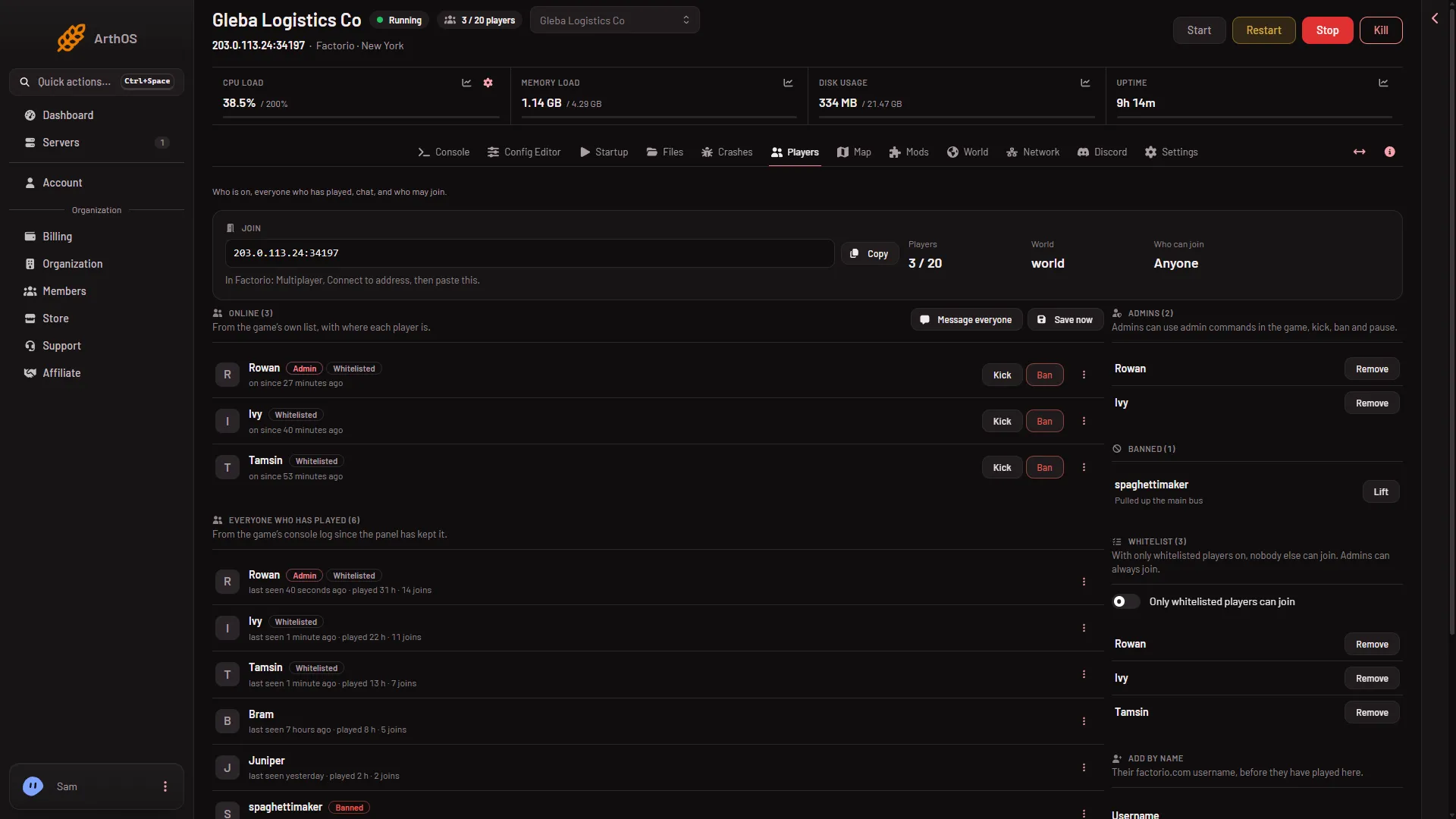
- Who is on now
At the top of the page, the Players figure shows the count. When your server has a limit it reads like 3 / 20. With no limit it shows the count alone. Who can join says Whitelist only or Anyone.
Each online row has Kick and Ban buttons, and a menu named More for (name). See kick and ban players for what they do.
Where the count comes from
The panel talks to the server over its remote console, using the RCON password the panel made for your server. It does not use Factorio’s public server list. That is why the list works on a server that is not listed publicly.
The same reading is used by the header, the Discord status and standby. Standby stops a server when nobody plays on it. If the panel cannot read the count, it never treats that as an empty server, so a server is not stopped just because the panel could not see in.
With live game details on
When live game details are on, the hint changes to “From the game’s own list, with where each player is.” Rows then also show the planet and the spot, such as nauvis at 120, -45, in a car when a player is in a vehicle, played (time) here for their time on this server. Live game details end Steam achievements on that world for good, so read that guide first.
By hand
In the game’s console, /players online lists who is on.
If it does not work
- “The server is starting. Who is on shows once its world has loaded.” The game opens its remote console only when the world has loaded. Wait a few seconds.
- “The server is stopped.” Nobody can be on. Start the server.
- A player is in the game but not in the list. Wait up to 15 seconds and look again. If they are still missing, check that they joined this server and not another one.
- The count looks one behind. The list is a snapshot, not a live feed.
More about the game: Factorio servers.
Sources: wiki.factorio.com: Console