
















The join password is set under Passwords in the Config Editor, and a change applies at the next start. If players still get in without it, or a new password is refused, the usual cause is that the server has not restarted since you saved it, or that it was changed in the wrong place.
Set it in the right place
- Open the Config Editor and choose Passwords (1).
- Type the new value in Join password (2). Save.
- Restart the server with Restart at the top of the server page. A restart drops everyone who is on, so warn them first with Message everyone on the Players page.
The Startup page does not hold it. It only points you to Passwords.
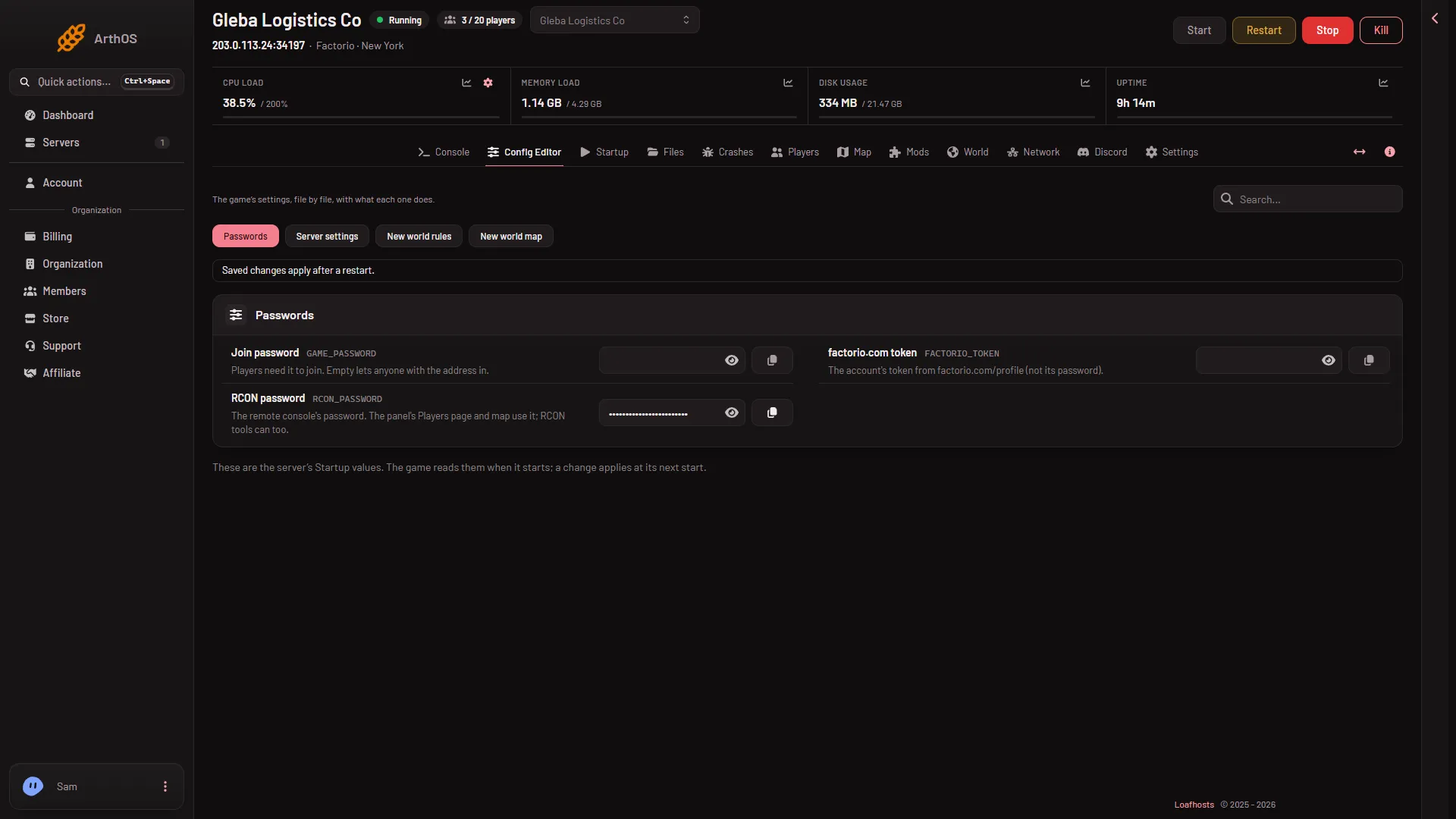
- Passwords
- Join password
- factorio.com token
- RCON password
An empty Join password lets anyone who has the address join. A new server starts empty.
Why a hand edit does not stay
The server writes its name, the join password and the factorio.com username and token into server-settings.json at every start, from the panel’s values. If you open the file in Files and type a password into it, the next start replaces it. Always change the password under Passwords.
If it does not work
- Players can still join without a password. Restart the server. The old value is used until then. Also check Join password is not empty.
- A player is refused with the right password. Check what they type, with capital letters and spaces. The password holds up to 100 characters.
- There are three different passwords. Join password is what players type. RCON password (4) is the remote console’s, and the panel uses it. factorio.com token (3) is for listing the server and downloading mods. None of them replaces another.
- The password works but players still cannot join. See cannot connect for the version, mods and whitelist.
Do not share the value in a ticket or in chat. To change it later, repeat the steps above.
More about the game: Factorio servers.
Sources: wiki.factorio.com: Multiplayer