
















A new Factorio server has no join password. Anyone who has the server’s address can join. To change that, set Join password under Passwords in the Config Editor. The new password is used from the next start.
Set the password
- Open the Config Editor tab.
- Choose the source Passwords (1).
- Find Join password (2) and type the new password. It can be up to 100 characters.
- Save the file. While the server runs, the page says “Saved. Restart the server to apply the changes.”
- Restart the server with Restart at the top of the server page. A stop saves the world first.
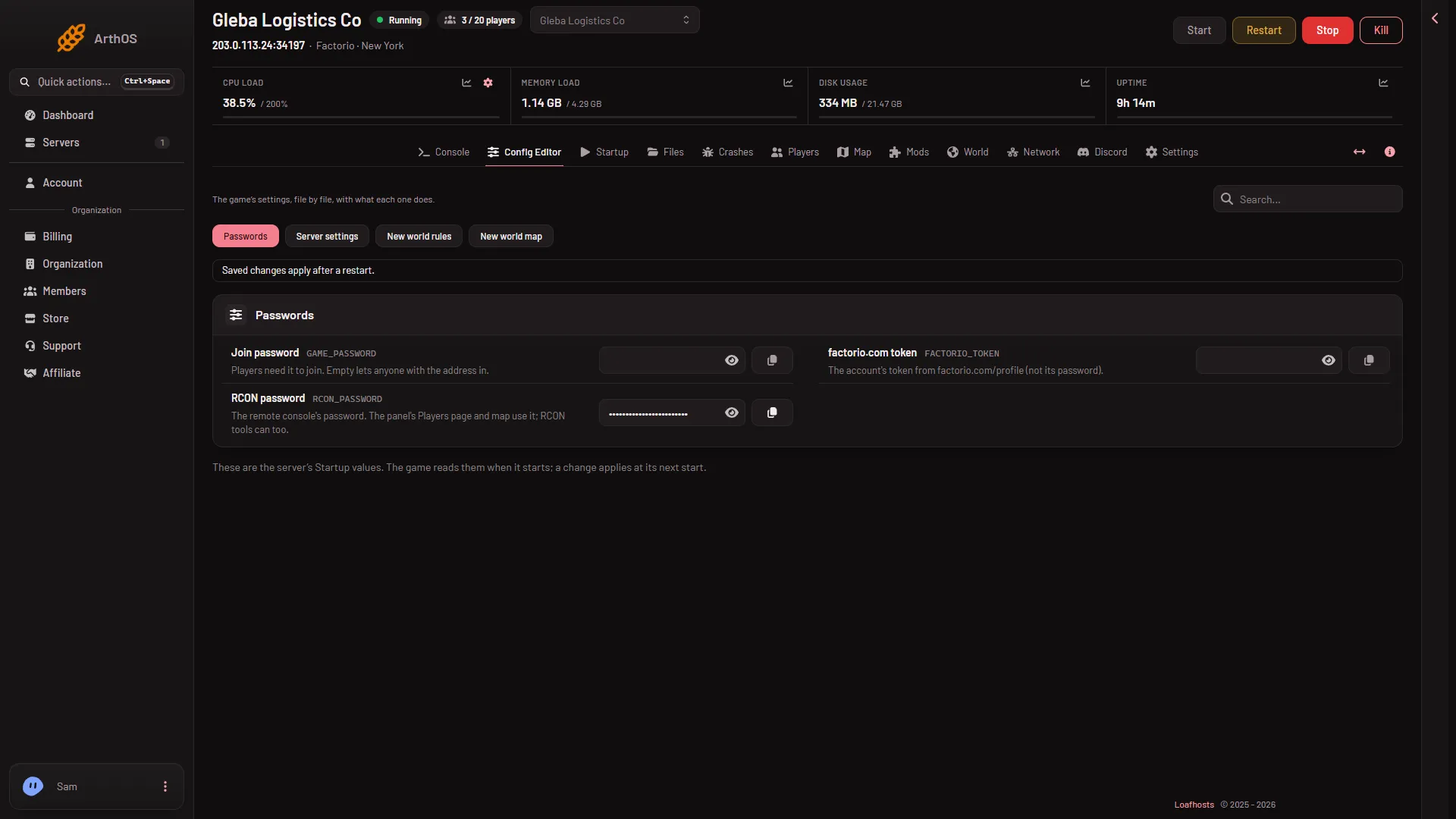
- Passwords
- Join password
Players now need the password to join. Give the password to them in a private message, not in a public channel.
The password is not on the Startup page. Startup only points to the Config Editor.
Take the password off
Clear Join password, save, and restart. With the field empty, anyone with the address can join again.
Why a hand edit does not stay
Loafhosts writes the join password into server-settings.json at every start, from the value under Passwords. If you change "game_password" in that file by hand, the next start writes the panel’s value over it. Change it in the Config Editor instead.
A password or a list of names
A password lets in everyone who knows it. A whitelist lets in only the names on it. A server can use both. See the whitelist guide.
Do not mix this up with the factorio.com token. The token lets the server list itself publicly. It is not a join password. See token and username.
If it does not work
- Players still join without a password. The server has not restarted since you saved. Restart it.
- Players say the password is wrong. Check for a space at the start or end, and that the password under Passwords is the one you gave them. See password not working.
- Join password is not under Startup. It is under Passwords in the Config Editor.
- You cannot save. Your role may not allow changing server settings.
More about the game: Factorio servers.
Sources: wiki.factorio.com: Multiplayer